Create approval workflows for types: შესყიდვები request, შესყიდვები რიგითობა, Quotation, Payment requests and შესყიდვები Invoice
დამატება New Approval Setting
To add a new approval to your organization:
- ნაბიჯი 1. Go to პარამეტრები menu under შესყიდვები module from the left sidebar.
- ნაბიჯი 2. Select Approval menu -> Click on the New approval setting button.
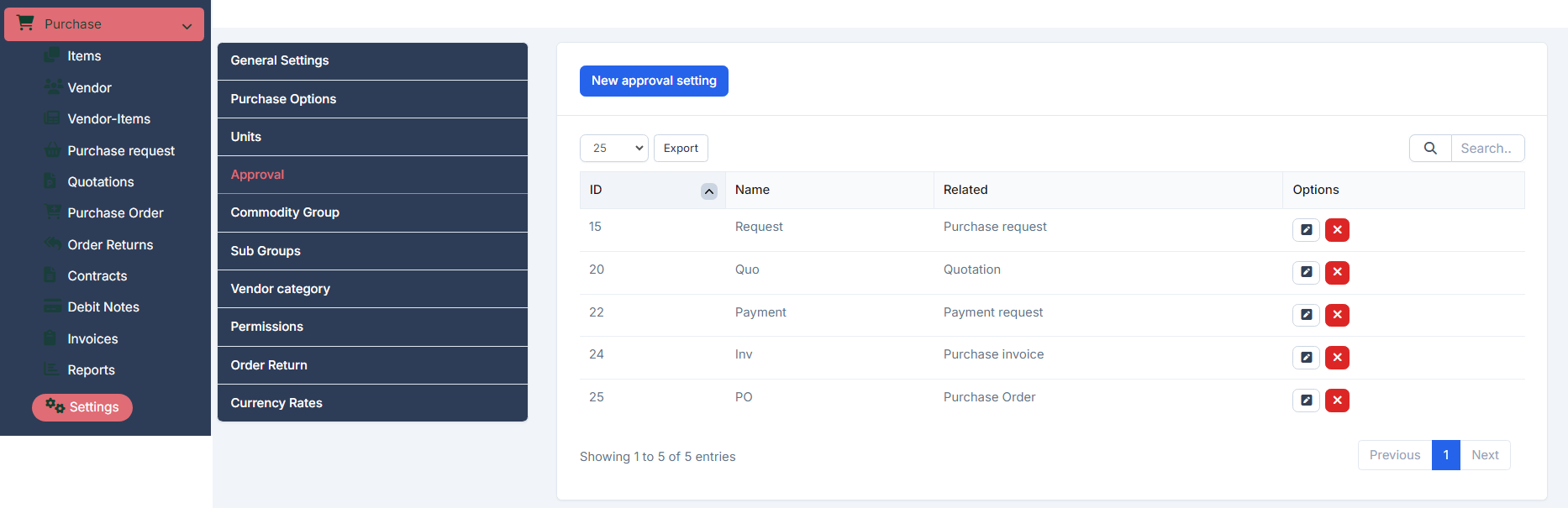
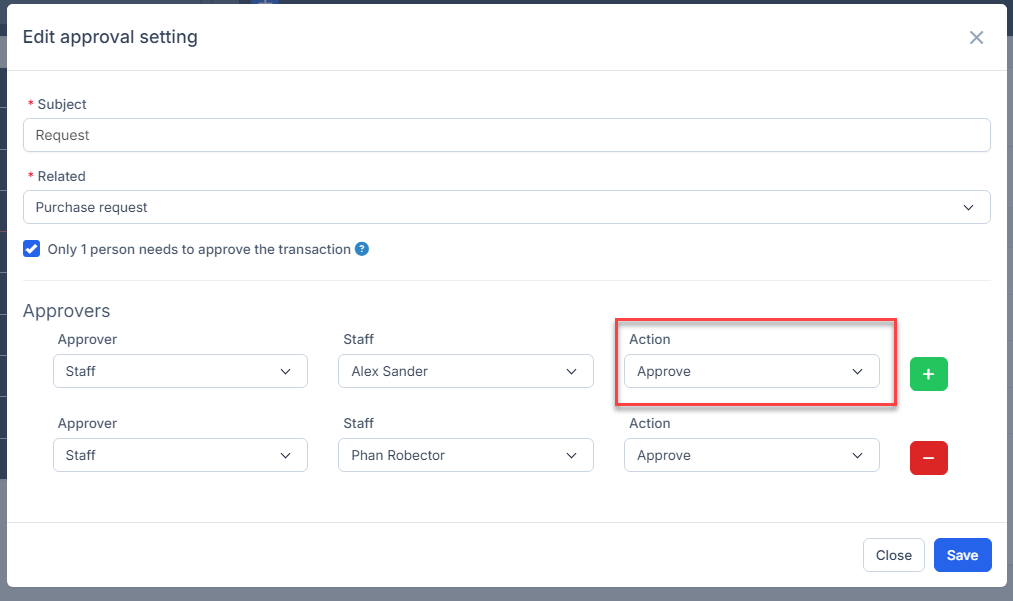
- ნაბიჯი 3. In the New approval setting page, fill the following details:
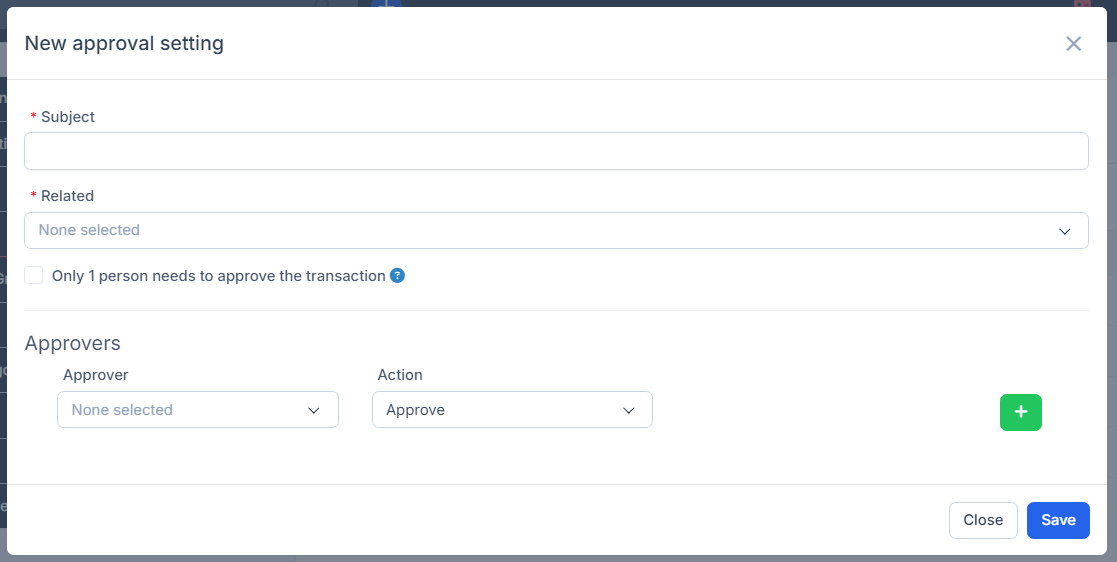
- Enter the თემა.
- Select დაკავშირებული: includes შესყიდვები request, შესყიდვები რიგითობა, Quotation, შესყიდვები Invoice, and Payment requests
- Only 1 person needs to approve the transaction:If this option is enabled, all approvers in the process can simultaneously approve transactions, and only one of them needs to approve or sign for the transaction's status to change. დაკავშირებული article: https://helpcenter.gtssolution.vn/article/only-1-person-needs-to-approve-the-transaction
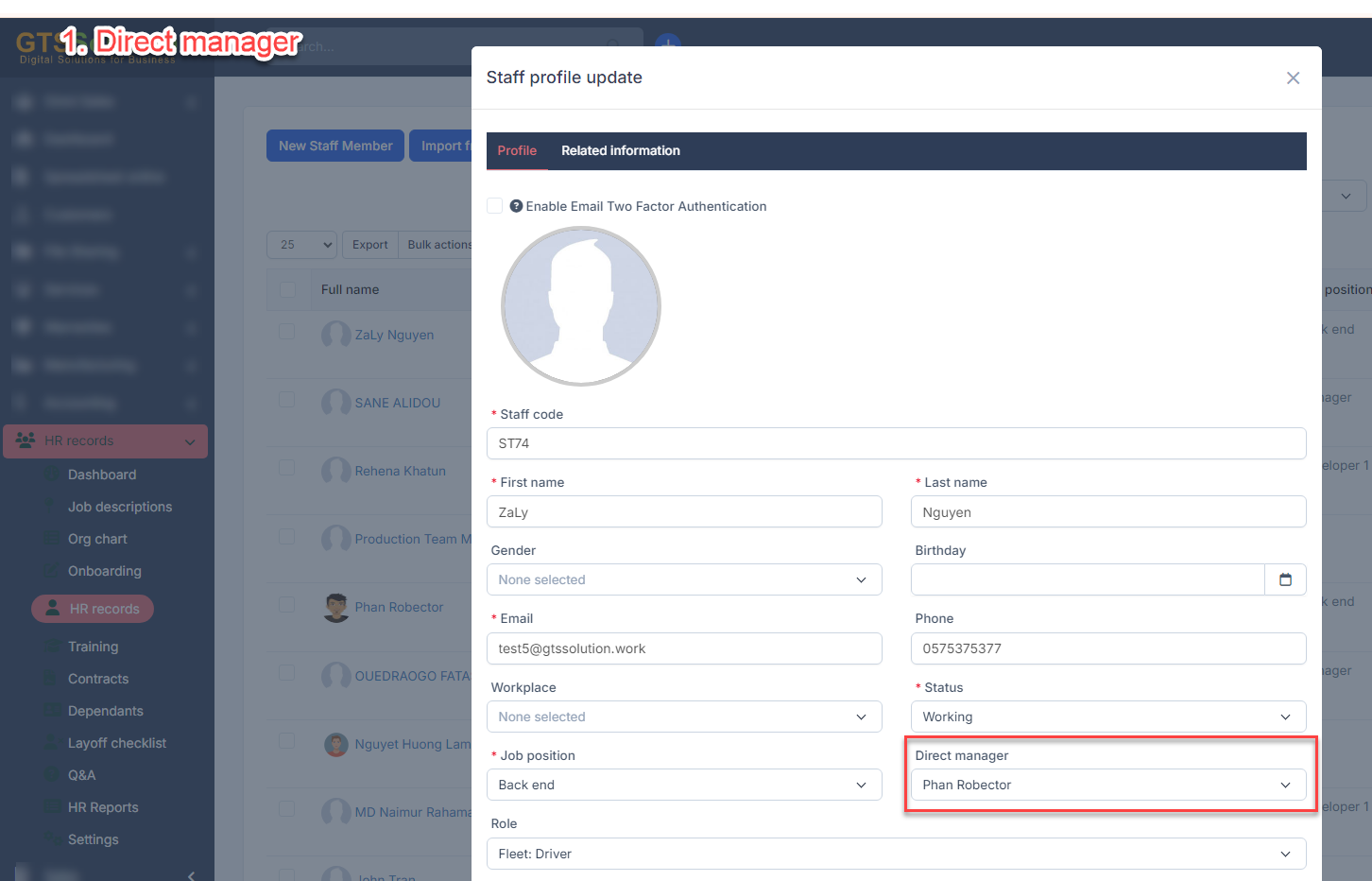
- Select დამტკიცებაr: თანამშრომლები or Direct manager or Department manager.- Direct manager: the approver is the direct manager of the transaction creator.
 - Department manager: the approver is the department head of the employee who created the transaction.
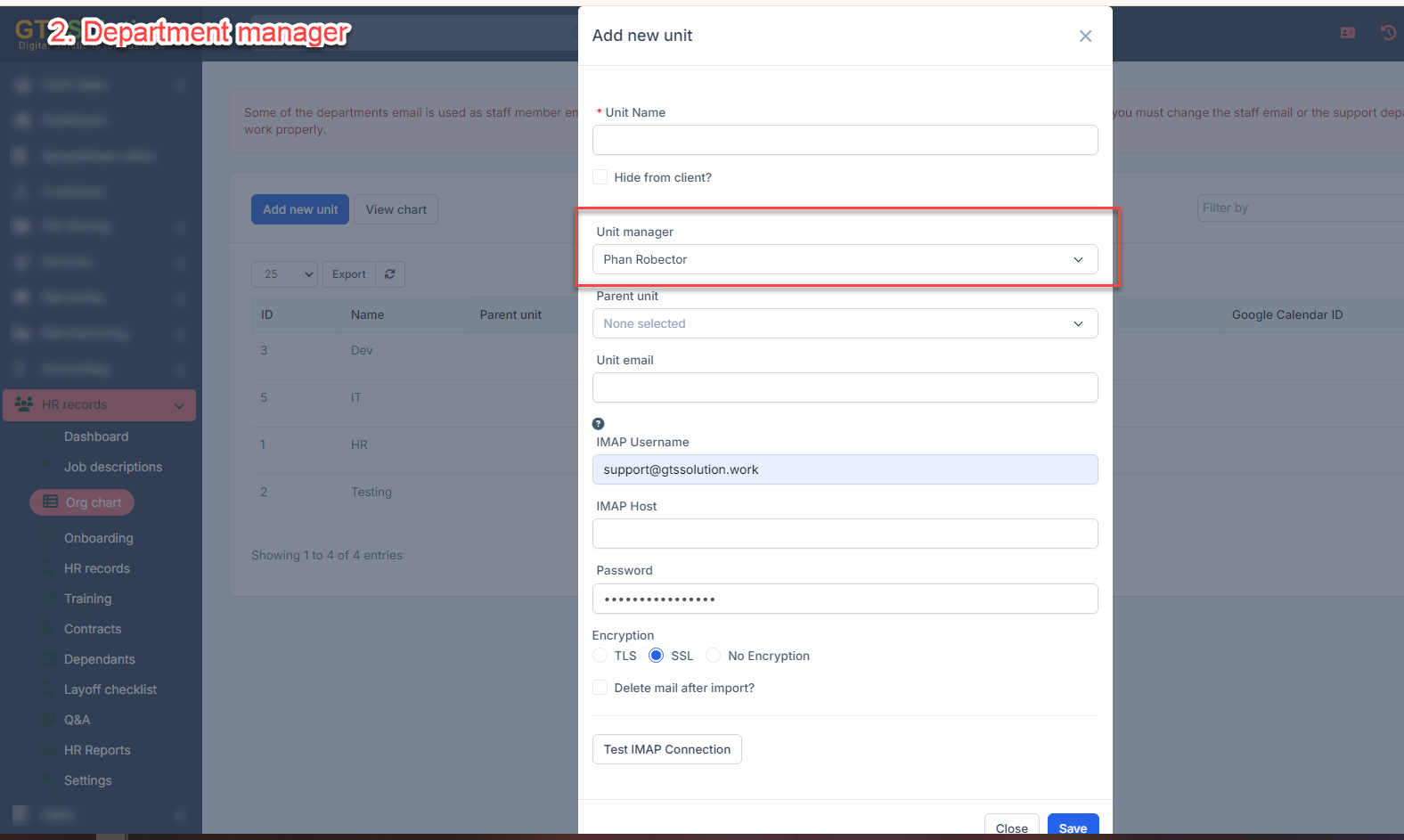 Direct manager, Department manager are only displayed when HR Record module is active.
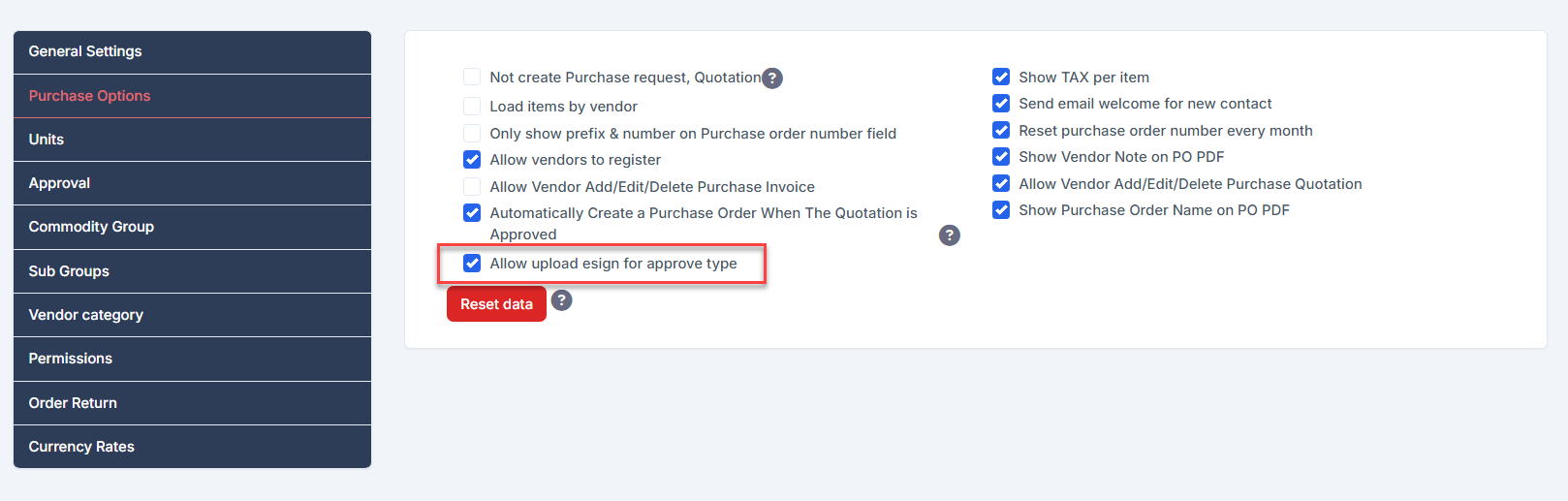
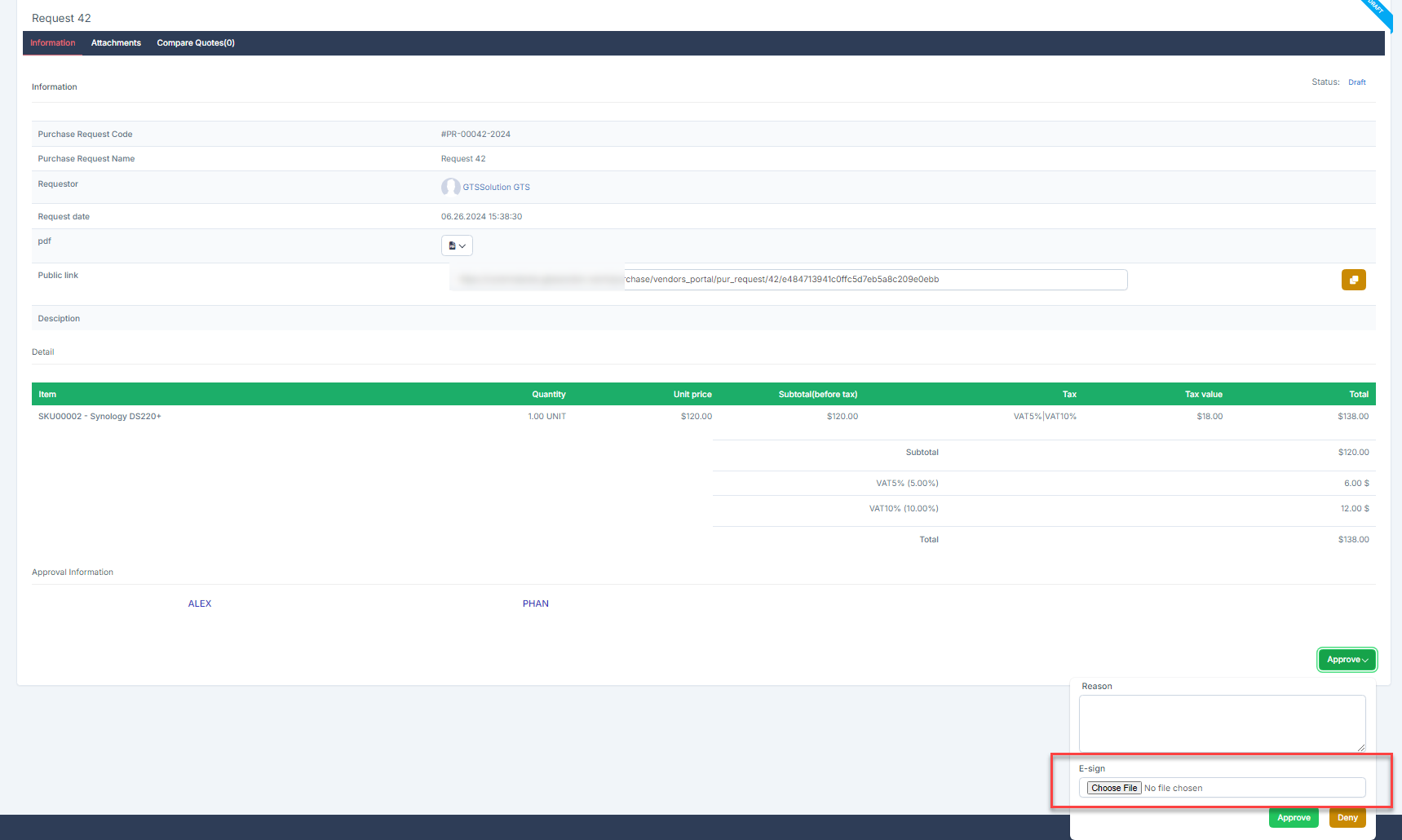
 - Select action: approve or signWith action is approve, you can upload the E-sign at the approval step if you enable the option "Allow upload esign for approval type" in შესყიდვები Options setting
- Click
 to add another approver to the processClick
  to remove a approver from the process
- ნაბიჯი 4. Click შენახვა button If the transaction creator's department does not have a department head, or the transaction creator does not have a direct manager, after submitting the approval request, the transaction creator will receive a notification that no approver was found.
რედაქტირება approval setting
To edit the details of an existing approval :
- ნაბიჯი 1. Go to პარამეტრები menu under შესყიდვები module from the left sidebar
- ნაბიჯი 2. Select Approval პარამეტრები menu -> Select approval setting need to be edited and click რედაქტირება
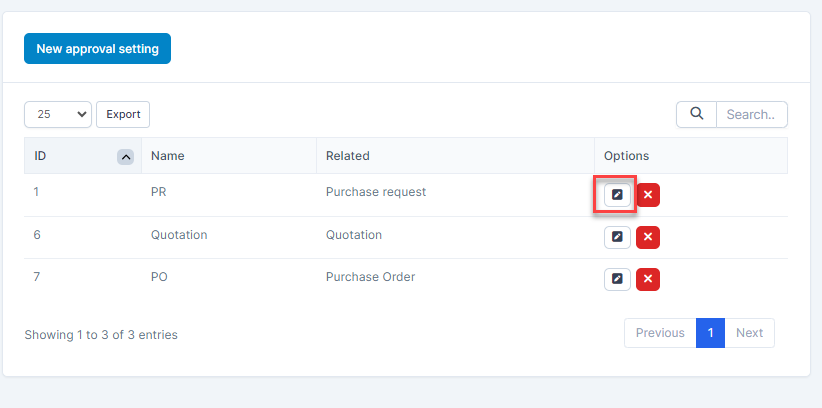
- ნაბიჯი 3. Make the necessary changes and click შენახვა button.
წაშლა approval
- ნაბიჯი 1. Go to პარამეტრები menu under შესყიდვები module from the left sidebar
- ნაბიჯი 2. Select Approval პარამეტრები menu -> Select the approval need to be deleted and click წაშლა
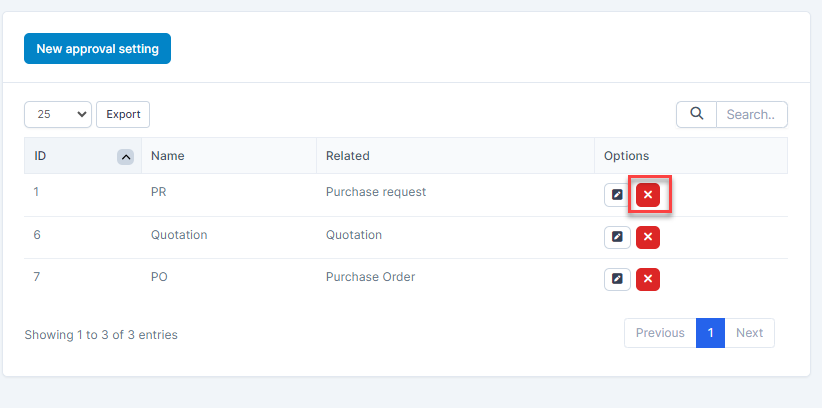
- ნაბიჯი 3. Confirm your selection in the following pop-up. The approval will be deleted.
