This data will be used for the საქონლის ჯგუფი combo box
დამატება New საქონლის ჯგუფი
To add a new commodity group to your organization:
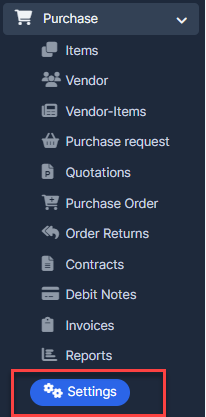
- ნაბიჯი 1. Go to პარამეტრები menu under შესყიდვები module from the left sidebar.
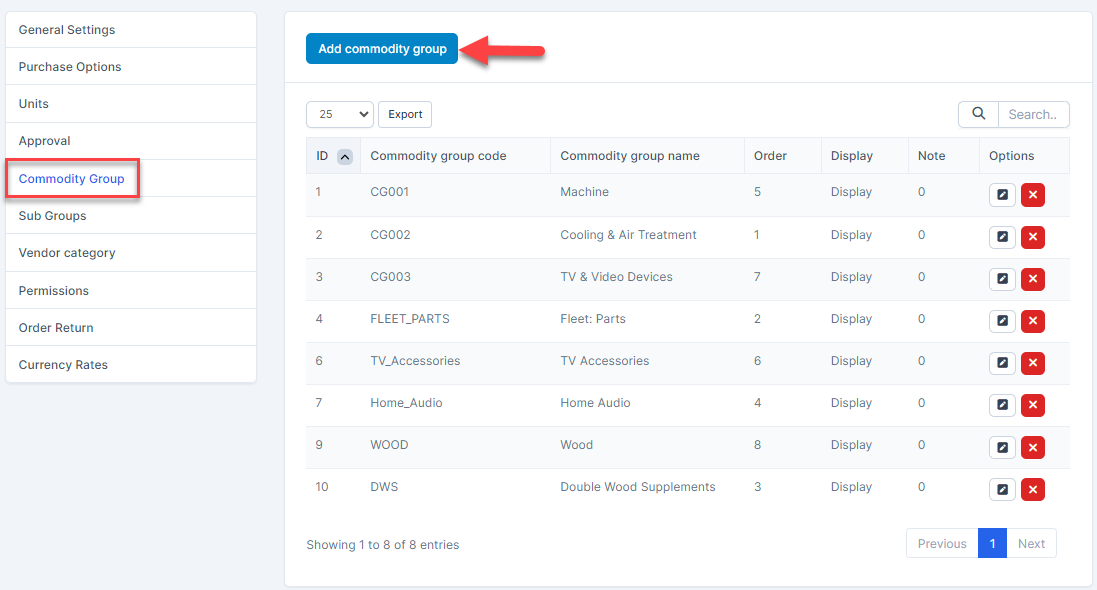
- ნაბიჯი 2. Select საქონლის ჯგუფი menu -> Click on the დამატება commodity group button.
- ნაბიჯი 3. In the დამატება commodity group page, fill the following details:
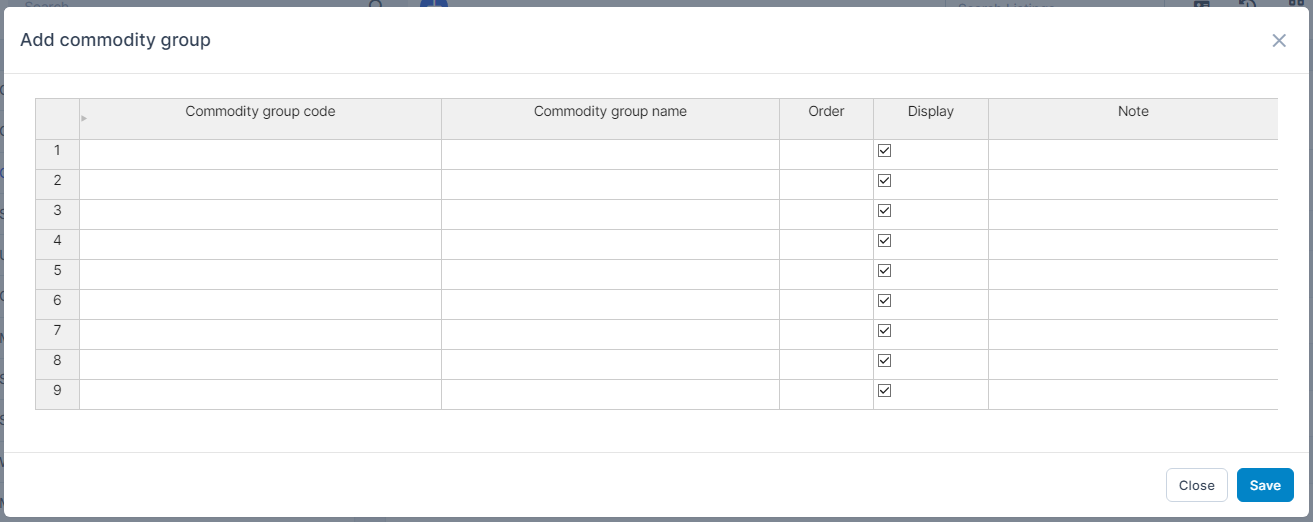
- Commodity group code: enter the code for the commodity group.
- Commodity group name: enter the name of the commodity group
- რიგითობა: enter the display order number. Commodity groups with smaller numbers will appear at the top of the commodity group dropdown list.
- ჩვენება: Check this box to make the commodity group visible in the commodity group dropdown list. Uncheck to hide the commodity group.
- შენიშვნა: Enter any additional notes if necessary.
- ნაბიჯი 4. Click შენახვა button
რედაქტირება საქონლის ჯგუფი
To edit the details of an existing commodity group :
- ნაბიჯი 1. Go to პარამეტრები menu under შესყიდვები module from the left sidebar
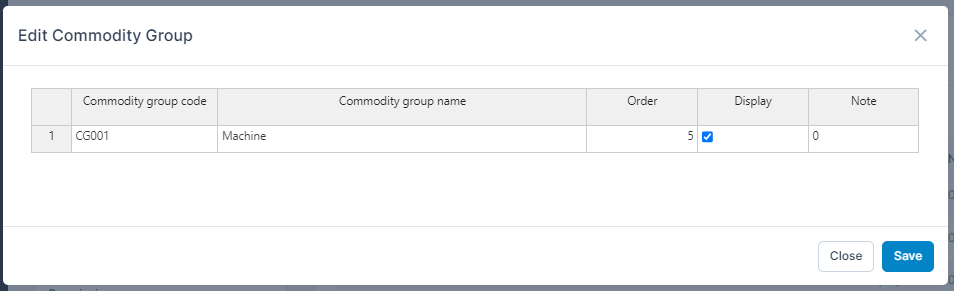
- ნაბიჯი 2. Select საქონლის ჯგუფი menu -> Hover over the commodity group to be edited and click რედაქტირება
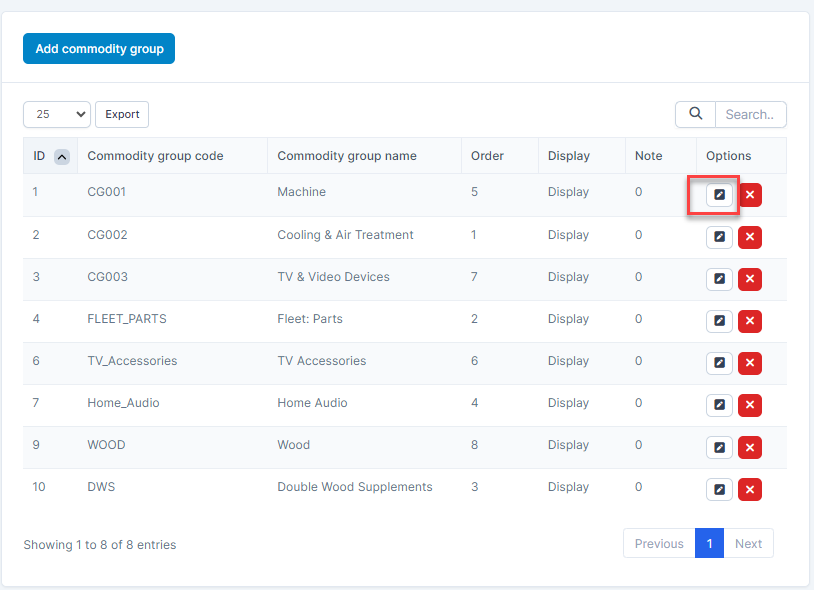
- ნაბიჯი 3. Make the necessary changes and click შენახვა button
წაშლა commodity group
If a commodity group is no longer operational, you can delete it. To delete a commodity group:
- ნაბიჯი 1. Go to პარამეტრები menu under შესყიდვები module from the left sidebar
- ნაბიჯი 2. Select საქონლის ჯგუფი menu -> Hover over the commodity group to be deleted and click წაშლა
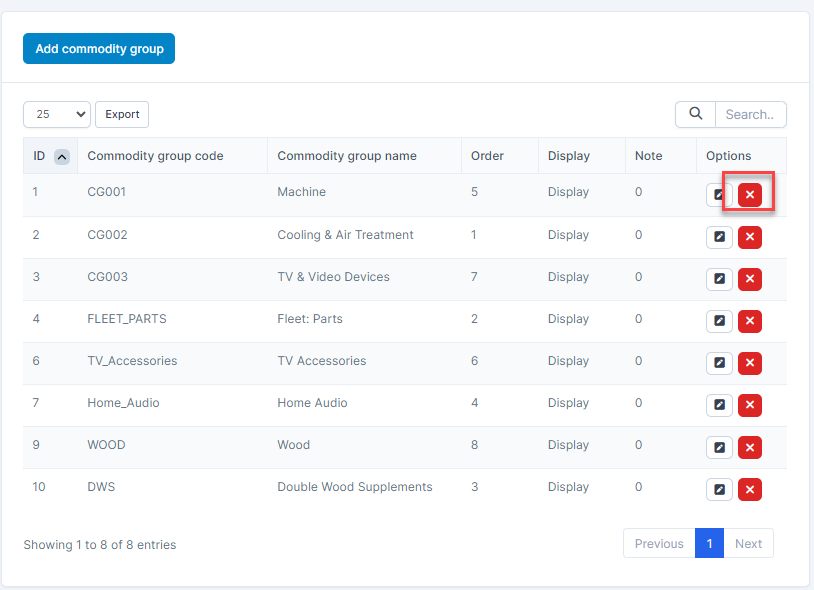
- ნაბიჯი 3. Confirm your selection in the following pop-up. The commodity group will be deleted.
