Users can access the modules based on their permission.
Admin: has unrestricted access to all the modules. You as an admin, can assign permission for role or specific employees.
დამატება Permission
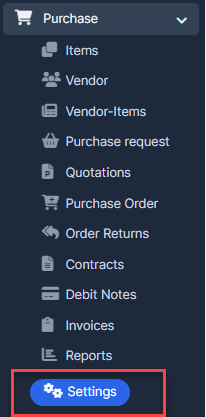
- ნაბიჯი 1. Go to პარამეტრები menu under შესყიდვები module from the left sidebar.
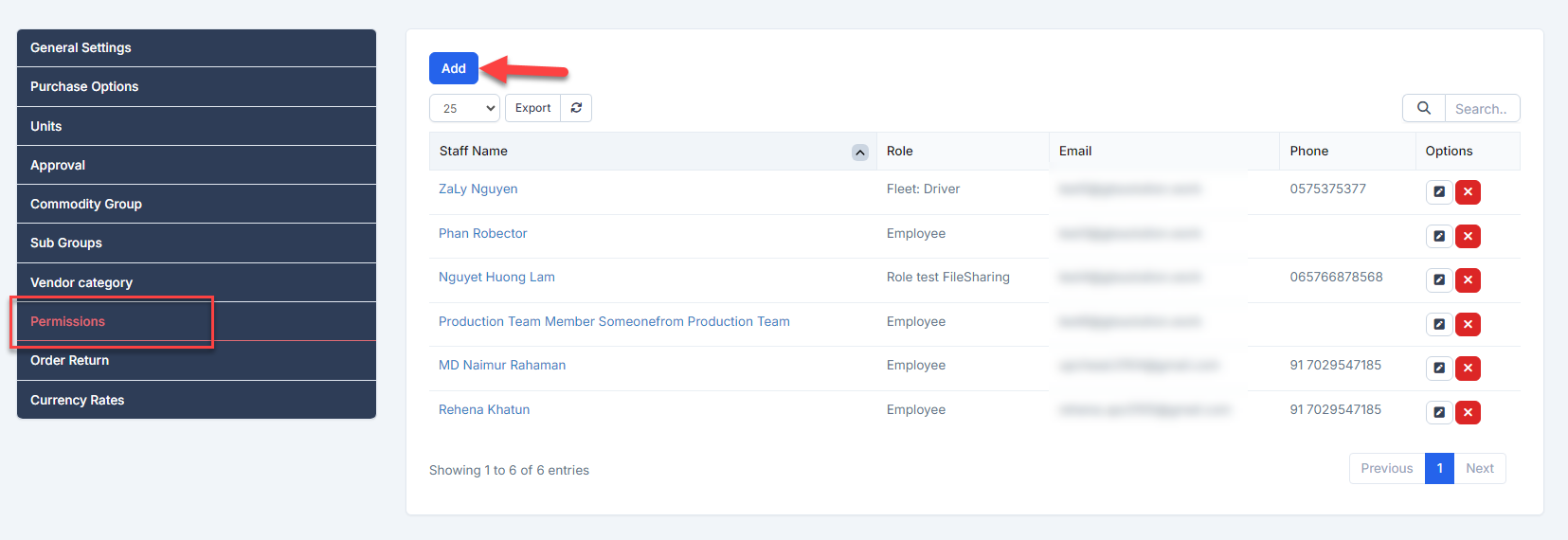
- ნაბიჯი 2. Select Permissions menu -> Click on the დამატება button.
- ნაბიჯი 3. In the დამატება Permissions page, fill the following details:
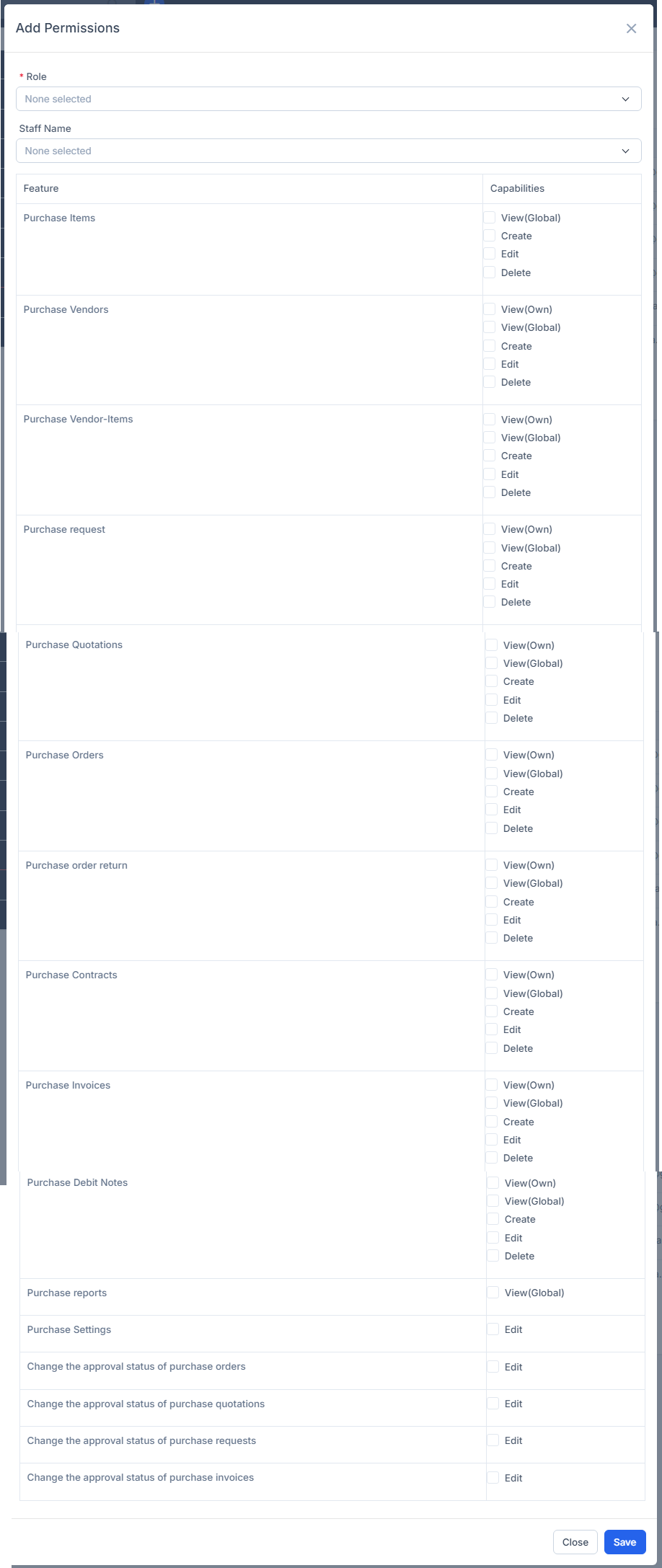 - Role: if you choose a role, this set of permissions applies to all employees of the selected role.- თანამშრომლები name: if you choose staff, this set of permissions applies to select staff.
 - ნაბიჯი 4. Click შენახვა button
რედაქტირება Permission
To edit the details of an existing permission:
- ნაბიჯი 1. Go to პარამეტრები menu under შესყიდვები module from the left sidebar
- ნაბიჯი 2. Select Permissions menu -> Select permission need to be edited and click რედაქტირება
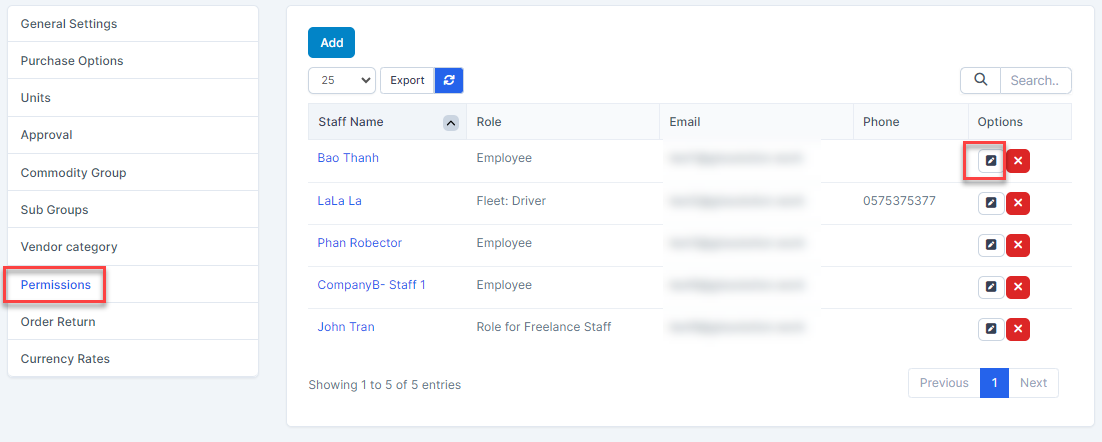
- ნაბიჯი 3. Make the necessary changes and click შენახვა button
წაშლა permission
- ნაბიჯი 1. Go to პარამეტრები menu under შესყიდვები module from the left sidebar
- ნაბიჯი 2. Select Permissions menu -> Select the permission need to be deleted and click წაშლა
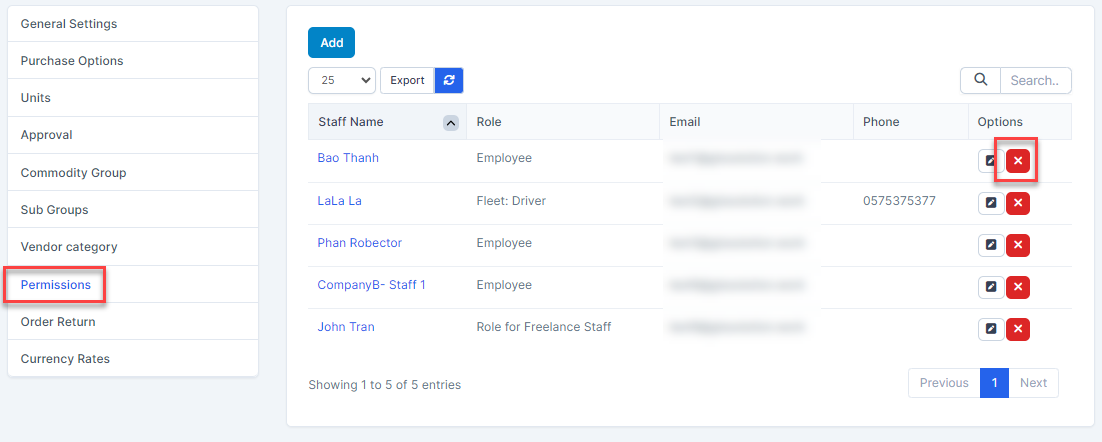
- ნაბიჯი 3. Confirm your selection in the following pop-up. The permission will be deleted.
