1. First, you create an approval process for შესყიდვები
invoice at პარამეტრები/ Approval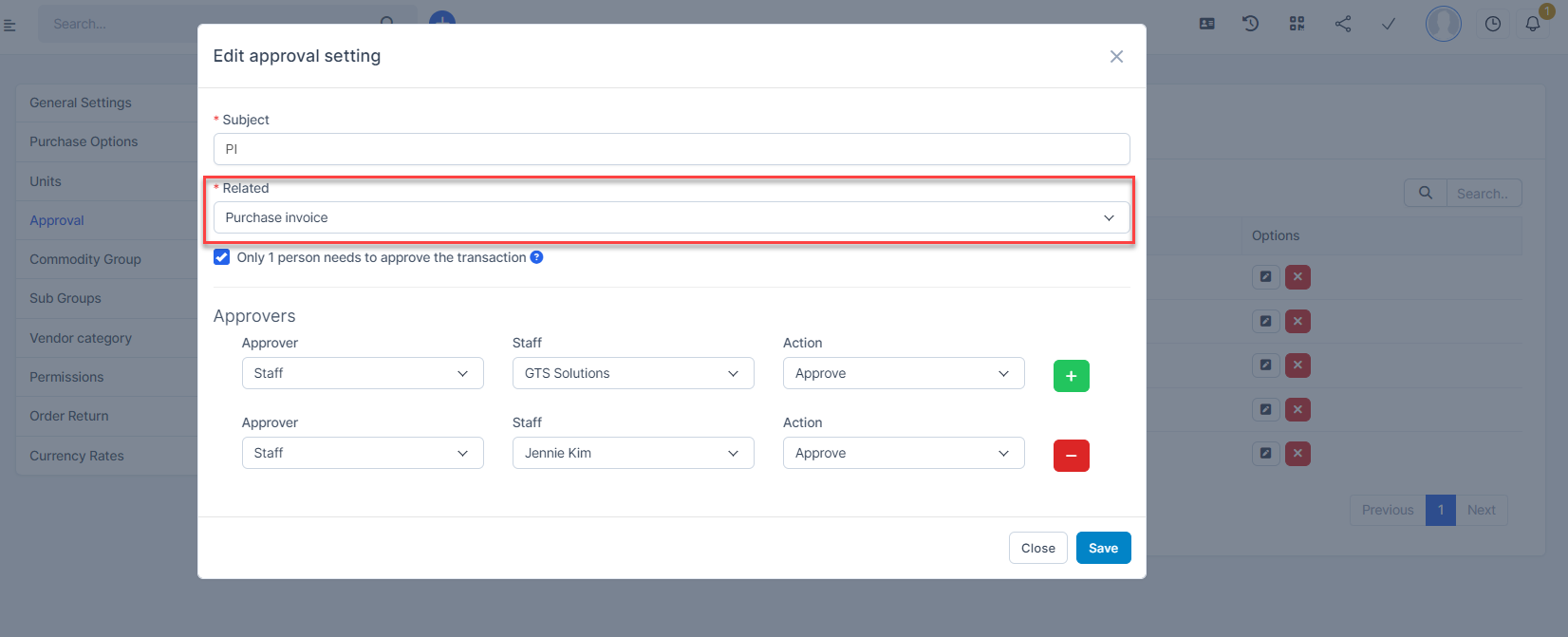 If your process has multiple approvers, when you enable the "Only 1 person needs to approve the transaction" option, your transaction will only need approval from 1 person.
2. Go to Invoices menu under the შესყიდვები module, create an invoice -> then go to purchase invoice detail and select Send approval request--> The approver will receive a notification requesting approval.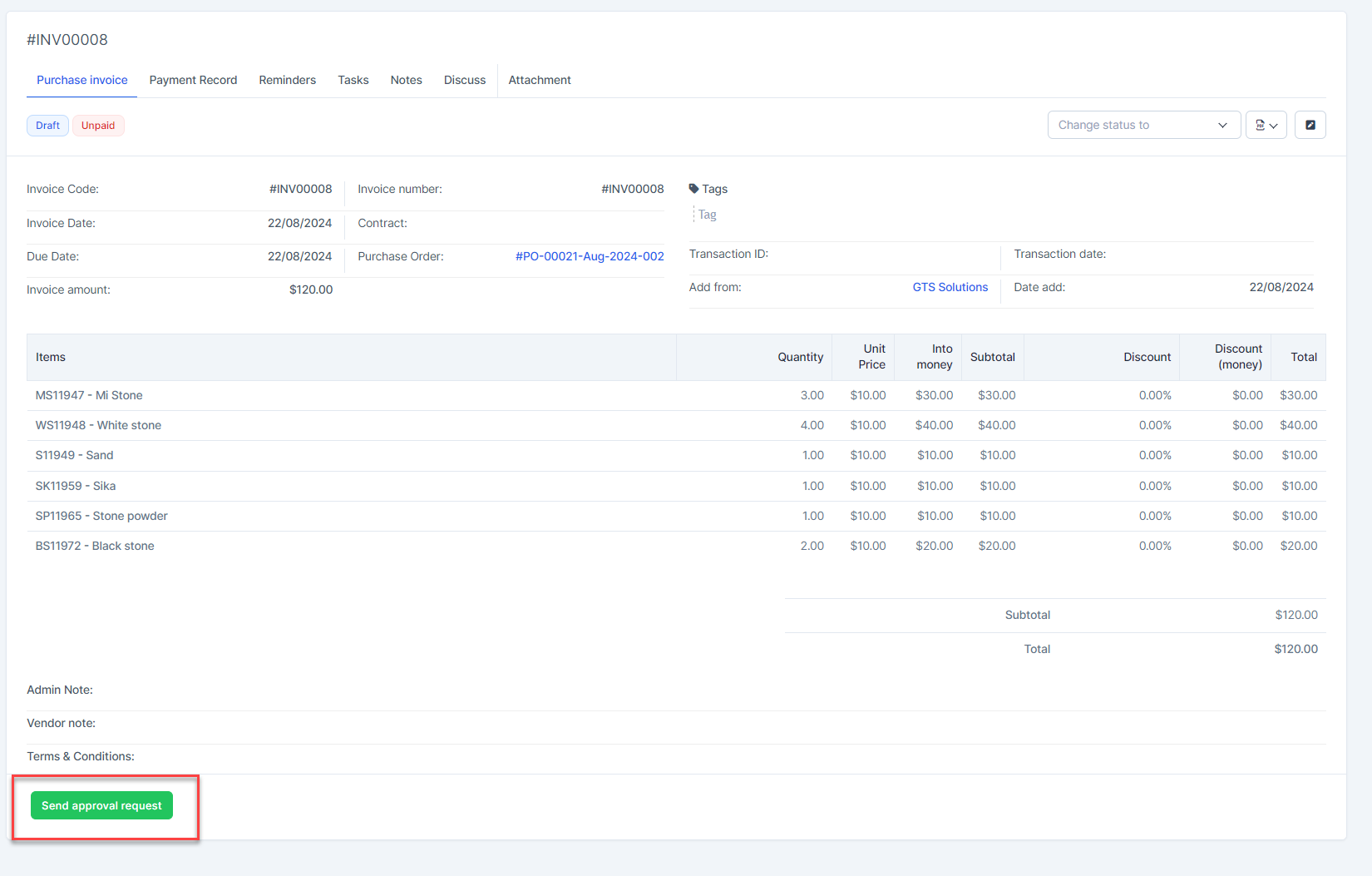
3. Log in with your approver account and select Approval.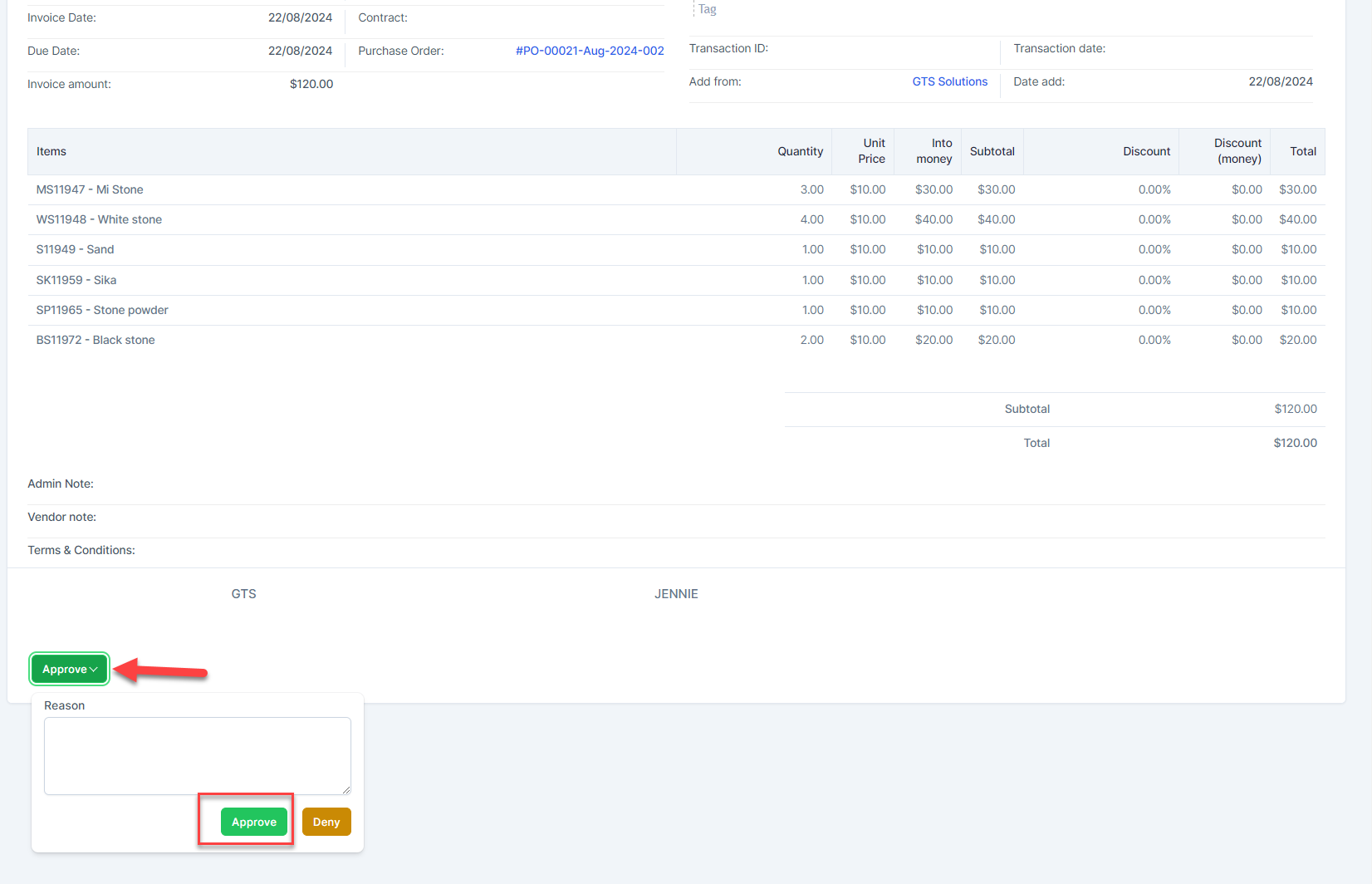 4. When approved, you can make a payment on this invoice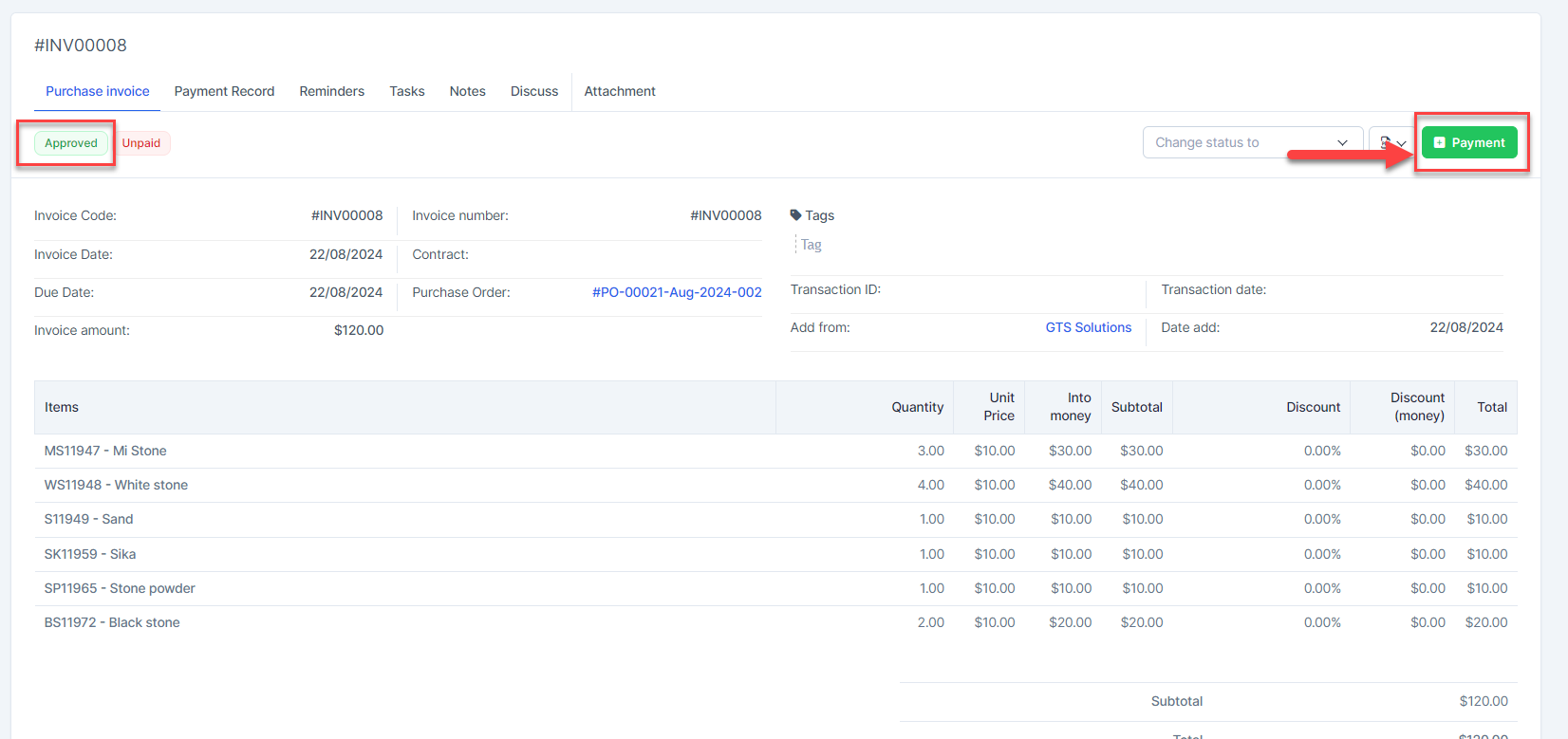
შენიშვნაs:
- For approved purchase invoices:you can view details and delete
- Only create payments and apply debit note for purchase invoices with დამტკიცებაd status
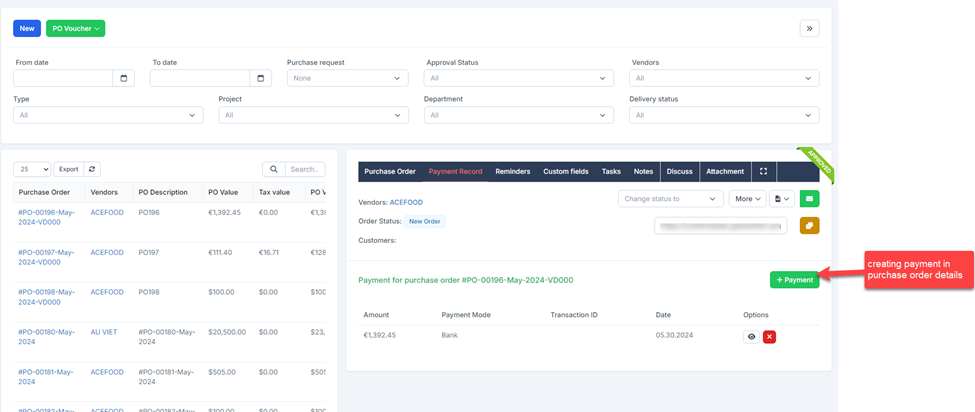
- When creating payment in purchase order details: purchase invoice is automatically created and automatically დამტკიცებაd (even if there is an approval setting for purchase invoice).