Allows the buyer to create a contract related to the approved purchase order and this contract will be displayed in the კონტრაქტი menu of the respective vendor.
Create კონტრაქტი
Create contracts for suppliers and buyers to sign.
- ნაბიჯი 1. Go to კონტრაქტიs menu
- ნაბიჯი 2. Click New and fill in required details and click შენახვა. After saving, the contract is displayed in the vendor portal
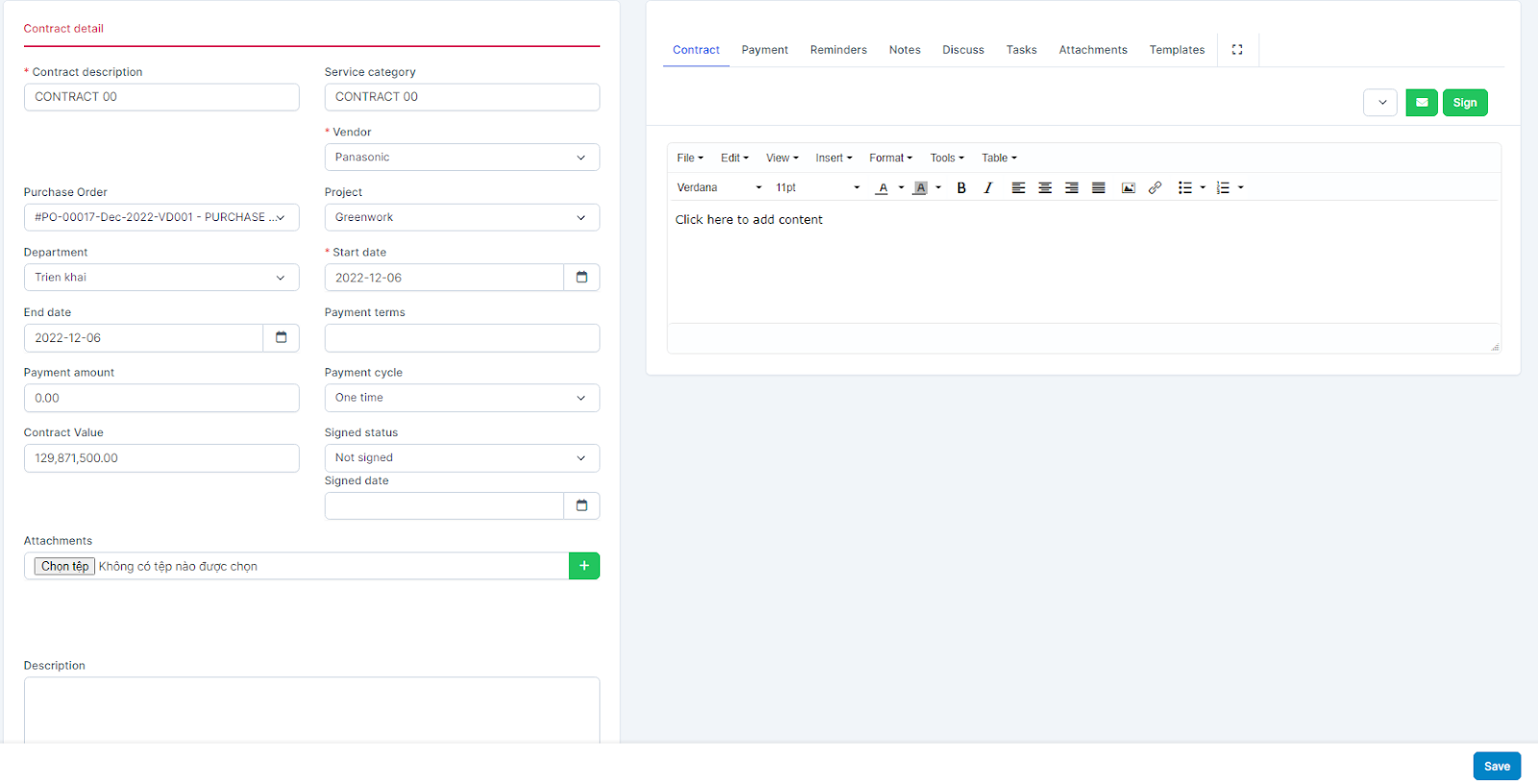
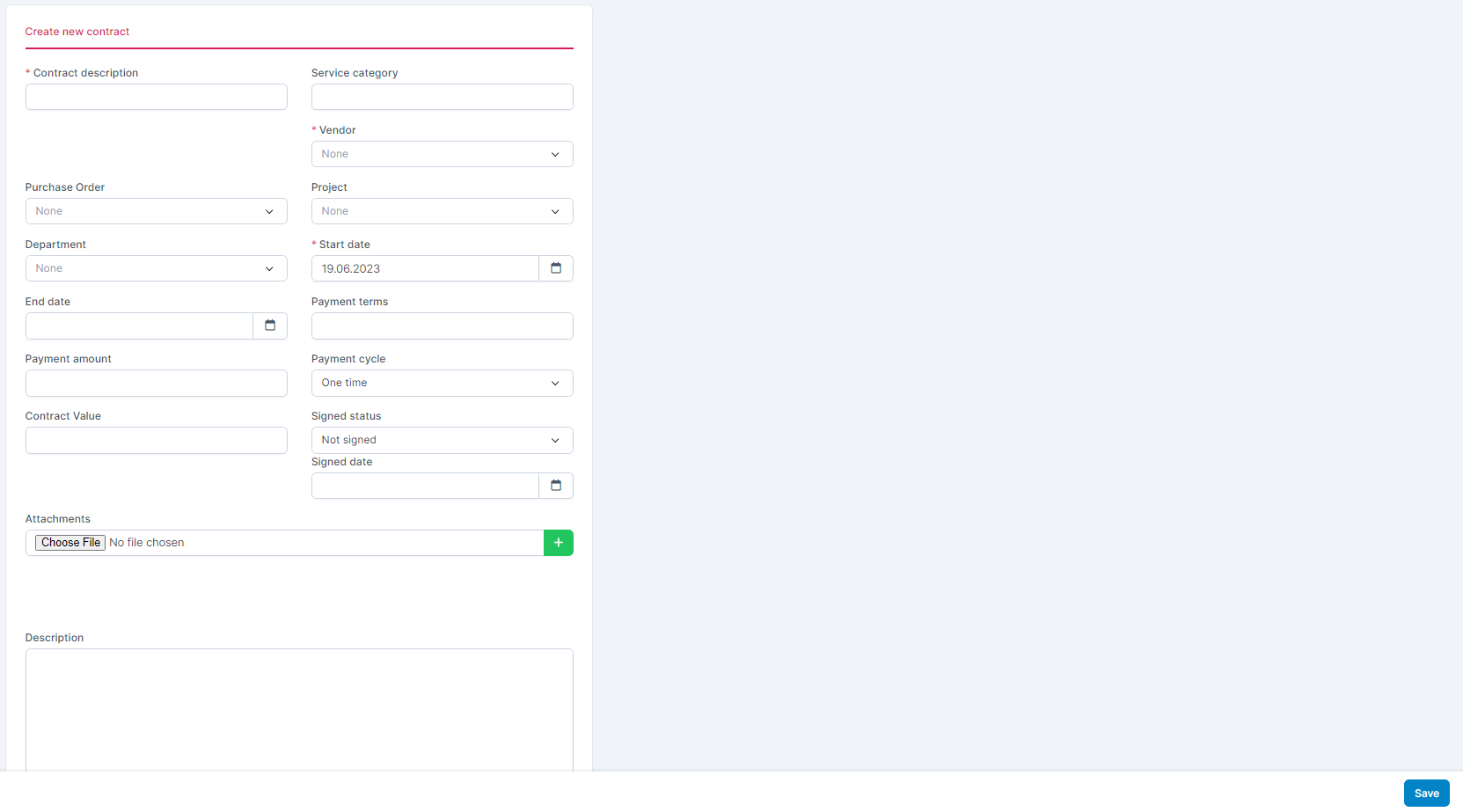 ხელმოწერაed status field: has 2 options: Not signed and ხელმოწერაed- If you select Not signed: display the SIGN button to sign the contract. All employees authorized for the კონტრაქტი menu can sign contracts
 - If ხელმოწერაed is selected: do not display the SIGN button, the ხელმოწერა button position changes to ხელმოწერაed.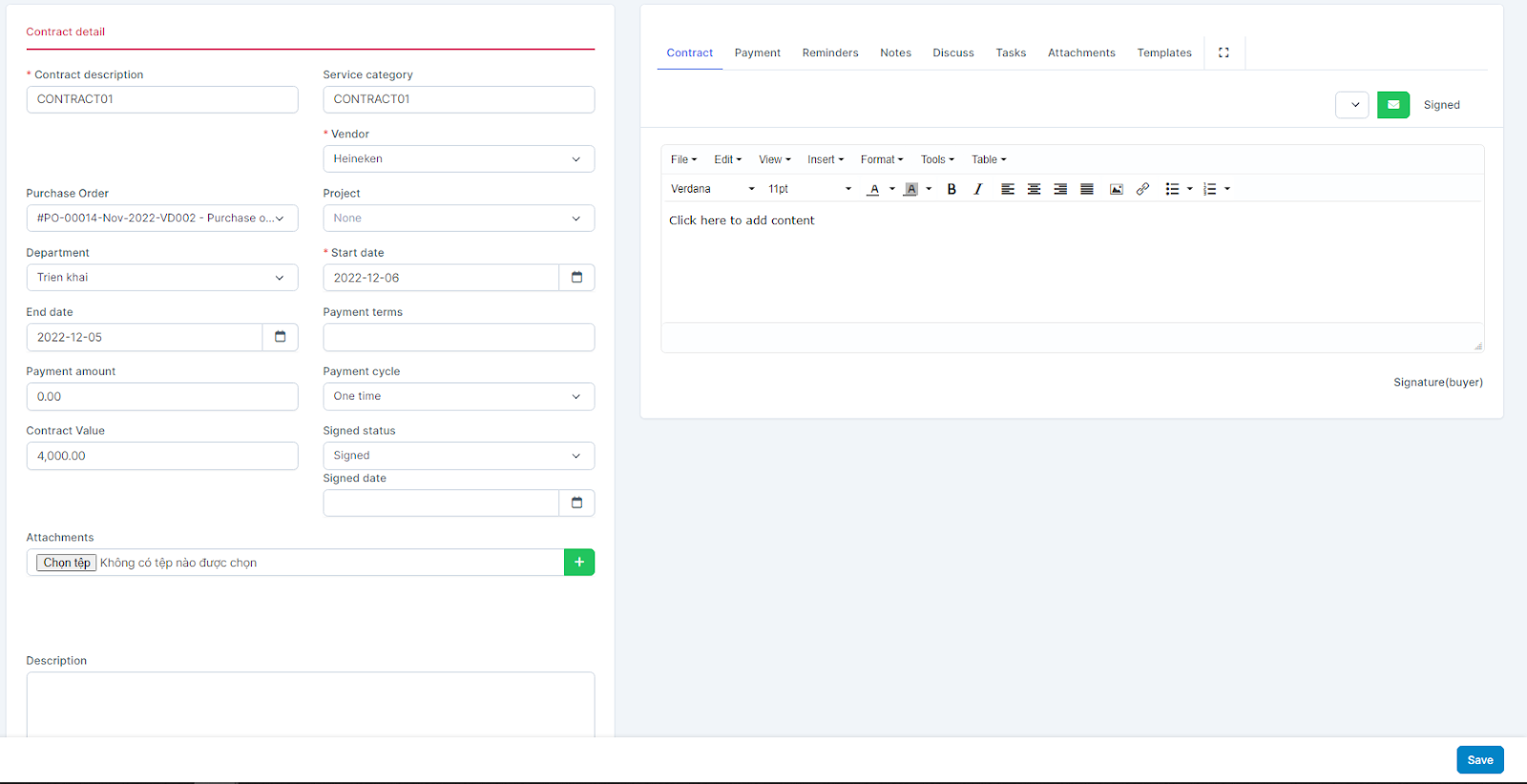
ხელმოწერა
ნაბიჯი 1. Go to contract detail -> click ხელმოწერა 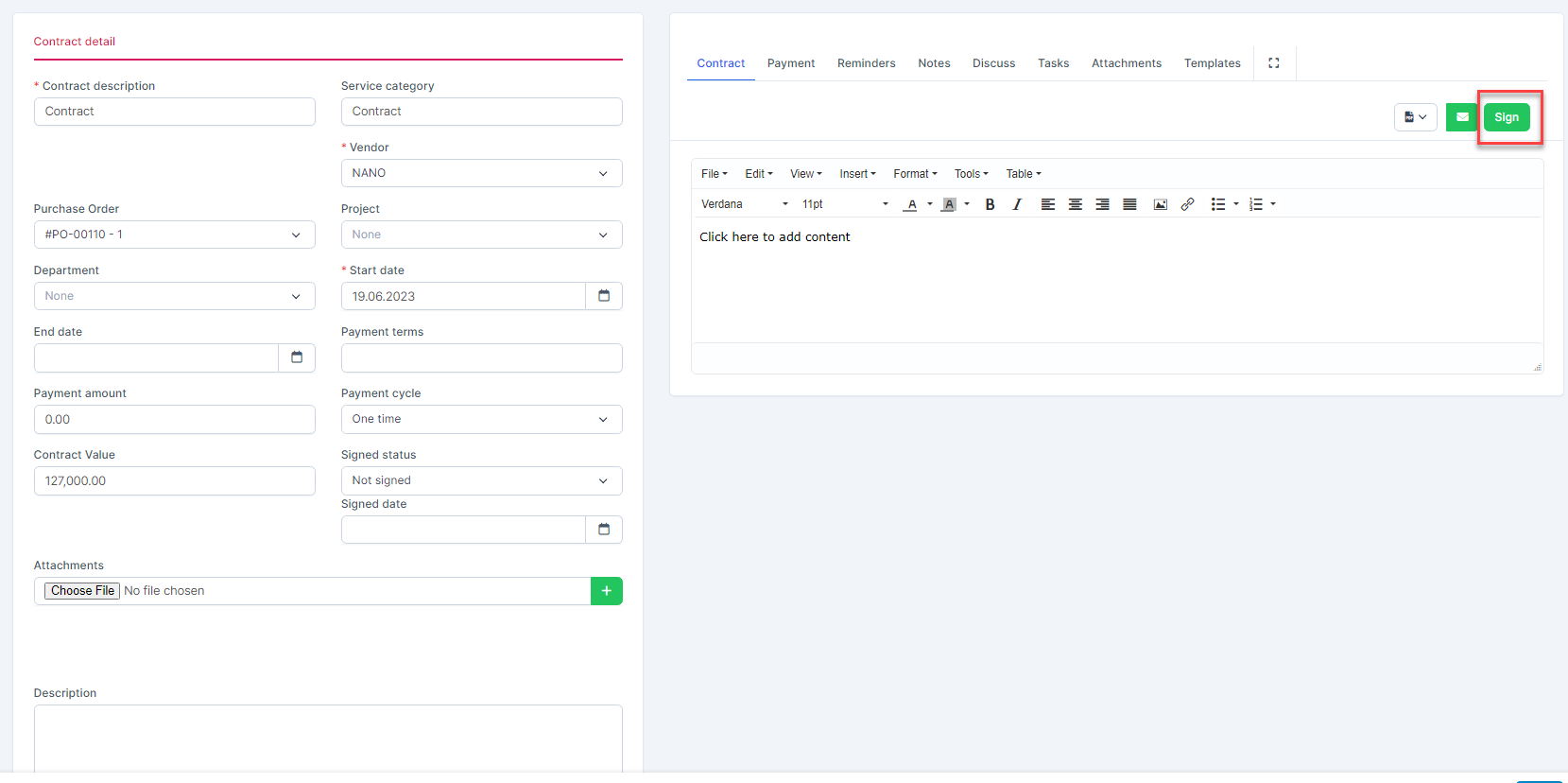 ნაბიჯი 2. Draw a signature and press ხელმოწერა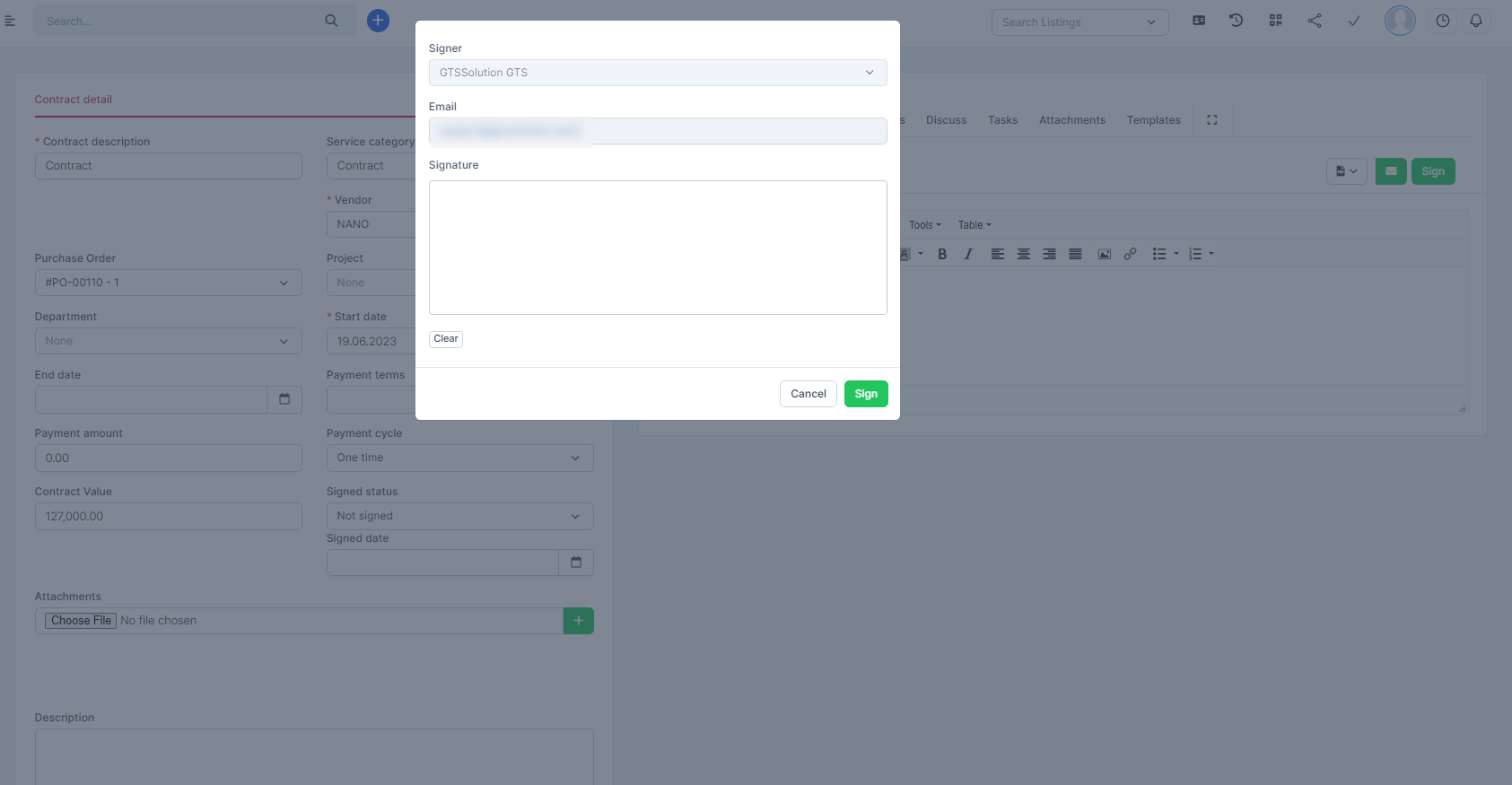
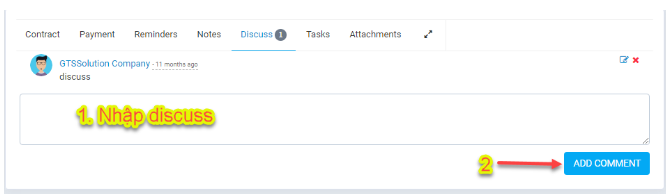
Discuss
To make the exchange between the buyer and the vendor more convenient, we use the Discuss tab for the buyer and the vendor to enter the content to be exchanged. Both buyers and vendors can see each other's comments.
When 1 or buyer send a comment -> send a notification to the other party.
Allow edit, delete discussion