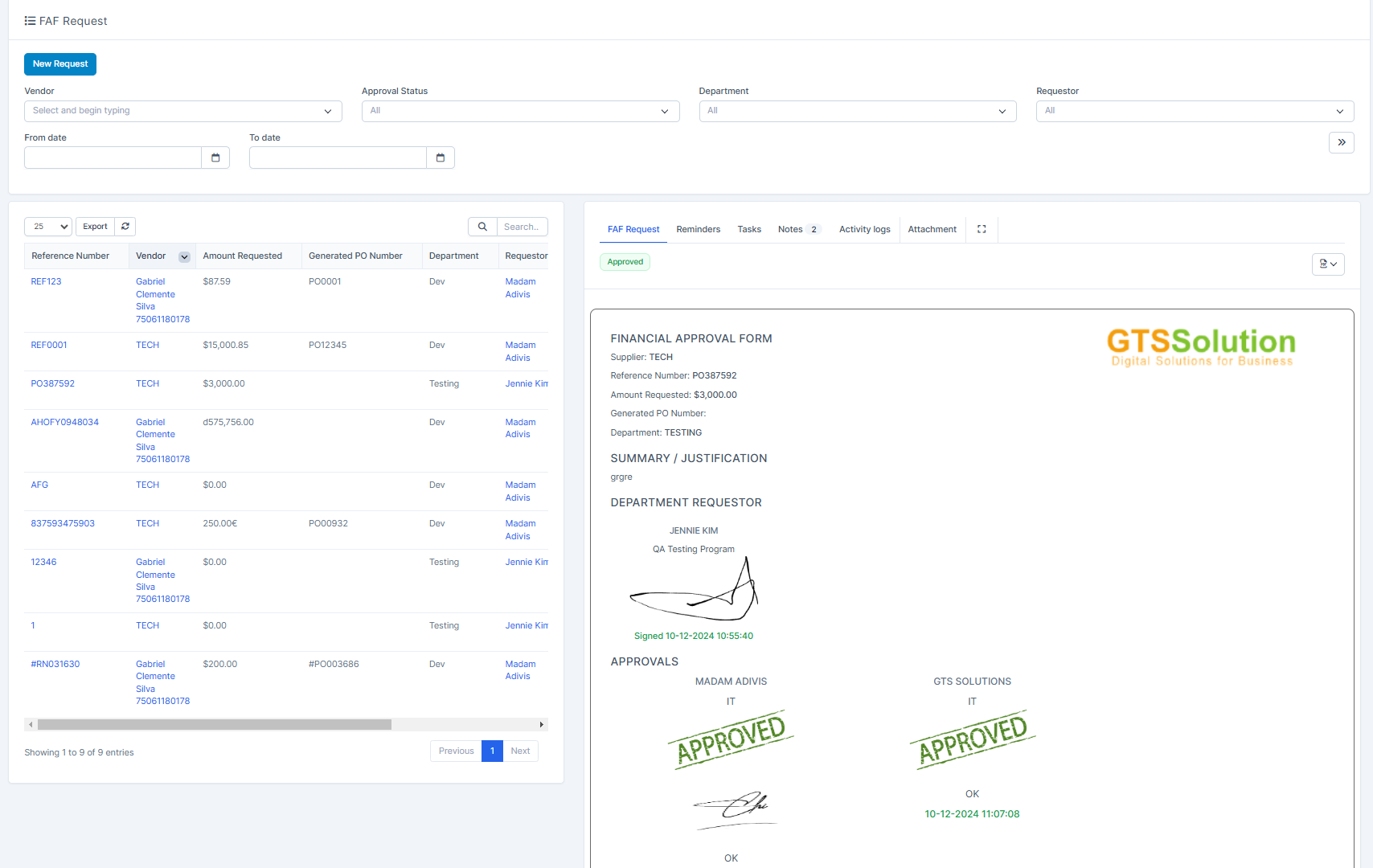
FAF is a financial approval form. Its main purpose is to ensure that:
- The budget for the purchase order is available.
- Management approval before placing the order. We will select a vendor and enter the requested amount. Then send this form for approval if necessary.
- ნაბიჯი 1. Enable the option "Can select approvers on FAF request form" in შესყიდვები Options setting (optional). This allows you to select approvers when creating a FAF request.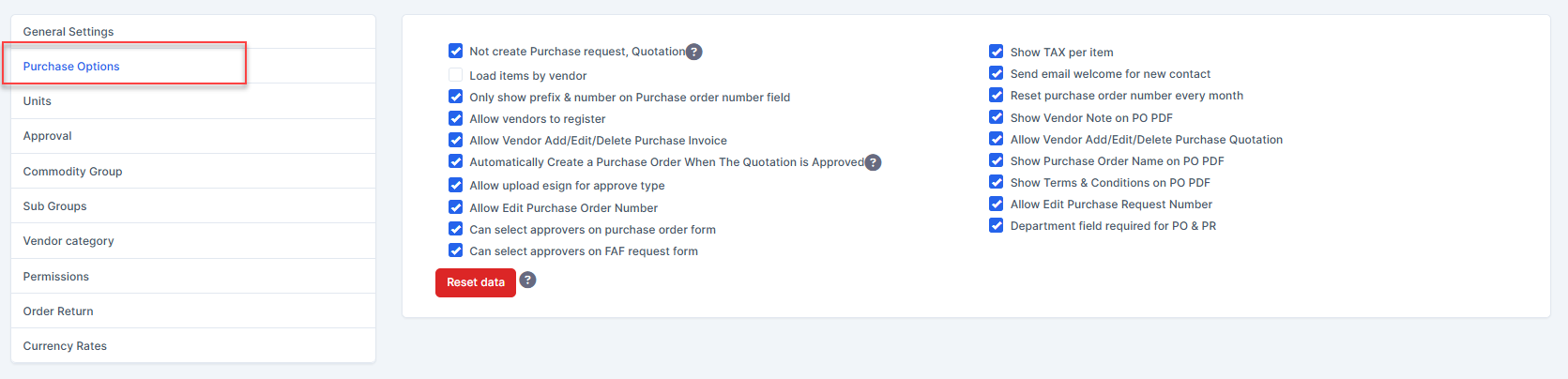
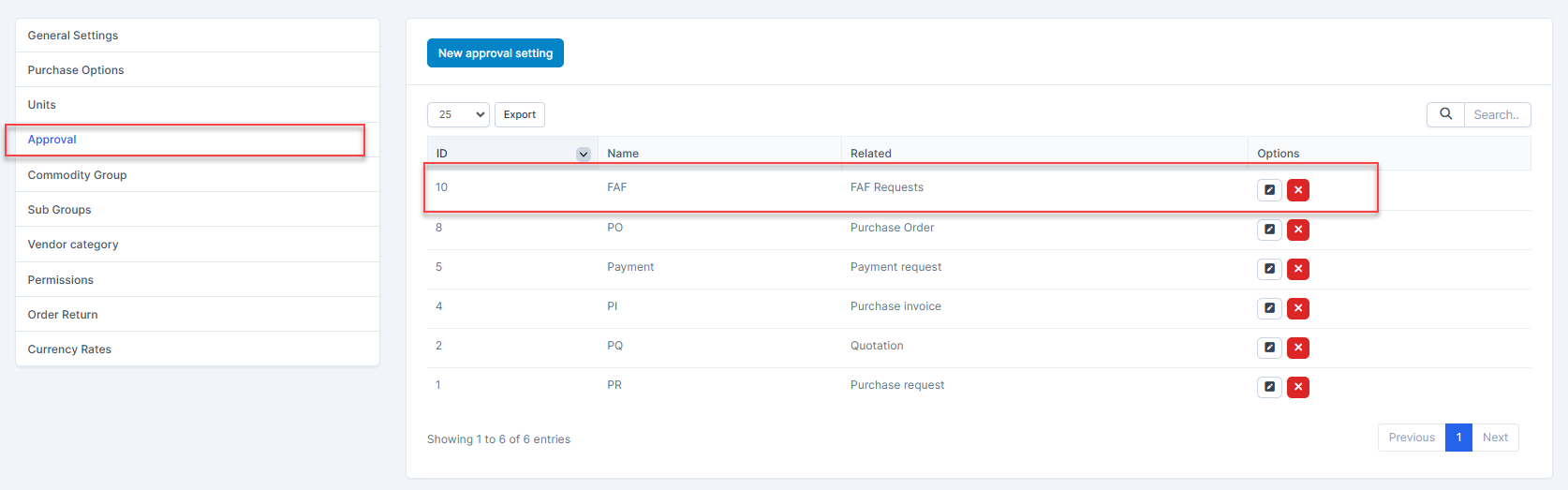
- ნაბიჯი 2. Create an approval process for the FAF request in Approval setting (optional).
- ნაბიჯი 3. Go to FAF Request menu and select New Request button 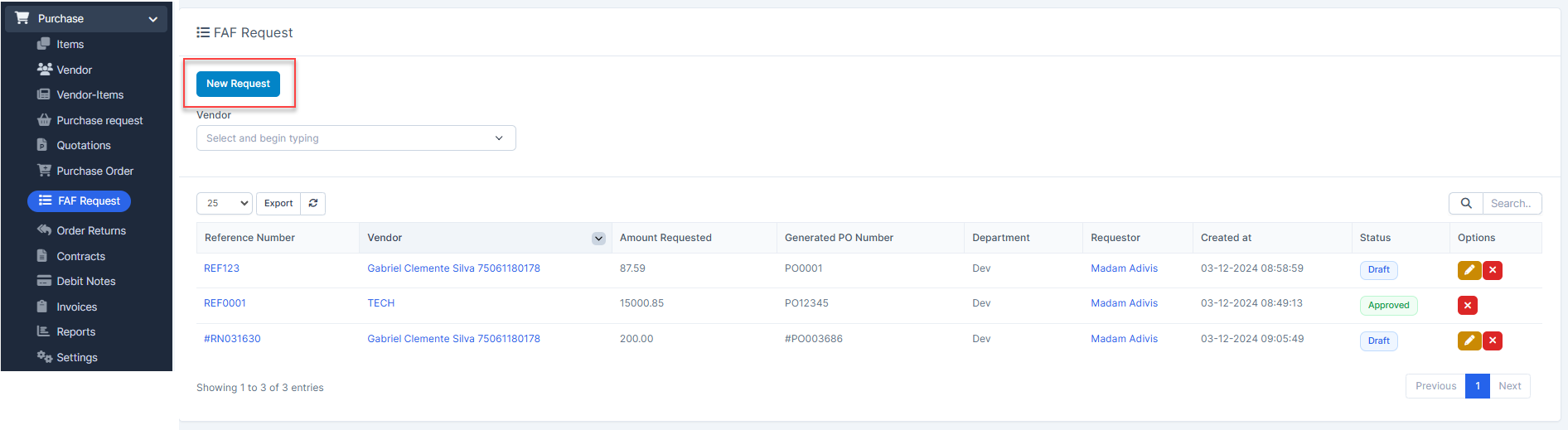
- ნაბიჯი 4. In the New FAF Request form, fill in the following information: 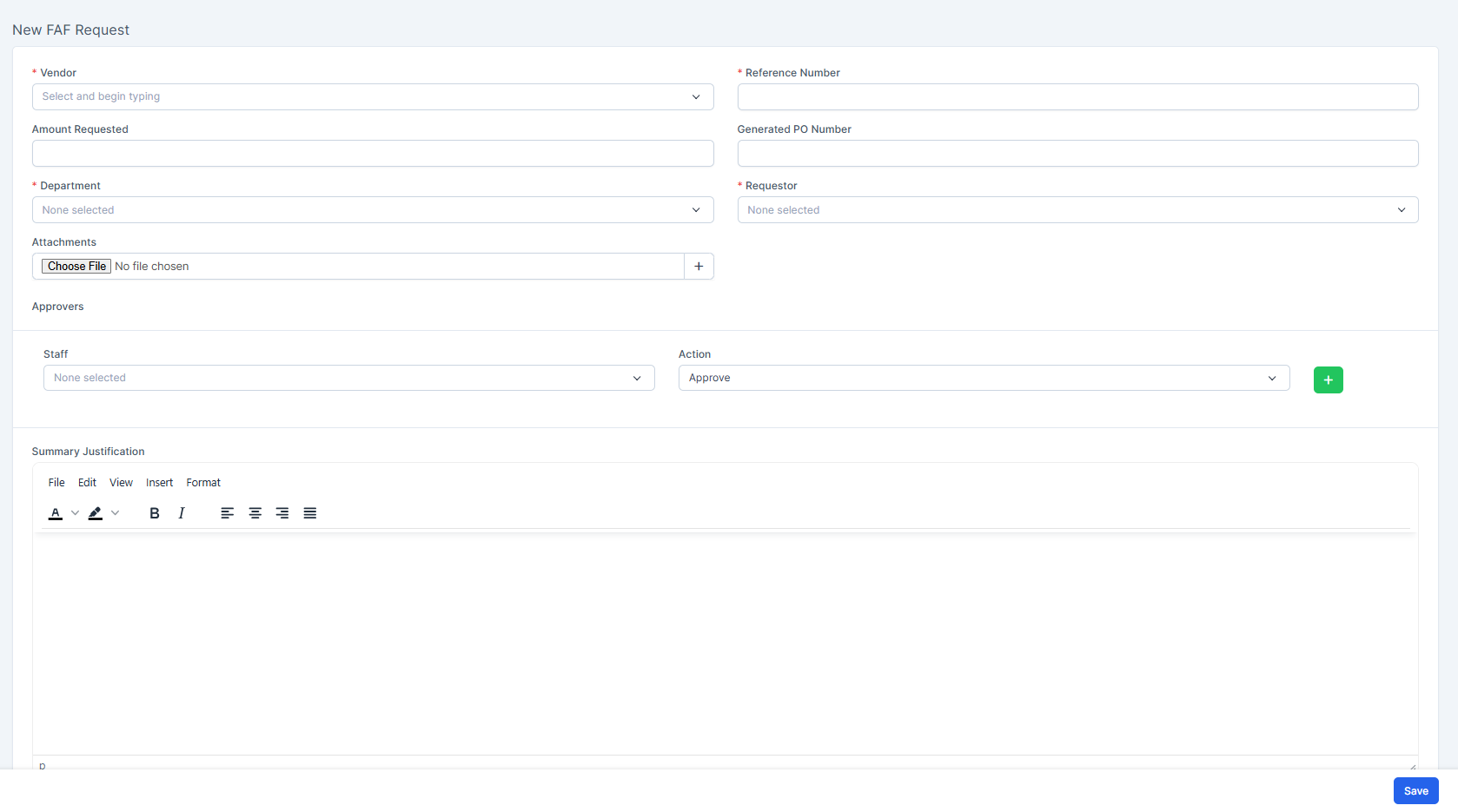
მომწოდებელი: select a vendor from the მომწოდებელი menuReference Number: fill in manuallyAmount Requested: enter a specific amountGenerated PO Number: fill in manuallyDepartment: select a department from Setup/Support/DepartmentsRequestor: select an employee from the selected department. This employee will receive a web notification and email requesting them to sign the FAF Request.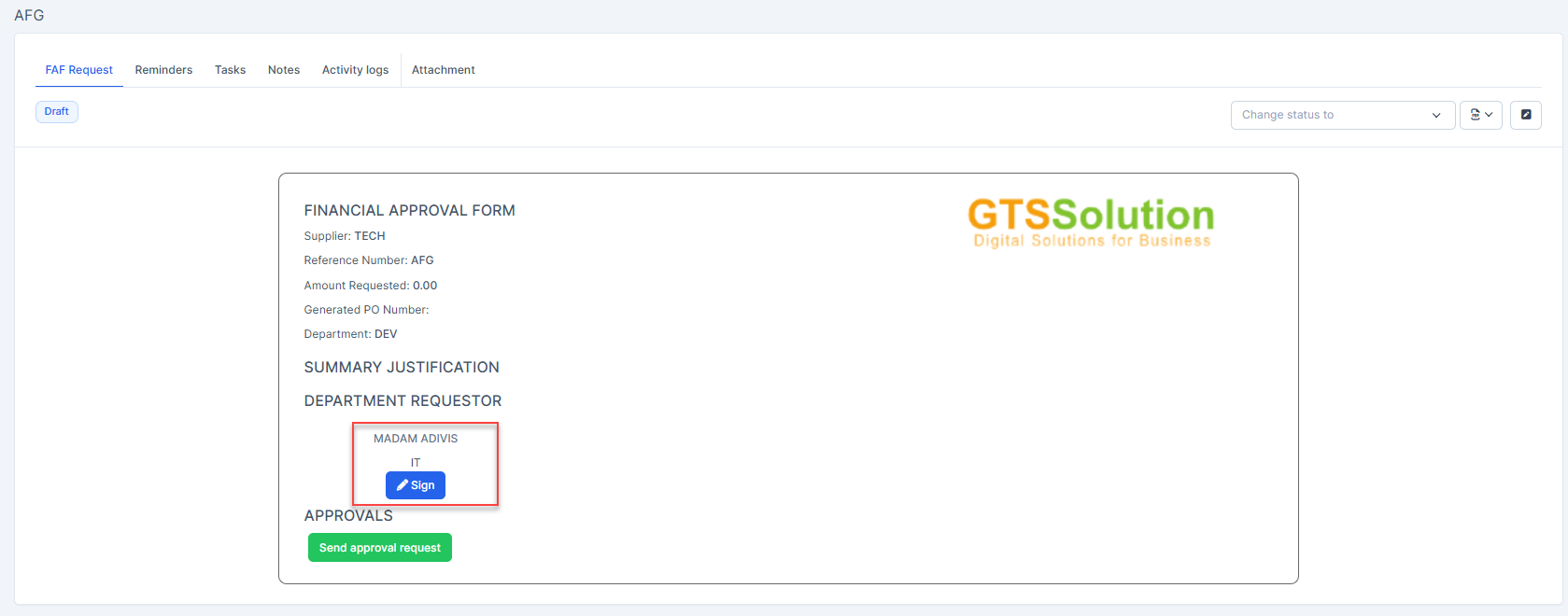 დამტკიცებაrs: select the approvers for the FAF Request (optional). Section is only visible when you have enabled the option "Can select approvers on FAF request form" in step 1ნაბიჯი 5. Select შენახვა button
ნაბიჯი 6. Go to FAF Request detail and select Send Approval request button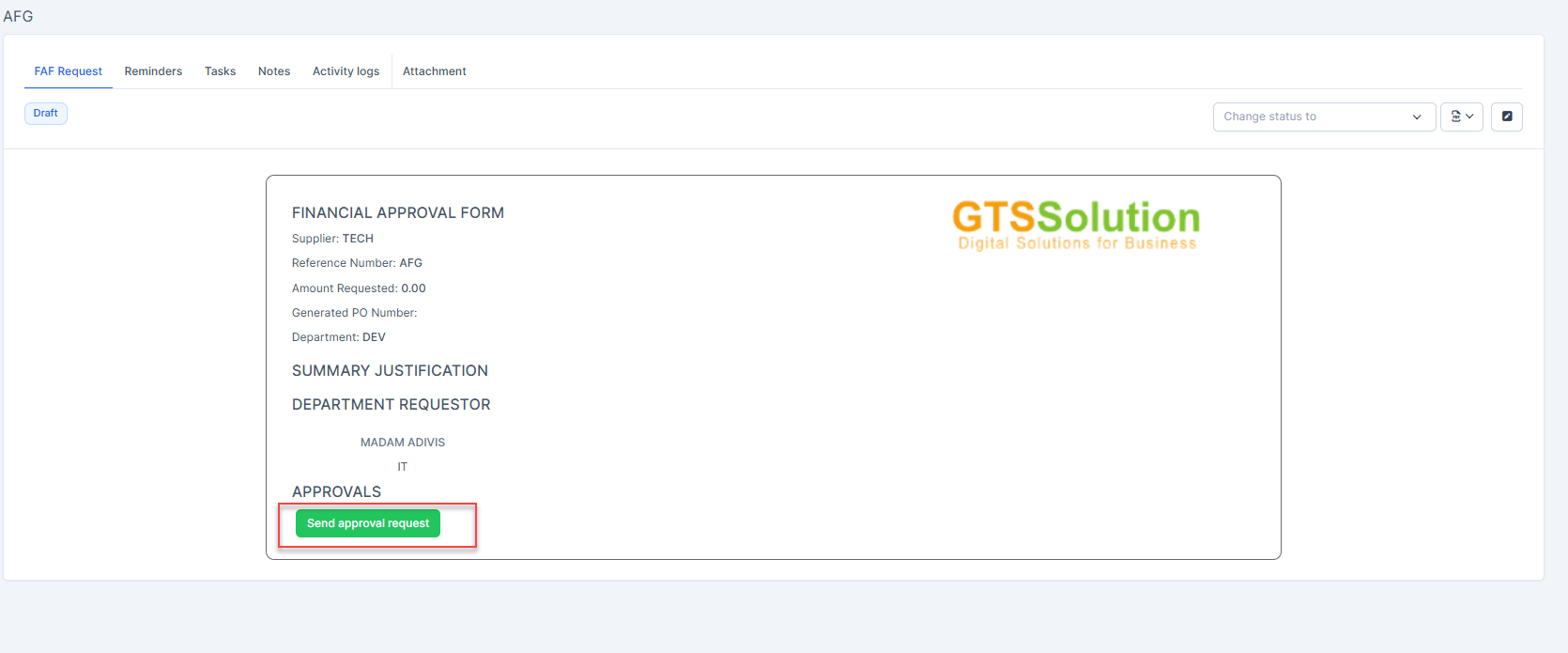
შენიშვნაs:
- If you do not select an approver in the FAF Request form, then click "Send approval request", there are 2 possible cases:
+ If the approval process for the FAF Request has been set in Approval setting, the FAF Request will apply the pre-set approval process + If there is no approval process for the FAF Request in the Approval setting, the system will display the warning "No matching process found" and the status of the FAF Request is still Draft.

- If you select multiple approvers in the FAF Request form, and do not pre-set the approval process for the FAF Request in Approval settings, the approvers will approve sequentially.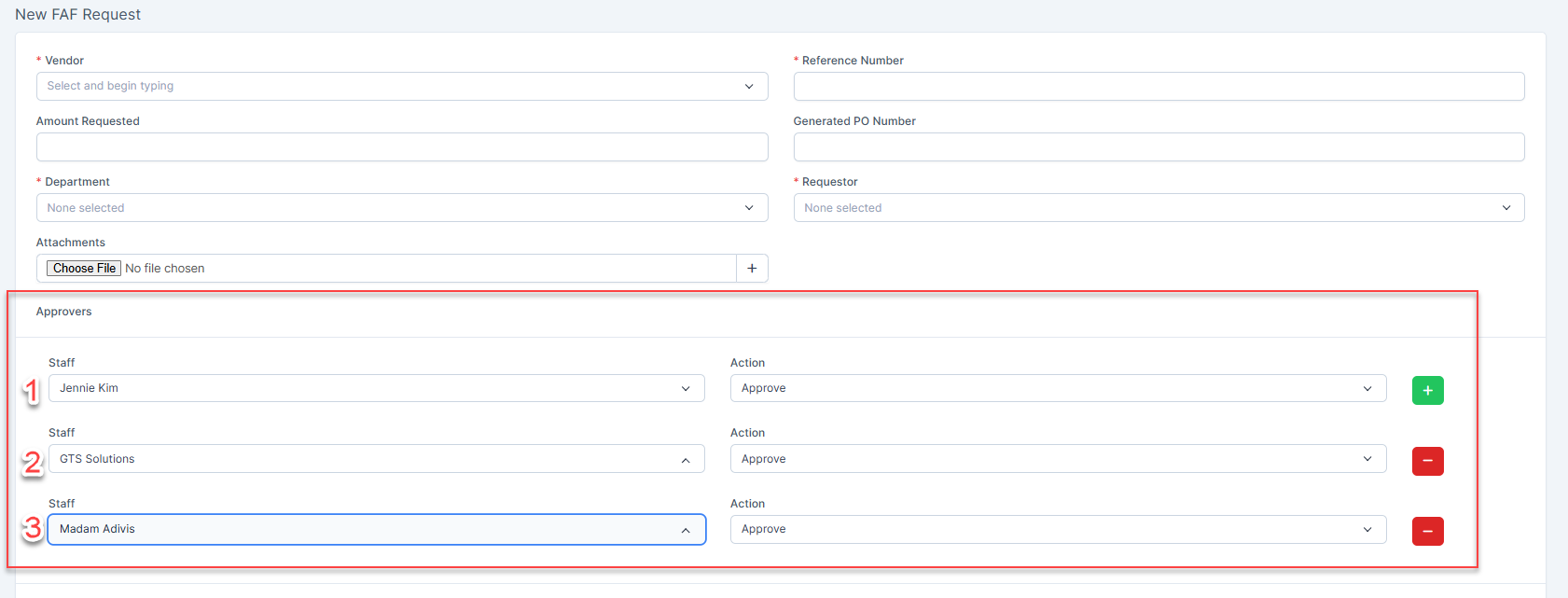
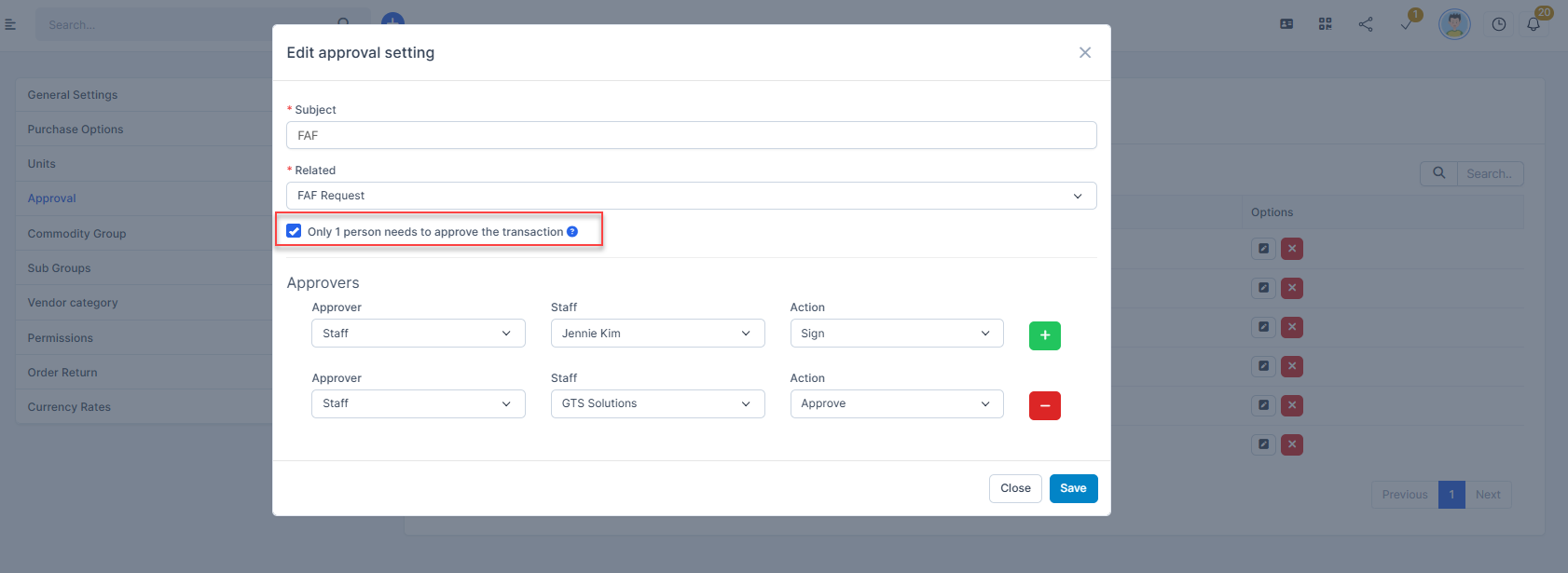
- If you have selected multiple approvers in the FAF Request form and at the same time the approval setting is also activating "Only 1 person needs to approve the transaction" option --> then only one person needs to approve, the status of the FAF Request will be changed.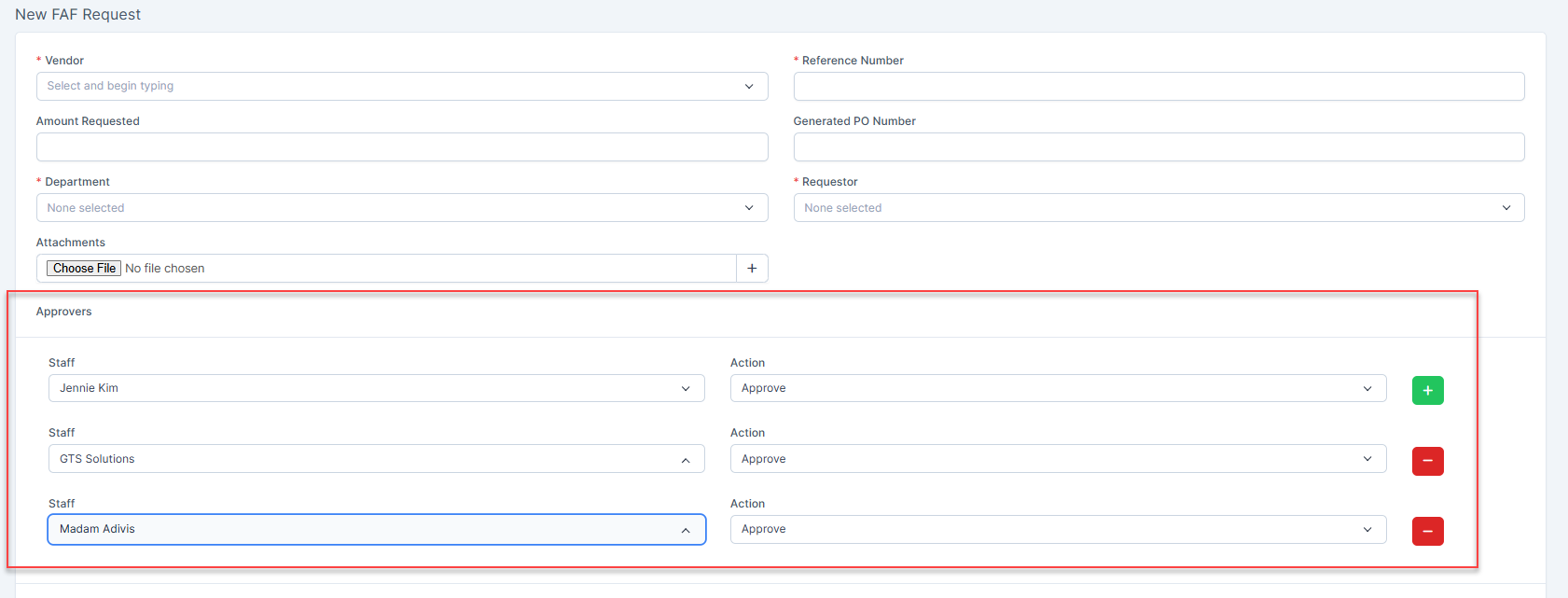
Conversely, if you select multiple approvers in the FAF Request form and do not enable the "Only 1 person to approve the transaction" option--> the approval process will be performed sequentially.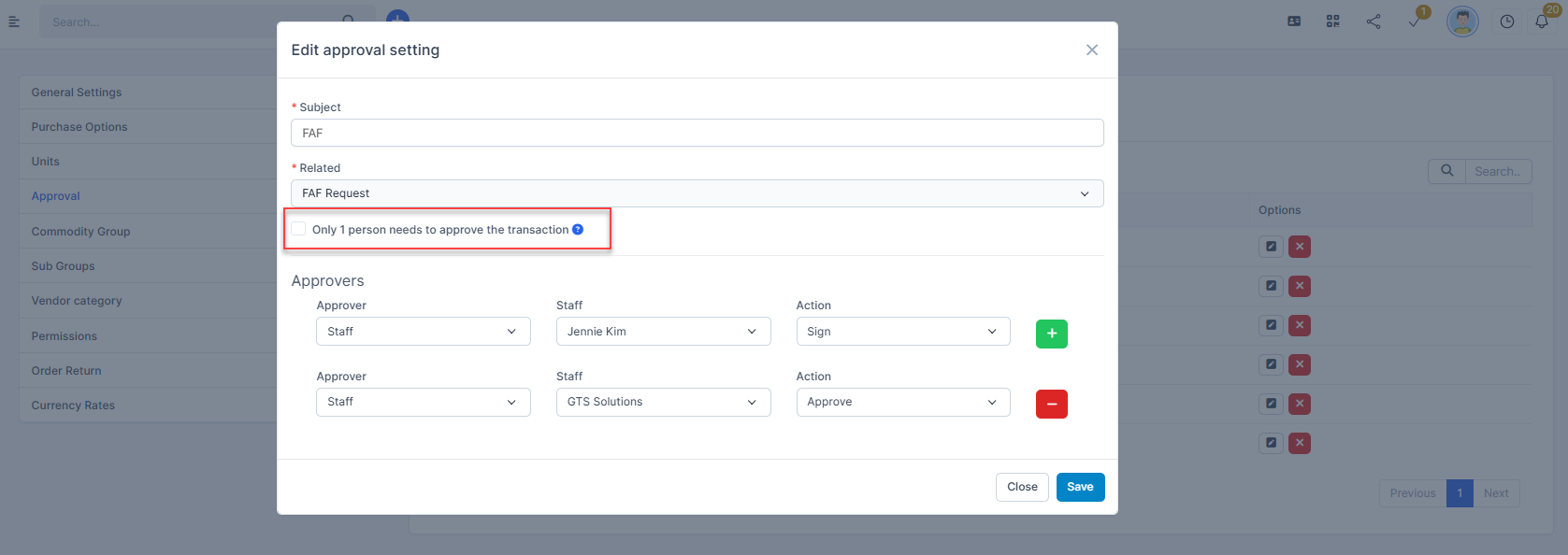
Result: