Create Bill of Materials (BoM)
A Bill of Materials (or BoM for short) is a document that defines the quantity of each component required to make or deliver a finished product. It can also include various operations and the individual step guidelines needed to complete a production process.Multiple BoMs can be linked to each product, so that even product variants can have their own tailored BoMs.
To add a new BoM to your organization:
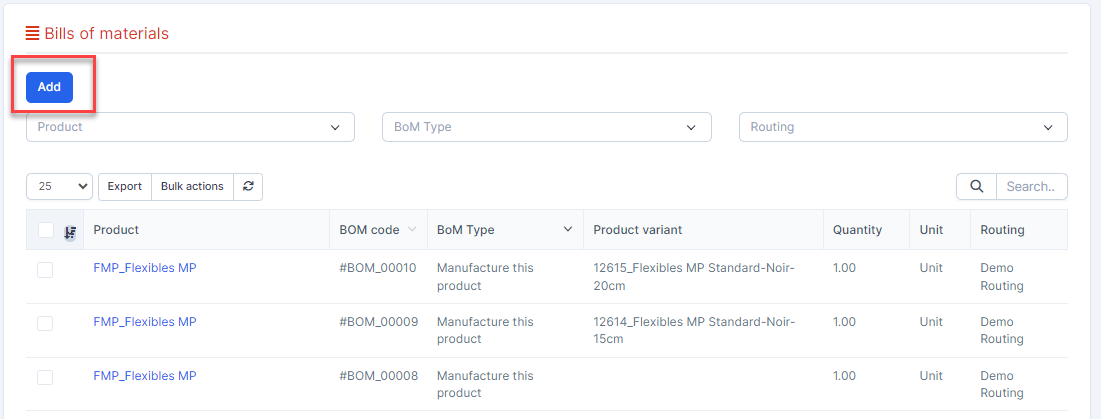
- ნაბიჯი 1. Go to მასალების უწყისი menu under წარმოება module from the left sidebar.
- ნაბიჯი 2. Click on the დამატება button on the top.
- ნაბიჯი 3. In the დამატება bills of material popup, fill the following details:
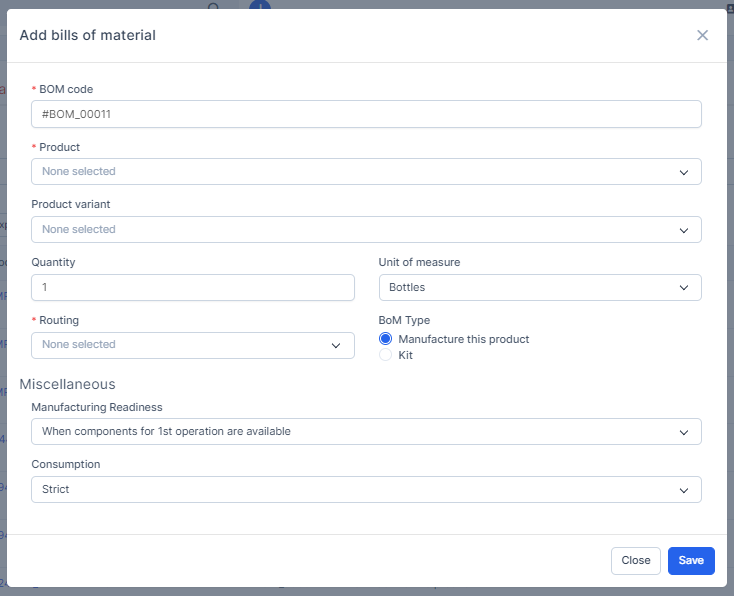 1. Select the პროდუქტი to be produced. This bill of materials (BoM) to be used for multiple variants of the same product. Having a consolidated BoM for a product with variants saves time by preventing the need to manage multiple BoMs.2. Select the პროდუქტი variation (optional) if the BoM is specific to a product variation.3. Enter the რაოდენობა, usually set to 14. Select the მარშრუტი to define the manufacturing steps.5. Select the BoM type. Currently, this field data is for storage only.6. Select the წარმოება Readiness. Currently, this field data is for storage only.7. Select the Consumption. Currently, this field data is for storage only.
 - ნაბიჯი 4. Click on the შენახვა button
Apply BoM component to product
- ნაბიჯი 1. Go to BoM detail
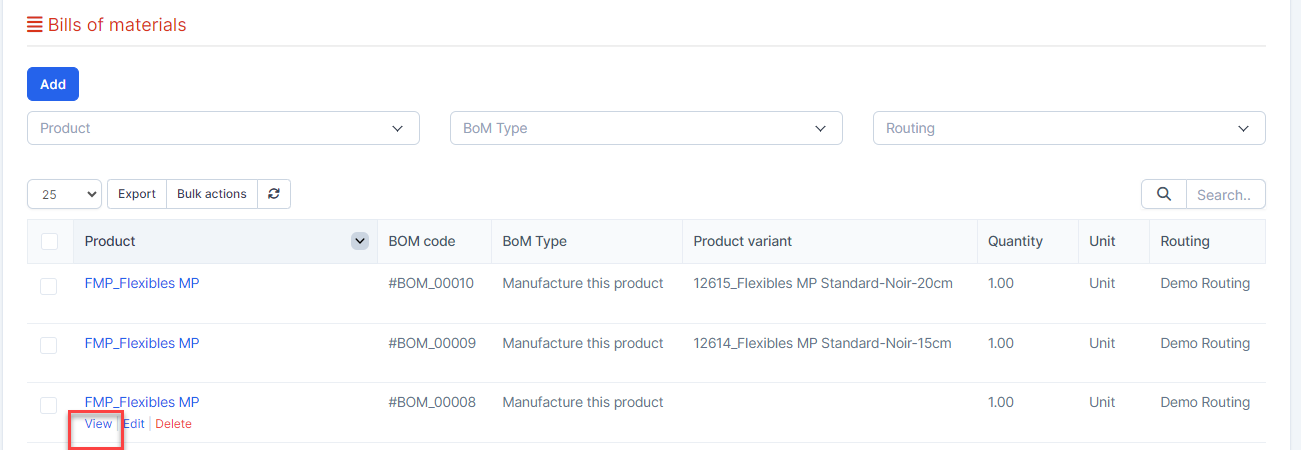
- ნაბიჯი 2. Click on the დამატება button
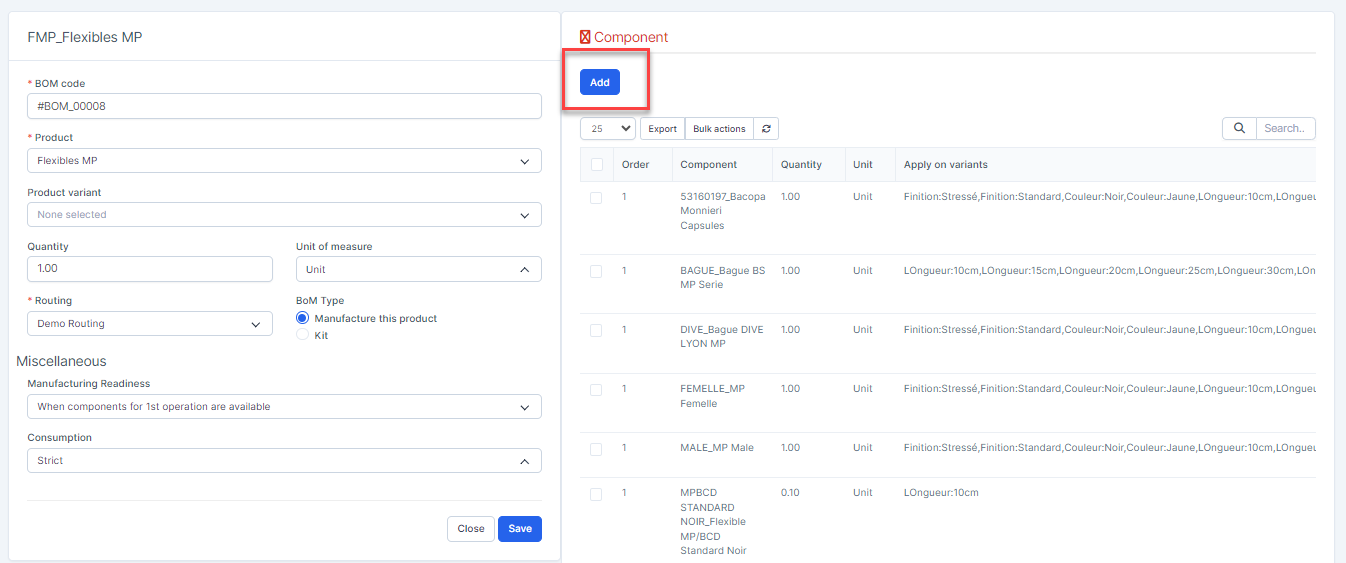
- ნაბიჯი 3. In the დამატება Component popup, fill the following details:
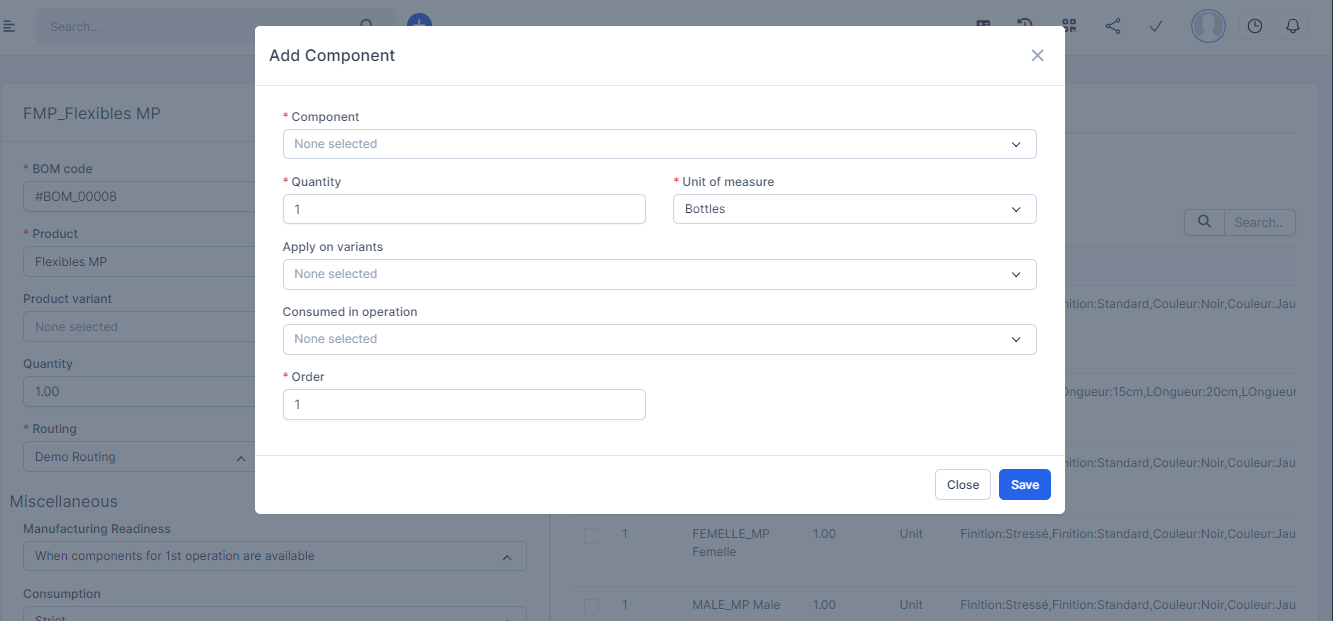 1. Component: Select the component/material used in production.2. რაოდენობა: Enter the რაოდენობა of this component needed to produce one unit of the final product.3. Apply on variants (optional): Assign this component to specific product variants. If left empty, the component will apply to all variants.4. Consumed in operation: Specify the operation during which the component will be consumed.5. რიგითობა: Enter the sequence/order for component usage.
 - ნაბიჯი 4. Click on the შენახვა button