სამუშაო საათები screen is used to create working time used for Work center.
დამატება New სამუშაო საათი
To add a new working hour to your organization:
- ნაბიჯი 1. Go to პარამეტრები menu under წარმოება module from the left sidebar.
- ნაბიჯი 2. Select the სამუშაო საათები menu -> Click on the დამატება working hour button on the top.
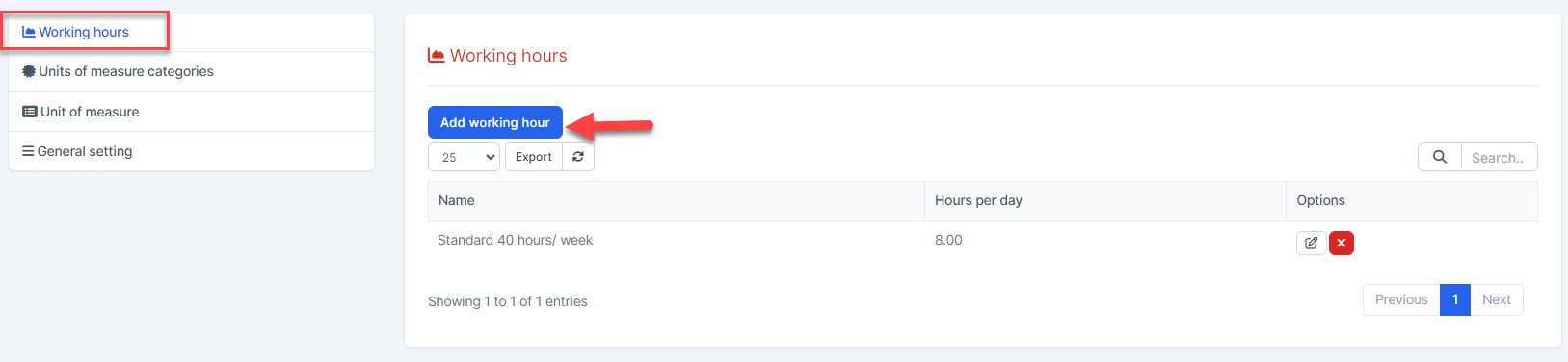
- ნაბიჯი 3. In the დამატება working hour page, fill the following details:
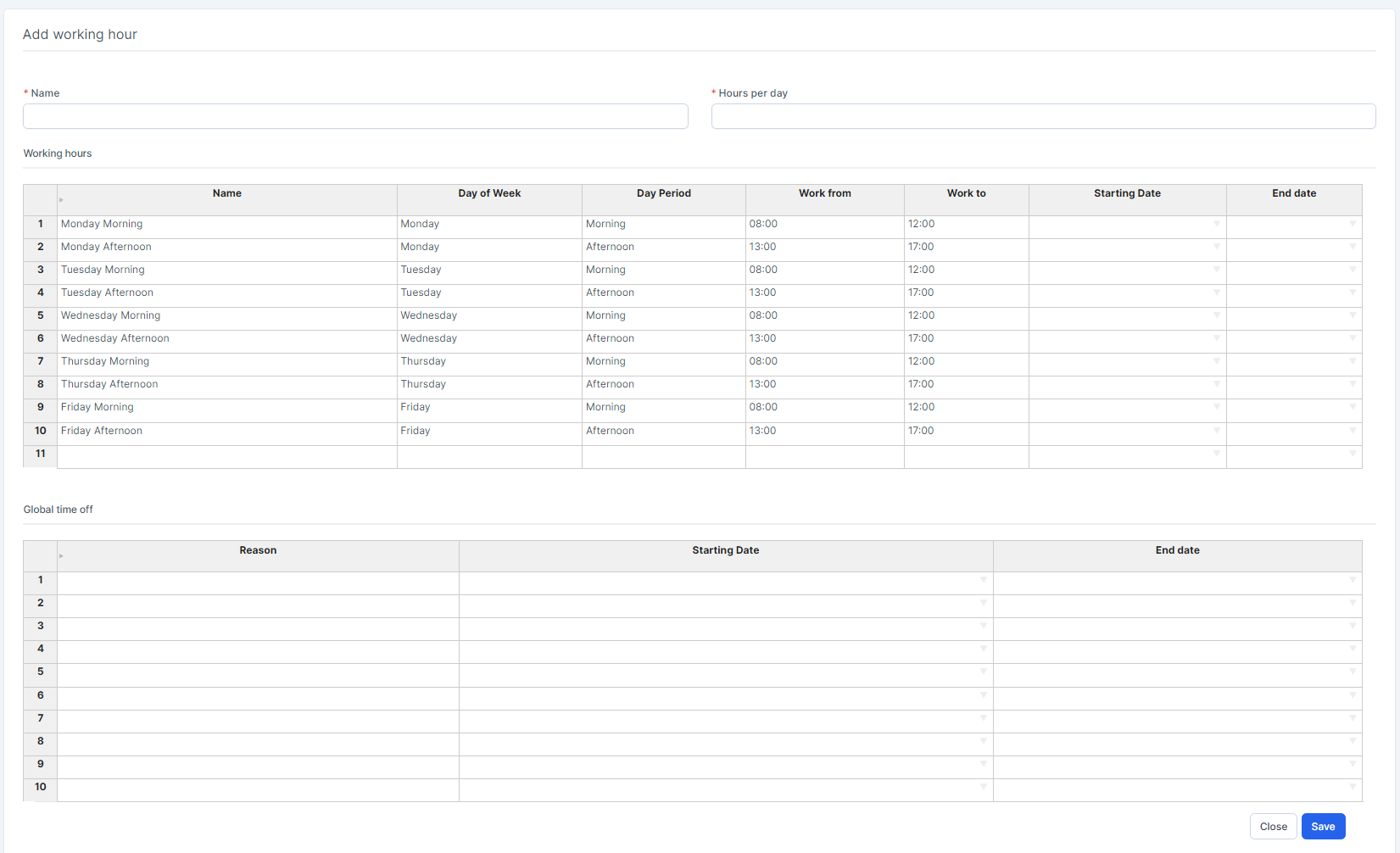
- Enter the სახელი.
- Enter the Hours per day.
- In the სამუშაო საათები table: enter the სახელი -> double-click on the Day of Week and select a day -> double-click on the Day Period to select Morning or Afternoon -> enter the Work from, Work to -> double-click on the Start Date and End date to select a date
- In the Global time off table: choose a break period and enter a reason
- ნაბიჯი 4. Click შენახვა button
რედაქტირება Working Hours
To edit the details of an existing working hours:
- ნაბიჯი 1. Go to პარამეტრები menu under წარმოება module from the left sidebar -> Select the სამუშაო საათები menu
- ნაბიჯი 2. Select the working hours to be edited and click რედაქტირება
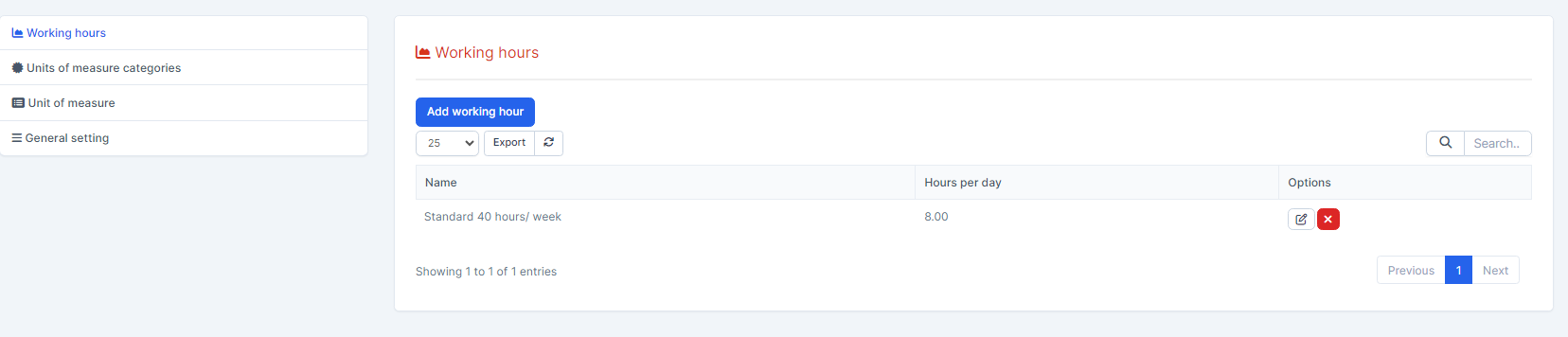
- ნაბიჯი 3. Make the necessary changes and click შენახვა
წაშლა Working Hours
If a working hours is no longer operational, you can delete it. To delete a working hours:
- ნაბიჯი 1. Go to პარამეტრები menu under წარმოება module from the left sidebar. -> Select the სამუშაო საათები menu
- ნაბიჯი 2. Select the working hours to be deleted and click წაშლა
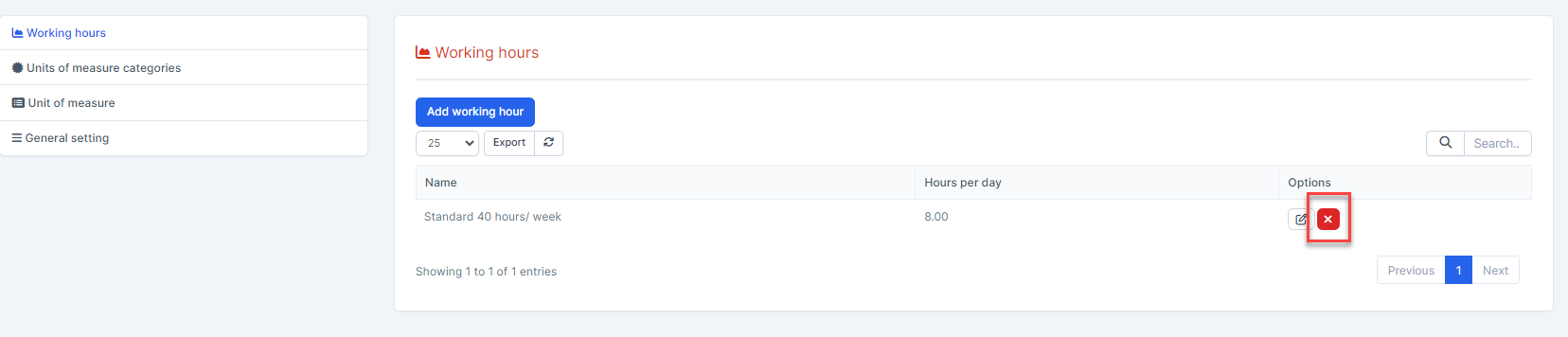
- ნაბიჯი 3. Confirm your selection in the following pop-up. The working hours will be deleted.
