Create სამუშაო ცენტრი
Data at this screen will be used to მარშრუტები menu
To add a new product to your organization:
- ნაბიჯი 1. Go to სამუშაო ცენტრები menu under წარმოება module from the left sidebar.
- ნაბიჯი 2. Click on the დამატება სამუშაო ცენტრი button on the top.
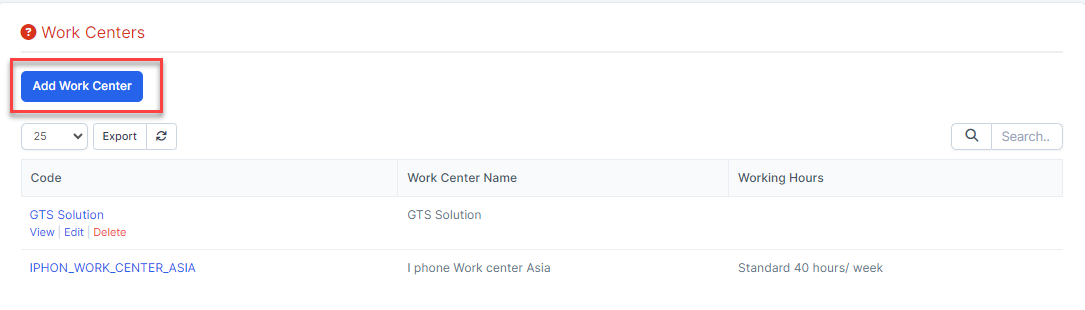
- ნაბიჯი 3. In the დამატება სამუშაო ცენტრი page, fill the following details:
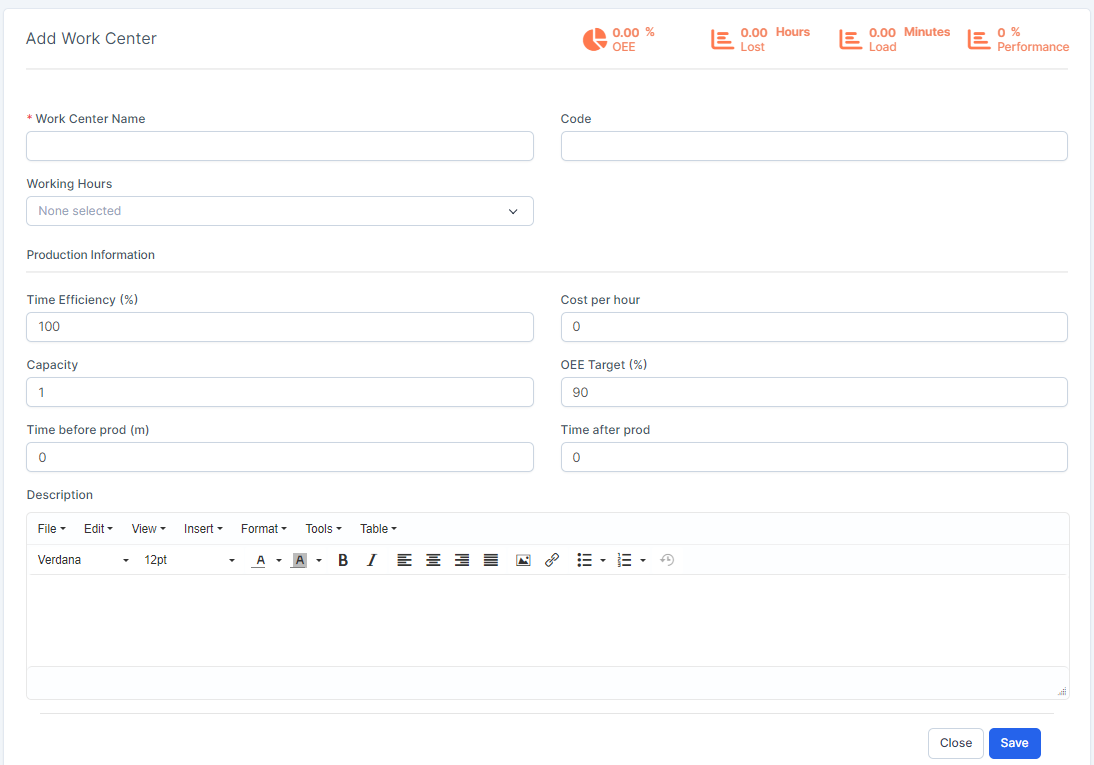 1. Enter the სამუშაო ცენტრი სახელი: give the work center a concise name that describes the type of operations it will be used for2. Enter the Code: assign the work center a reference code3. Select the Working Hours: define the number of hours that the work center can be in use each week4. Enter the Time Efficiency (%): used to calculate the expected duration of a work order at the work center; for example, if a work order normally takes one hour and the efficiency is set to 200%, the work order will take 30 minutes. Currently, this field data is for storage only.5. Enter the ღირებულება საათში: the cost of operating the work center for one hour6. Enter the Capacity: the number of operations that can be performed at the work center simultaneously. Currently, this field data is for storage only.7. Enter the OEE Target (%): the target for efficiency at the work center8. Enter the Time before prod (m): setup time required before work can commence. Currently, this field data is for storage only.9. Enter the Time after prod: breakdown or cleanup time required after work is finished. Currently, this field data is for storage only.10. Enter the აღწერა
 - ნაბიჯი 4. Click on the შენახვა button