To create a new contact:
- ნაბიჯი 1. Go to the შესყიდვები module in the left sidebar and select მომწოდებელი menu
- ნაბიჯი 2. Move the mouse to the vendor that needs to add the contact and click Contacts
 Or Go to vendor detail -> select Contacts menu -> Click New Contact menu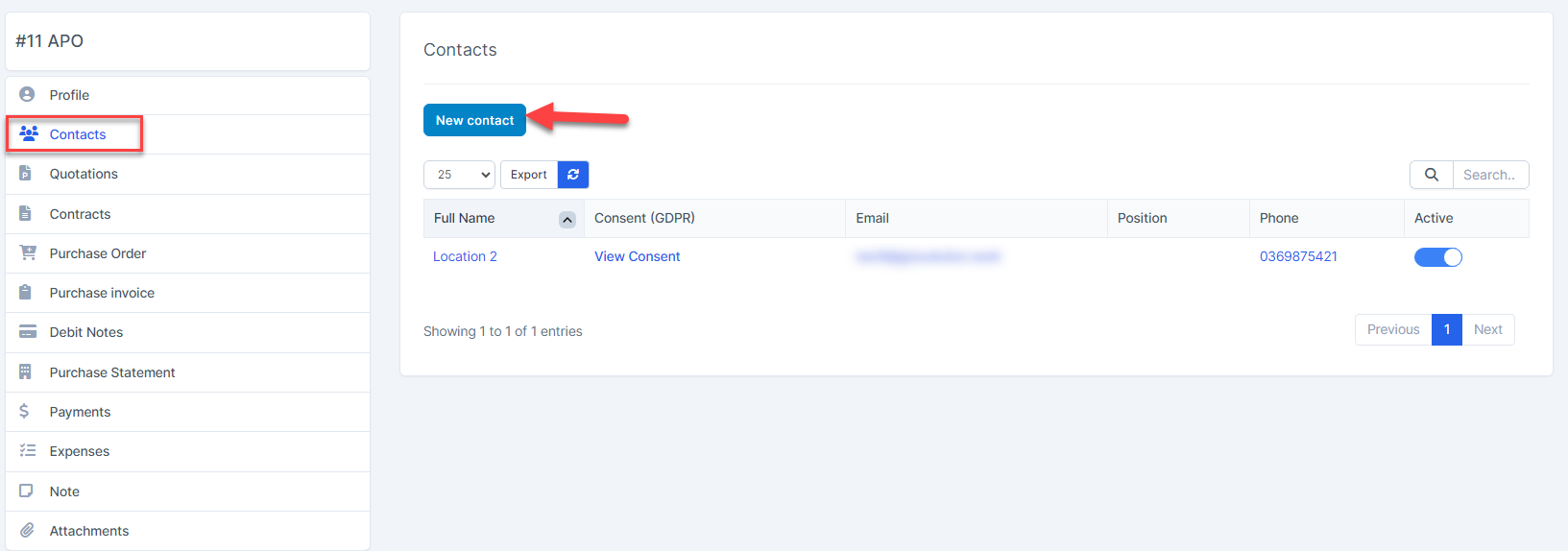
- ნაბიჯი 3. Enter the First სახელი, Last სახელი, Email and Password
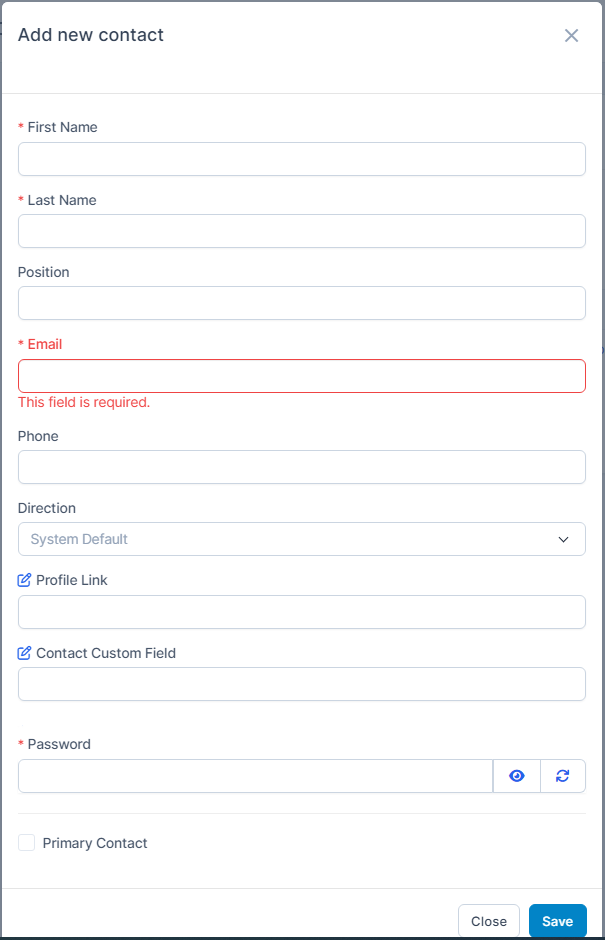 Email is uniqueCheck "Primary Contact" to make this contact the primary contact. This contact can see Profile Company and edit it. Opposite, If disable this option, this contact can't see Profile Company and edit it. Each vendor has only a primary contact.