Create New Debit შენიშვნა
- ნაბიჯი 1. Go to Debit შენიშვნაs menu under შესყიდვები module from the left sidebar -> Click New Debit შენიშვნა button
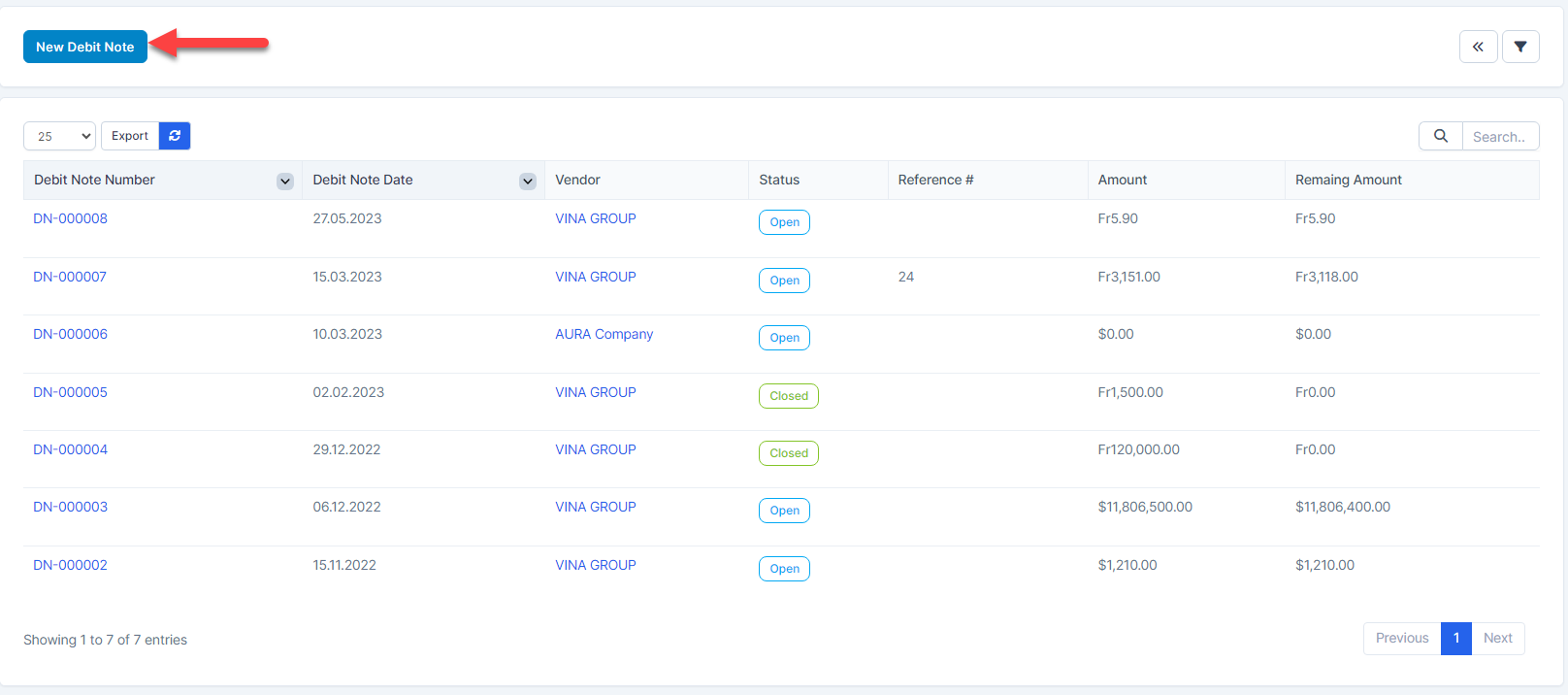
- ნაბიჯი 2. In the დამატება New Debit შენიშვნა page, fill the following details:
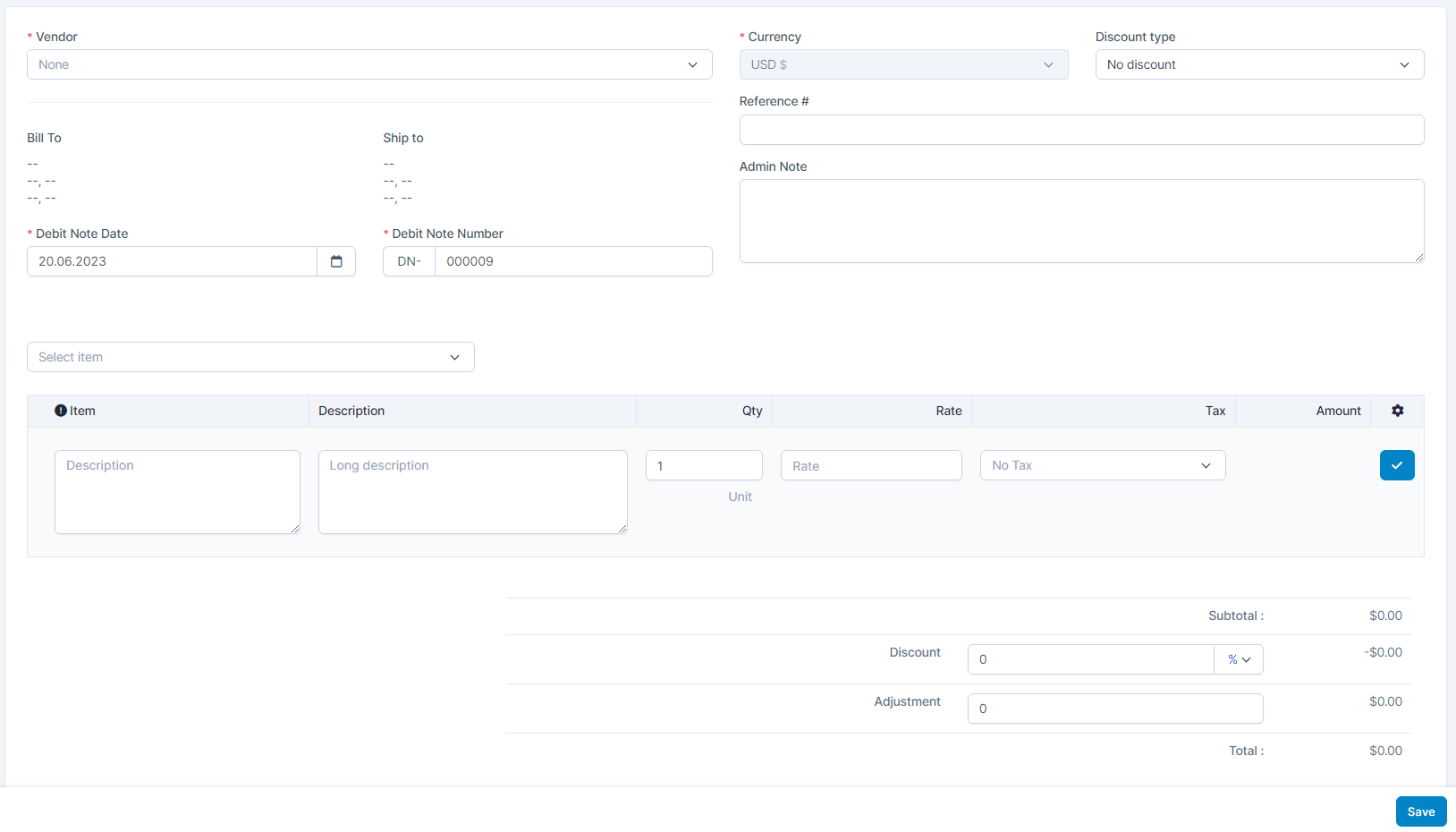 1. Select the მომწოდებელი2. Select the Discount type 3. Enter the Debit შენიშვნა Date 4. Select or enter the item, enter the Qty and Rate. Then click
  Click
Click  to remove the item from debit note.შენიშვნა: If the Load items by vendor option is enabled --> Select item only loads the items belonging to the selected vendor.If the Load items by vendor option is disabled--> Select item loads all items.
- ნაბიჯი 3. Click შენახვა button
რედაქტირება Debit შენიშვნა
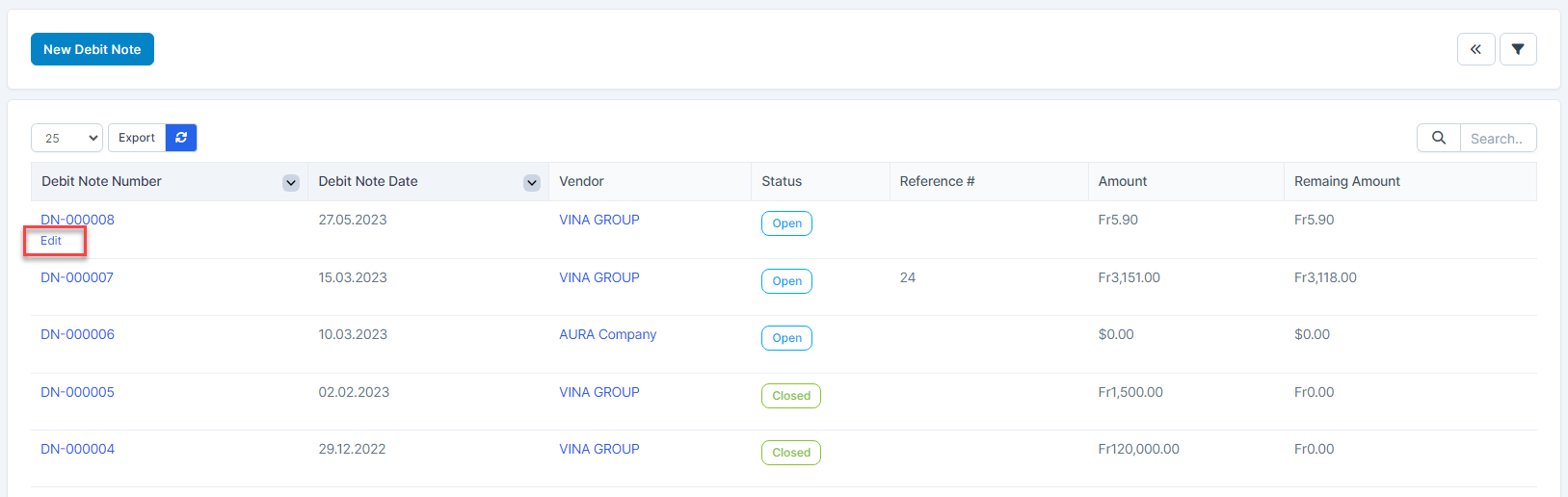
- ნაბიჯი 1. Select a debit note to edit and click რედაქტირება.
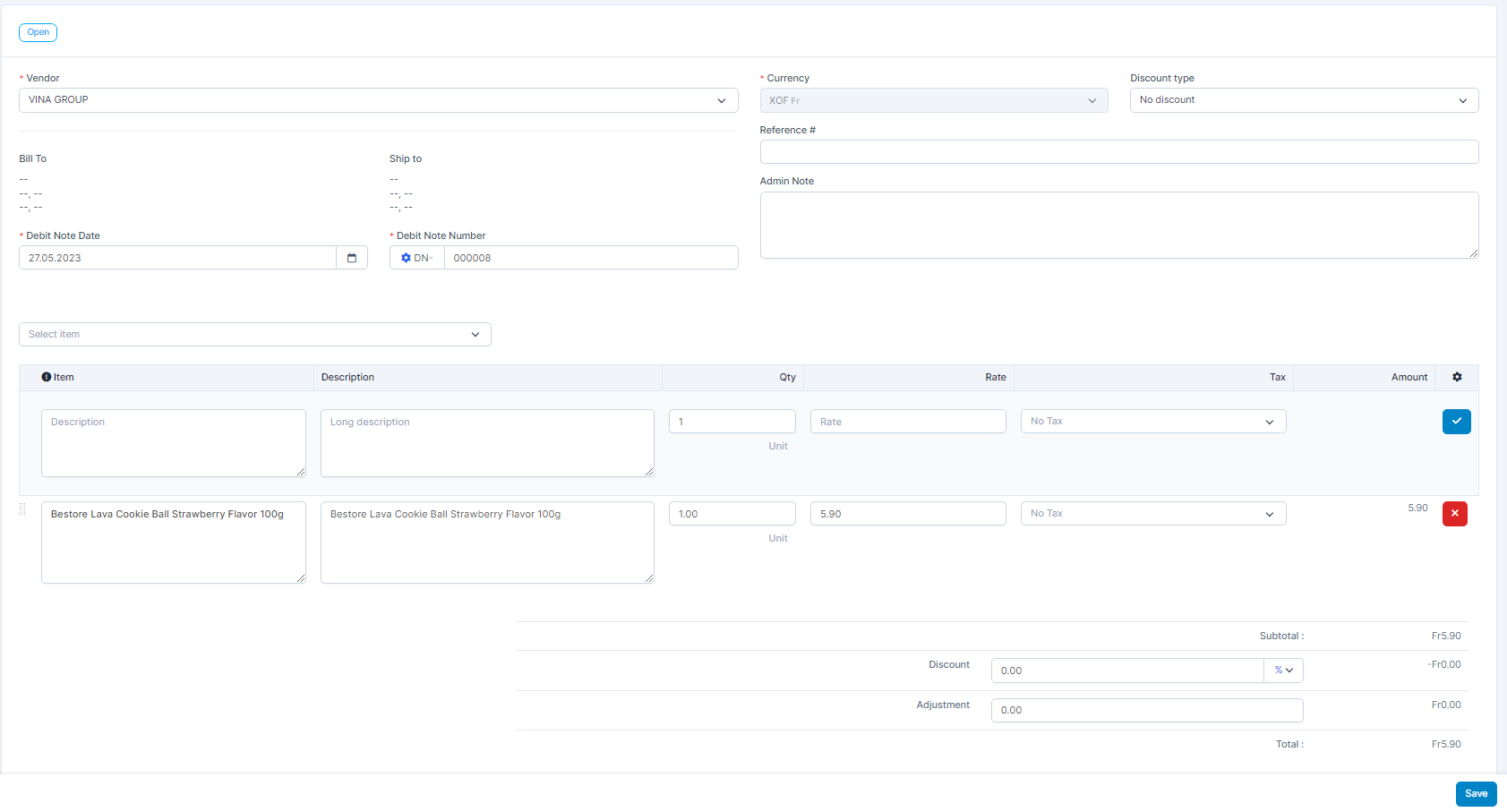
- ნაბიჯი 2. Make the necessary changes and click შენახვა button
წაშლა Debit შენიშვნა
Only debit notes that have not been invoiced debited and refund are allowed to be deleted.
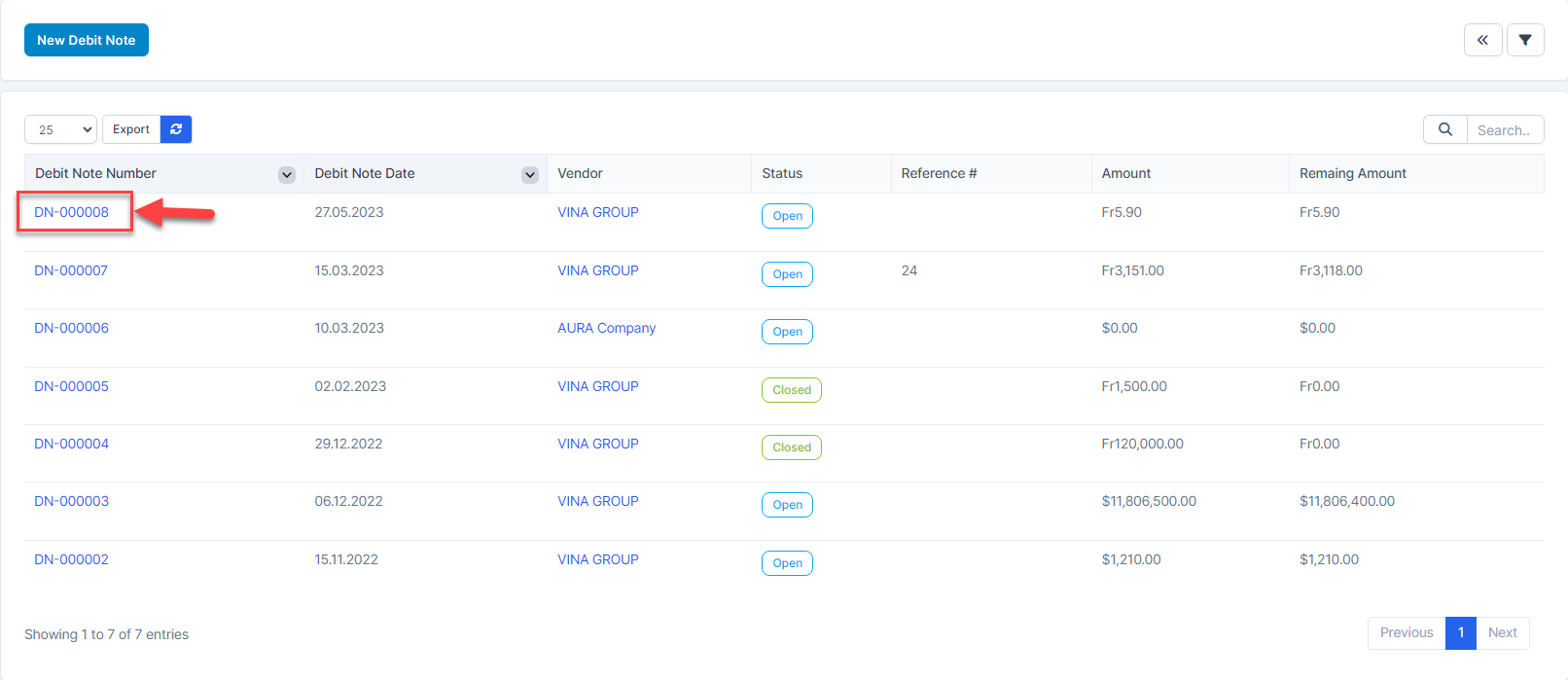
- ნაბიჯი 1. Hover over a Debit შენიშვნა -> click Debit შენიშვნა Number hyperlink
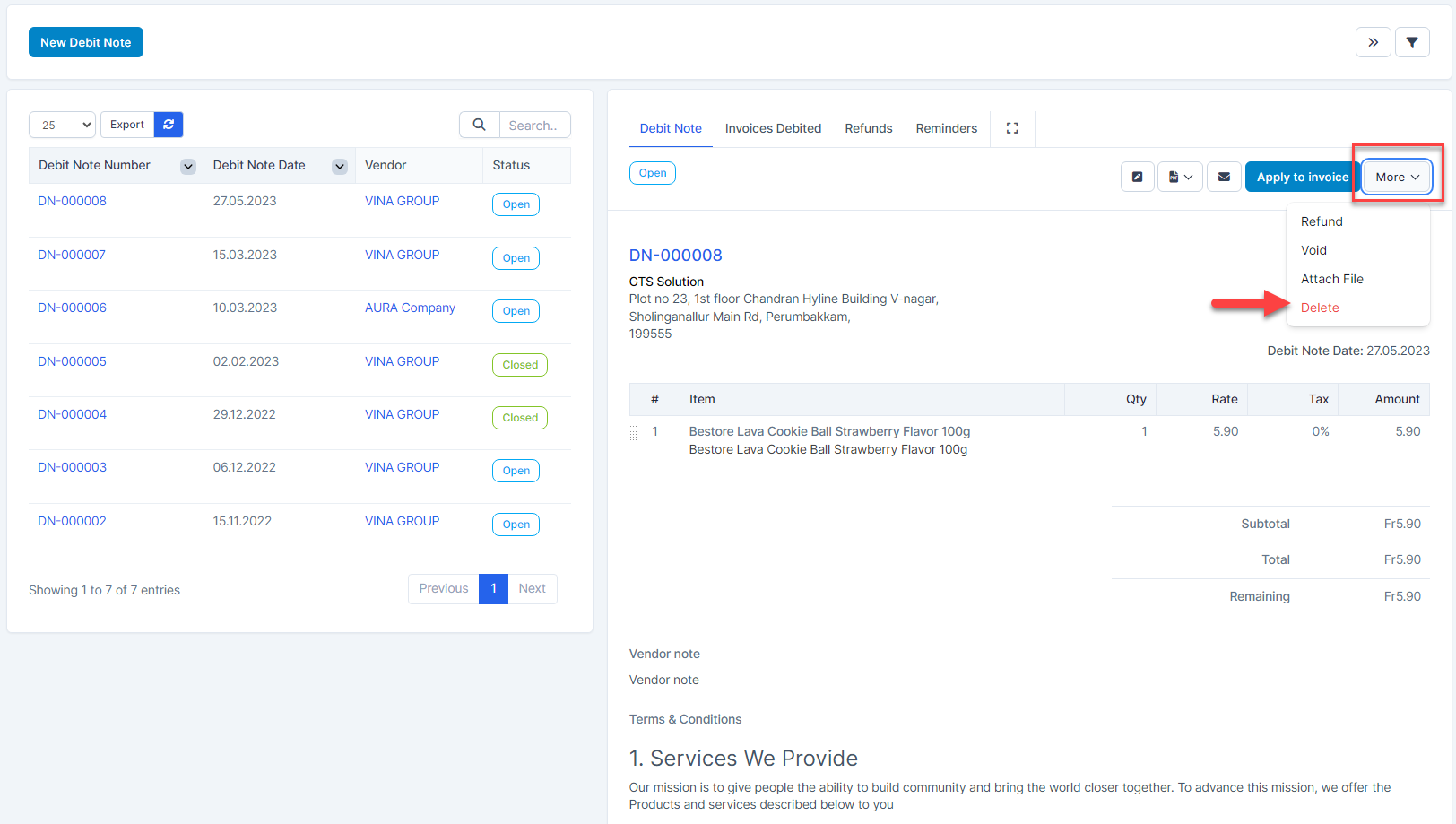
- ნაბიჯი 2. Click MORE -> click წაშლა
- ნაბიჯი 3. Confirm your selection in the following pop-up. The debit note will be deleted.
