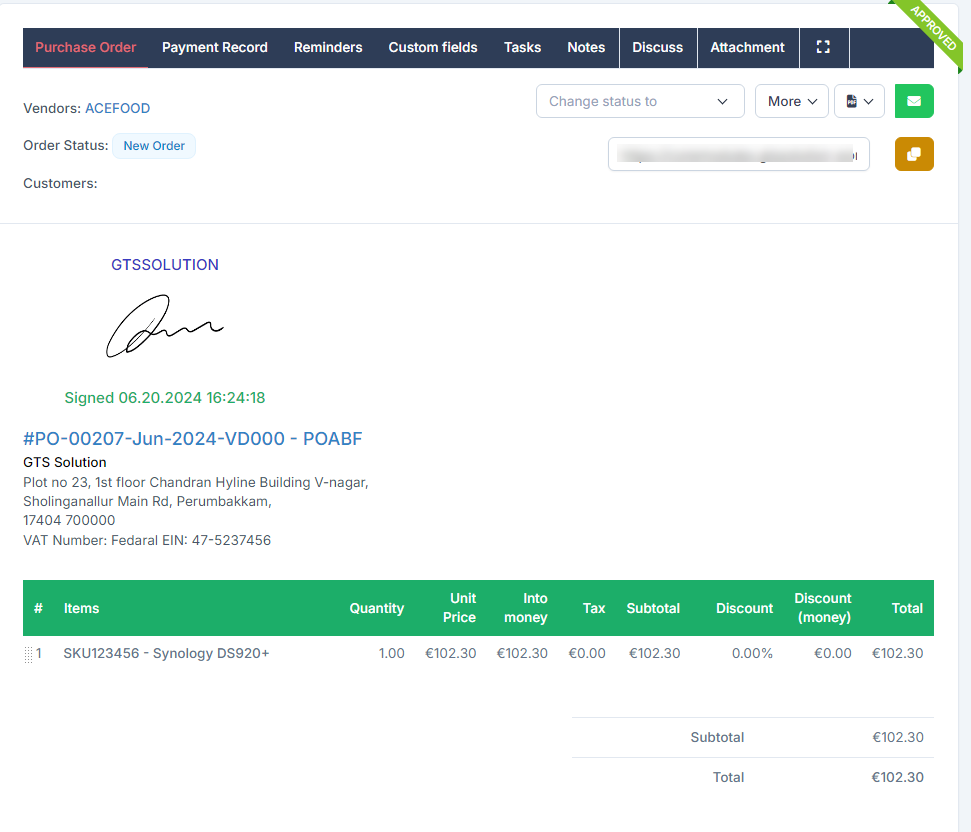
To get a transaction approved, you can submit an approval request or sign it. In this article, I will cover how to sign transactions. The signing process involves transactions such as: შესყიდვები Request, Quotation, შესყიდვები რიგითობა, შესყიდვები Invoice and Payment. Here's how:
1. Go to შესყიდვები module --> select პარამეტრები menu
2. Select Approval and click on New approval setting button
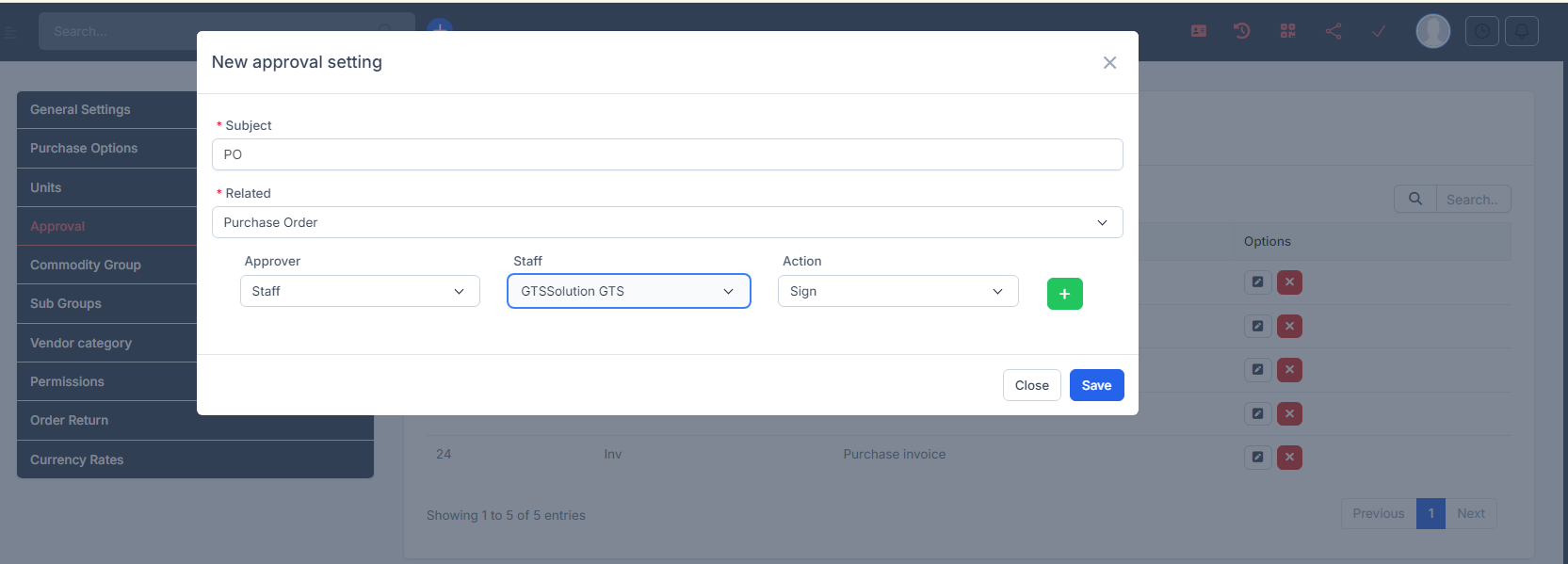
3. In the New approval setting page, create setting approval with ხელმოწერა action as below. Here, I create a flow for purchase order
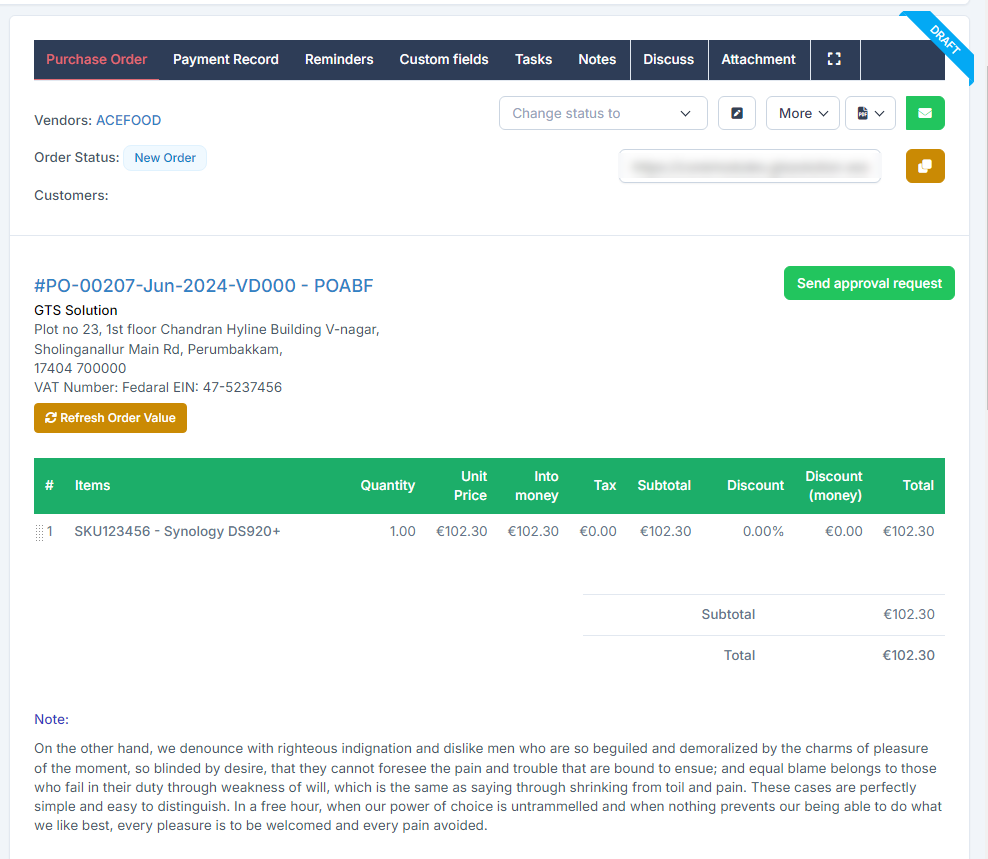
4. Go to შესყიდვები რიგითობა and create a purchase order. Then click on Send approval request
5. Log in as a signer and click ხელმოწერა
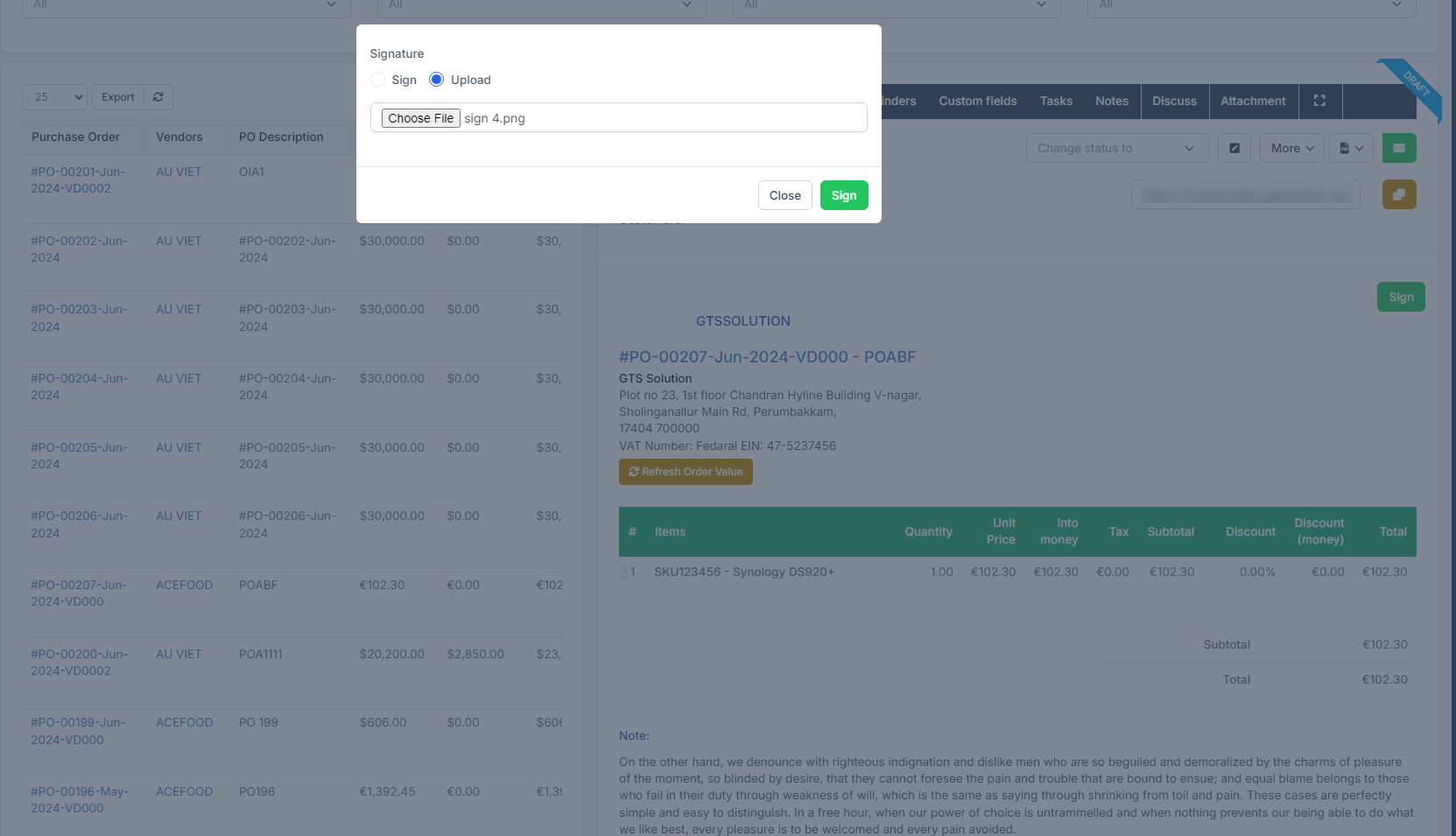
There are 2 ways to sign: manually sign or upload signature.
Manually sign: Select ხელმოწერა-> draw a signature -> click on ხელმოწერა
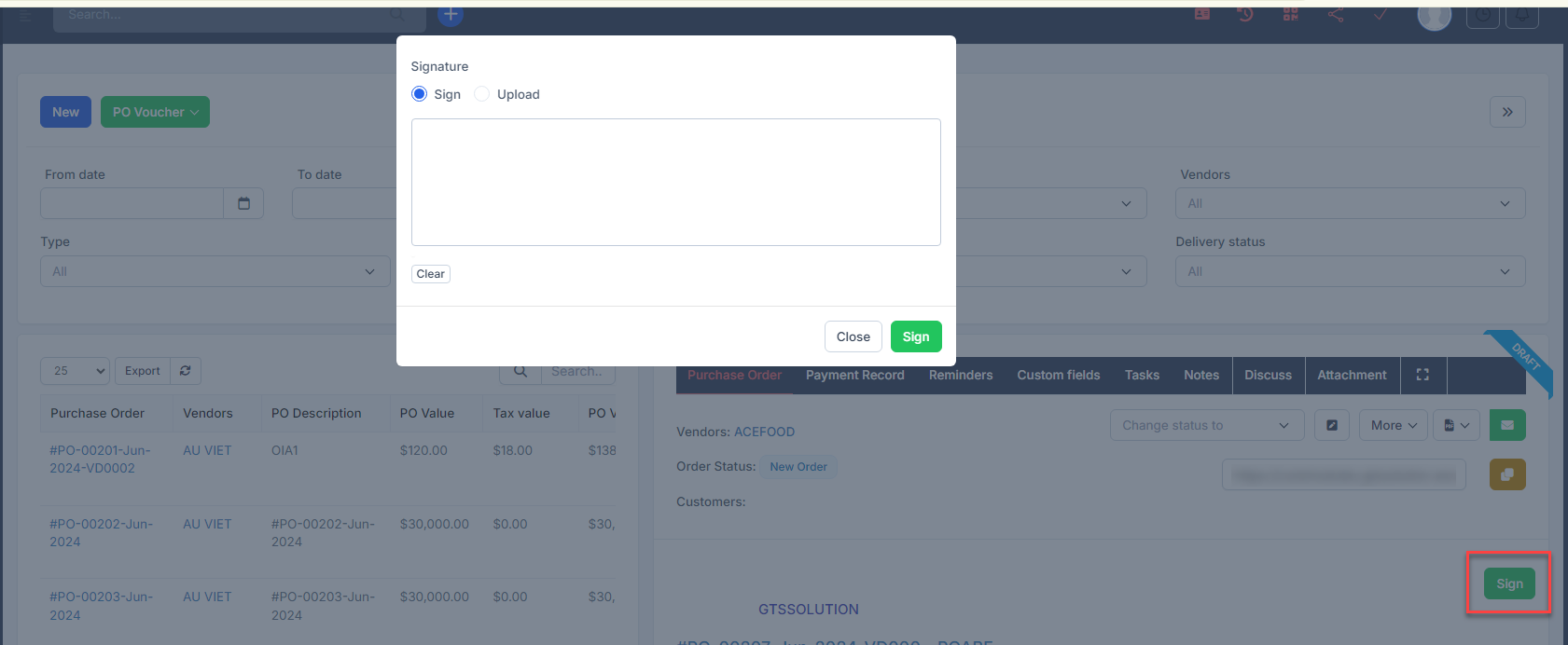 Upload signature: select Upload -> choose a image file -> then select ხელმოწერა button შენიშვნა: Only .PNG and .JPG formats are accepted
Result: