- Step1. Go to პარამეტრები menu under შესყიდვები module from the left sidebar.
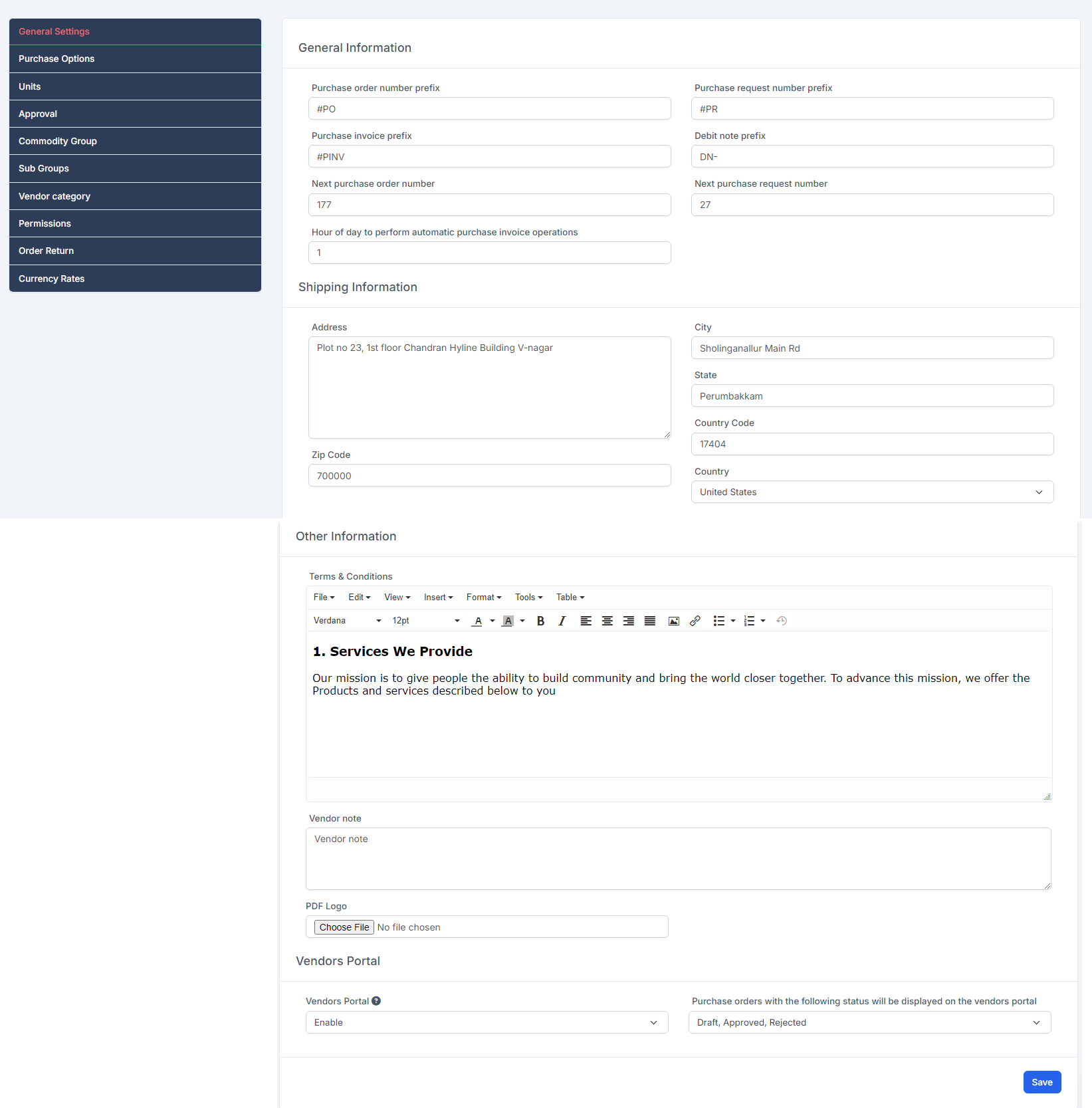
- ნაბიჯი 2. Select General პარამეტრები menu -> Enter data into the fields and შენახვა
General Information
- შესყიდვები order number prefix: used to configure the code for purchase order
- Next purchase order number: used to configure the order number of the purchase order, from the configured number, when creating a new purchase order, the order number will automatically increase by 1 unit. Set this field to 1 if you want to start from the beginning.
- შესყიდვები request number prefix: used to configure the code for the purchase request
- Next purchase request number: used to configure the order number of the purchase request, from the configured number, when creating a new purchase request, the order number will automatically increase by 1 unit. Set this field to 1 if you want to start from the beginning.
- შესყიდვები invoice prefix: used to configure the code for purchase invoice
- Debit note prefix: used to configure the code for the debit note
- Hour of day to perform automatic purchase invoice operations: invoice recurring will be automatically generated at the hour according to this option.
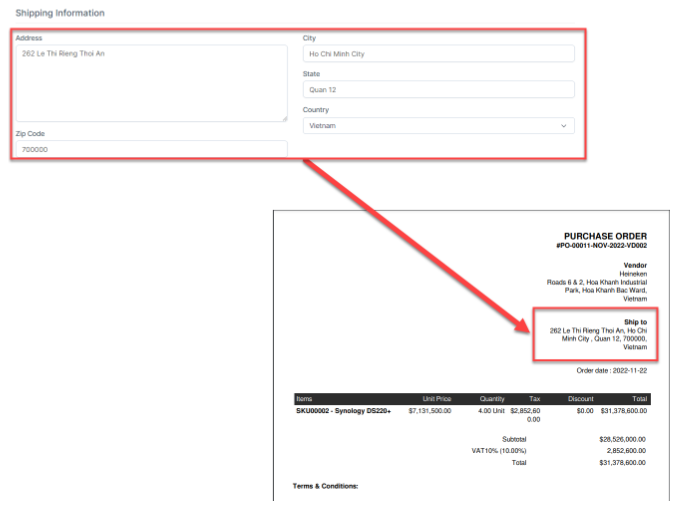
Shipping Information: used to configure the shipment information displayed in the PDF of შესყიდვები order
 Other Information- Terms & Conditions: create default content for Terms & Conditions such as: დამატება Quotation, დამატება შესყიდვები order, დამატება Debit შენიშვნა, დამატება Invoice- მომწოდებელი note: create default content for მომწოდებელი note such as: დამატება Quotation, დამატება შესყიდვები order, დამატება Debit შენიშვნა, დამატება Invoice- PDF Logo: used to add logo displayed in PDF files of შესყიდვები რიგითობა, შესყიდვები Request, Quotation. Debit შენიშვნაs
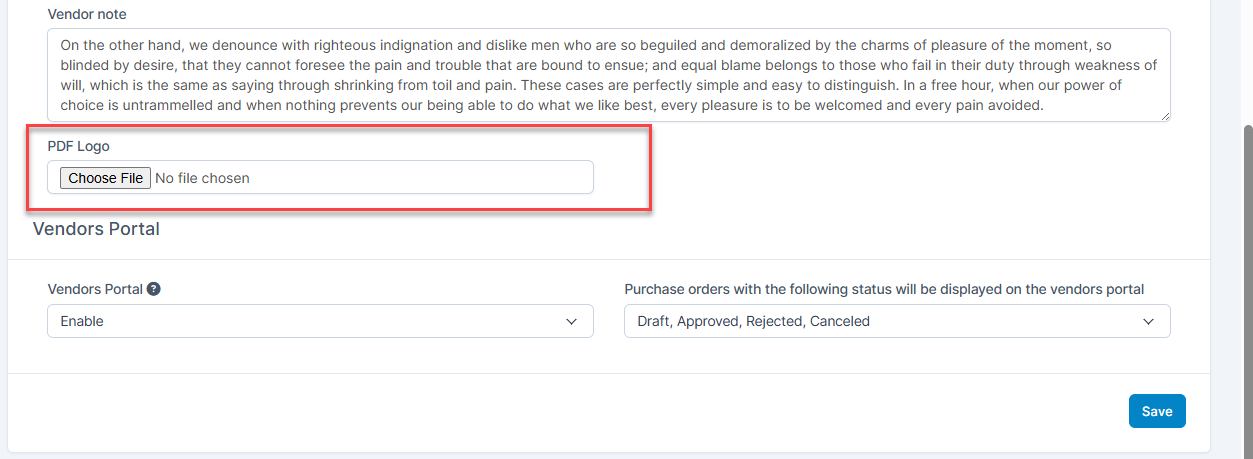 მომწოდებელიs Portal: You can enable/disable the login page and homepage of the vendor portal. At the same time, you can set up purchase orders with the desired status to be displayed in the vendor portal