ნაბიჯი 1. Go to პარამეტრები menu under შესყიდვები module from the left sidebar.
ნაბიჯი 2. Select შესყიდვები Option menu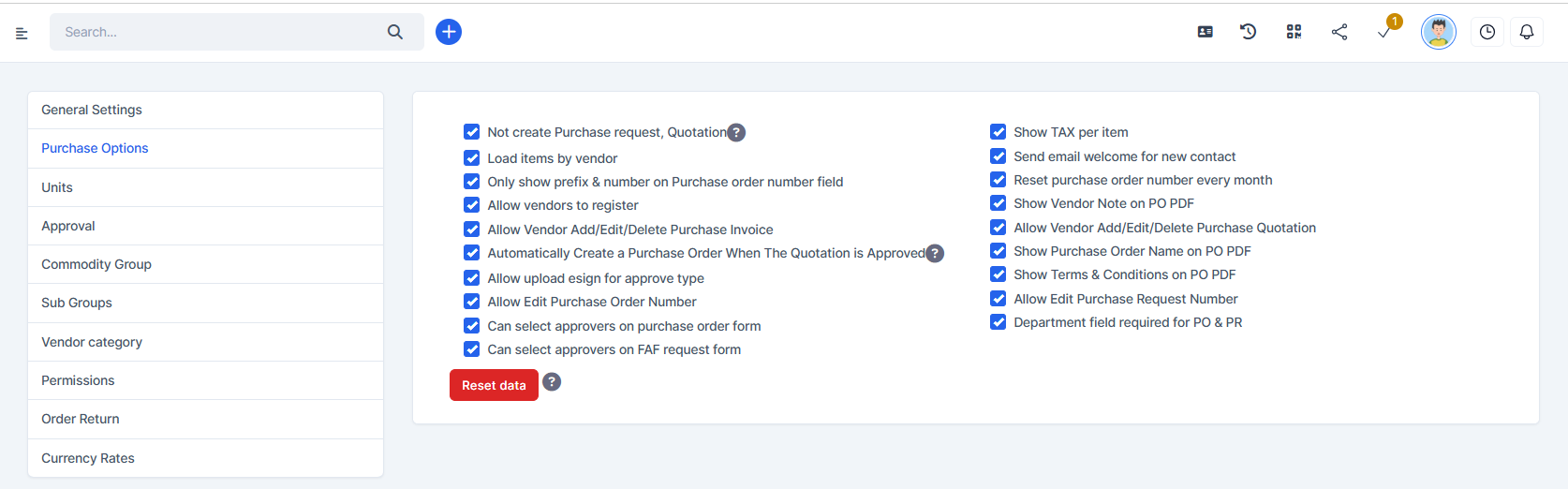
- Not creating შესყიდვები request, Quotation: If you enable this setting, the Quotation field is hidden in the დამატება purchase order page.
- Load items by vendor: If you enable this setting, when creating a purchase order or quotation, the items will load according to the selected vendor. Conversely, if this setting is not enabled, all existing items will be displayed.
- Only show prefix & number on შესყიდვები order number field: If you enable this setting, the შესყიდვები order number field consists of 3 components: prefix - number - vendor code. If you do not enable this setting, the შესყიდვები order number field includes the following components: prefix - number - month - year - vendor code
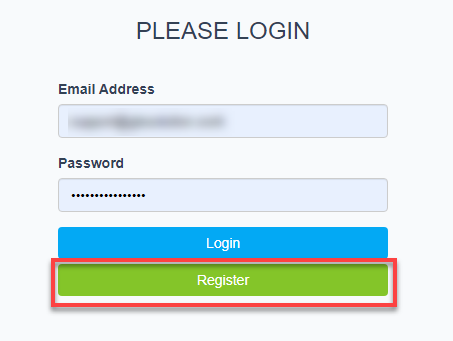
- Allow vendor to register: if activated, the vendor portal (/purchase/authentication_vendor) will display the Register button
- Allow მომწოდებელი დამატება/რედაქტირება/წაშლა შესყიდვები invoice: If enabled, the vendor can create, edit, and delete purchase invoices on the vendor portal
- Allow მომწოდებელი დამატება/რედაქტირება/წაშლა შესყიდვები Quotation: If enabled, the vendor can create, edit, and delete purchase quotation on the vendor portal
- Automatically Create a შესყიდვები რიგითობა When The Quotation is დამტკიცებაd: as soon as the quotation status is approved, a purchase order will be automatically created. + შესყიდვები order is created with Draft status when you have approval settings for purchase order + შესყიდვები order is created with დამტკიცებაd status when you do not have approval settings for purchase order
- Show TAX per item: show tax column in PDF, შესყიდვები რიგითობა detail and Quotation detail.
- Send email welcome for new contact: if this feature is enabled, when there is a new contact, the system will automatically send a welcome email to the newly created contact.
- Reset purchase order number every month: if you enable this feature, the შესყიდვები order number will automatically reset at the beginning of the month
- Show მომწოდებელი შენიშვნა on PO PDF: If enabled, the მომწოდებელი შენიშვნა will display in the PDF of the PO
- Show შესყიდვები რიგითობა სახელი on PO PDF: Enable this option to display purchase order name in the PDF
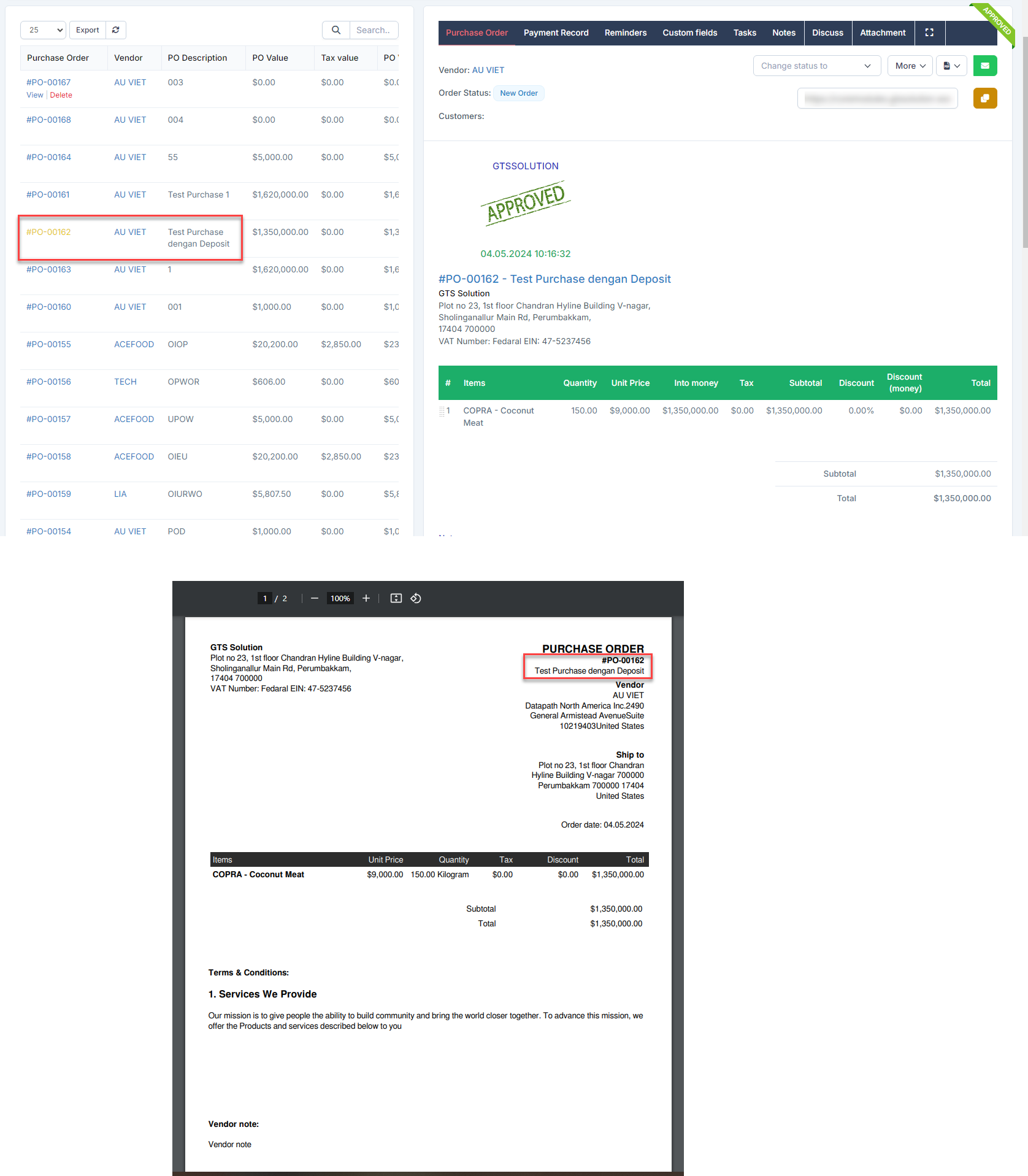
- Show Terms & Conditions on PO PDF: Enable this option to display the Terms & Conditions content on the purchase order PDF.
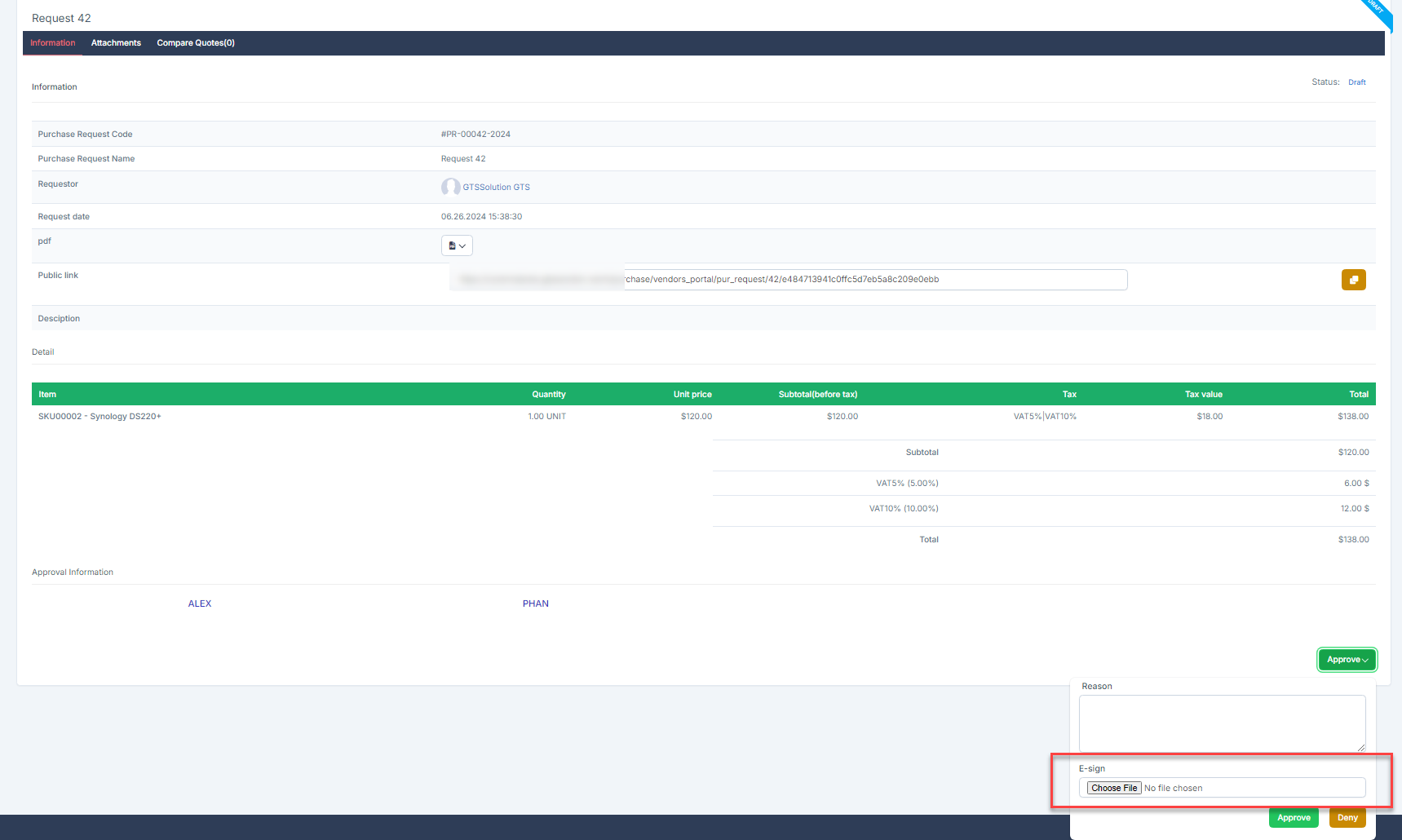
- Allow upload esign for approve type: Enable this option so that the approver can upload the e-sign in the approval step. This option only works with the approval process where the action is დამტკიცება
- Allow რედაქტირება შესყიდვები Request Number: Enable to allow editing of the purchase request number in the დამატება/რედაქტირება შესყიდვები Request form.
- Allow რედაქტირება შესყიდვები რიგითობა Number: Enable to allow editing of the purchase order number in the დამატება/რედაქტირება შესყიდვები რიგითობა form.
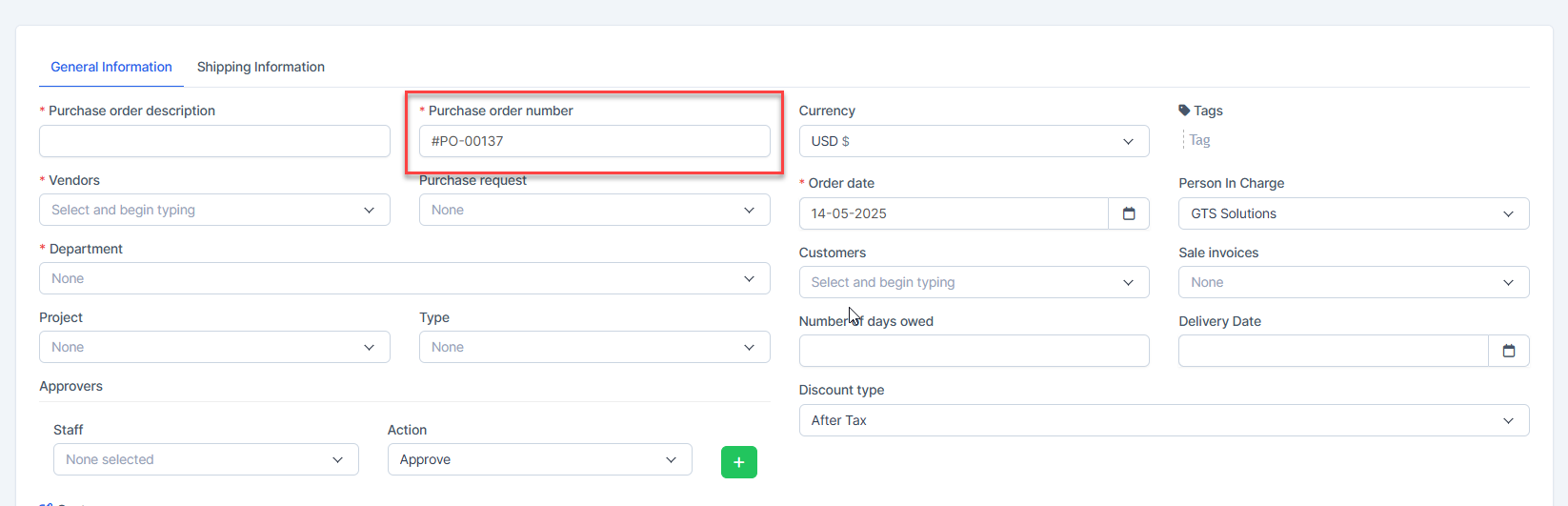
- Can select approvers on purchase order form: allows you to choose an approver for each purchase order without depending on the approval setting.You can view more details at: https://helpcenter.gtssolution.vn/article/select-approver-on-the-addedit-po-form
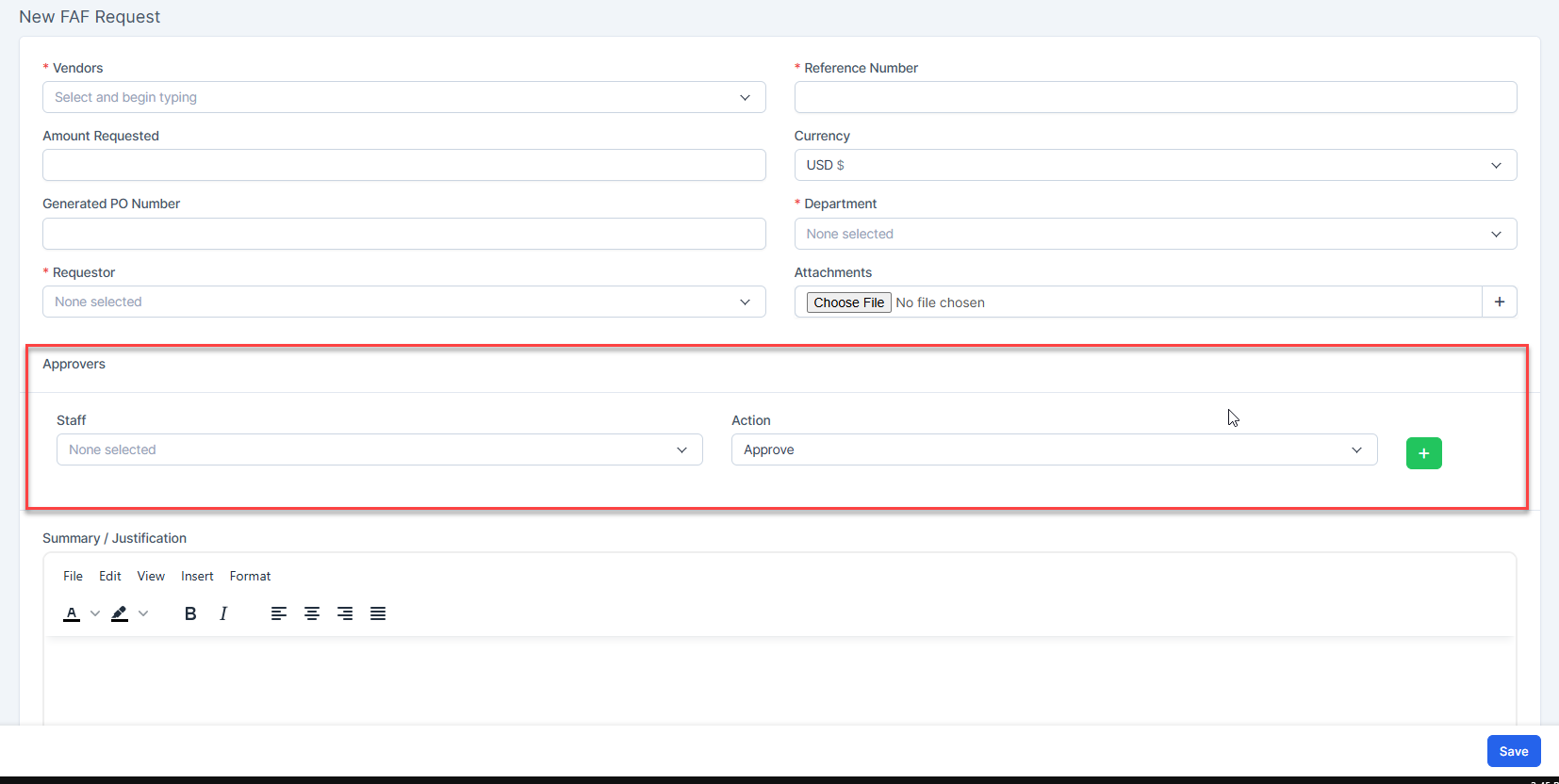
- Can select approvers on FAF request form: allows you to choose an approver for each FAF without depending on the approval setting.
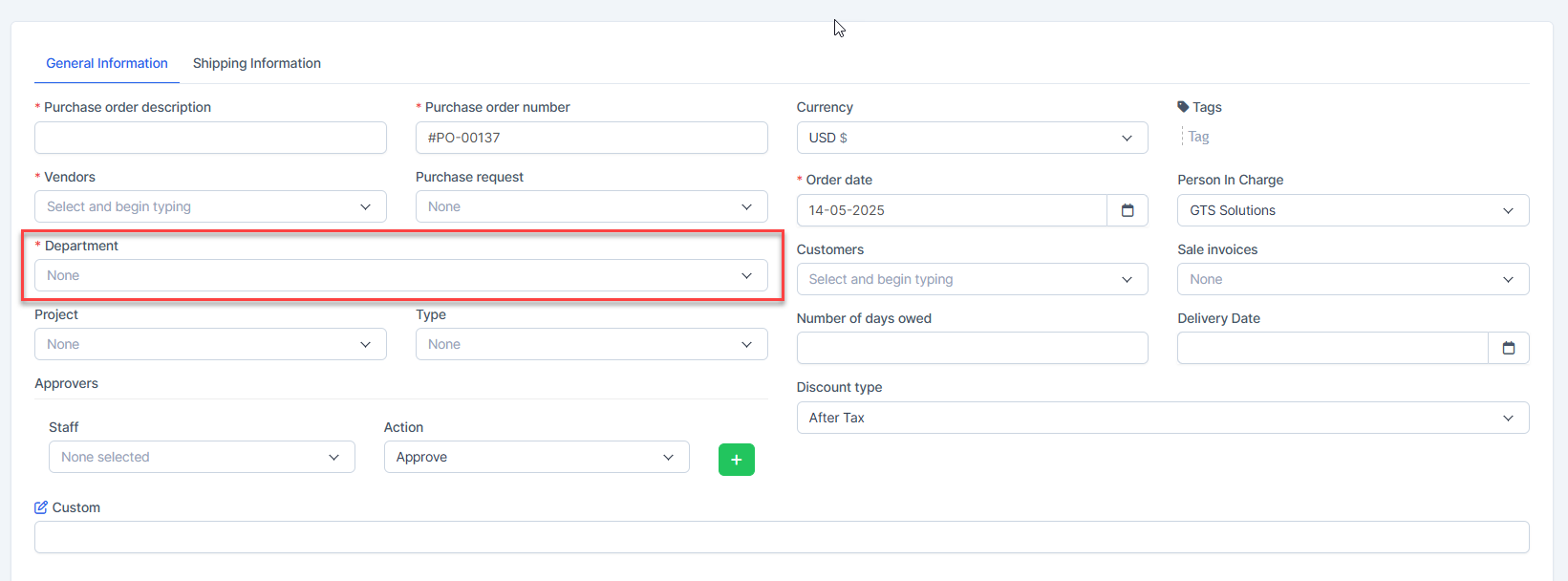
- Department field required for PO & PR: Enable this option to make the Department field mandatory in the Create/რედაქტირება შესყიდვები რიგითობა and შესყიდვები Request forms.
- RESET DATA: All data related to შესყიდვები request, Quotation, შესყიდვები order, კონტრაქტი, შესყიდვები invoice, Debit შენიშვნა, return order are deleted. Payments related to შესყიდვები invoice are deleted. Does not affect the საწყობი module. Setting data, items are not deleted. Tasks related to შესყიდვები order, Quotation, შესყიდვები invoice, კონტრაქტი are also deleted.