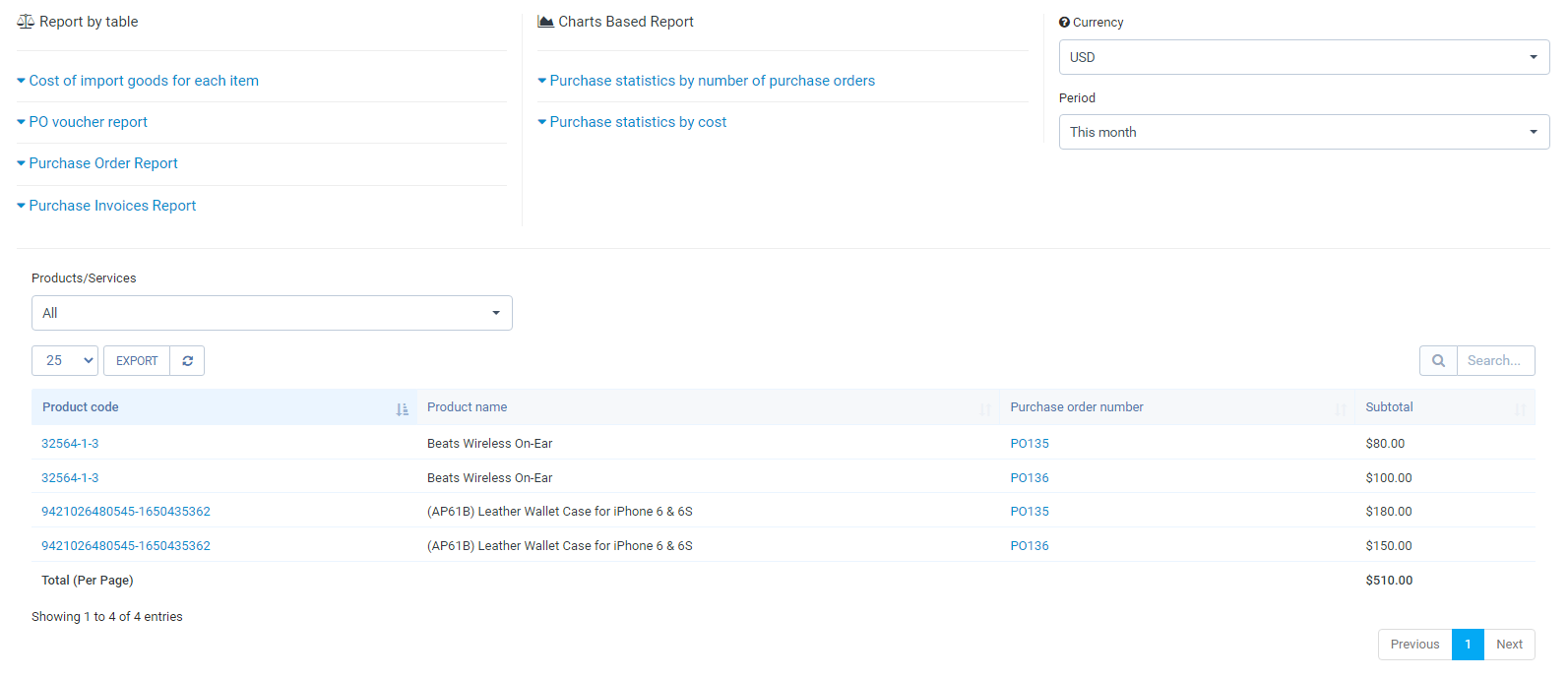
- ღირებულება of import goods for each item
ჩვენება the purchase price of each item according to each PO. Report data displays by time (This month, Last month, This Year, Last year, All Time…) and currency. Filtering by currency will display შესყიდვები რიგითობაs in that currency.
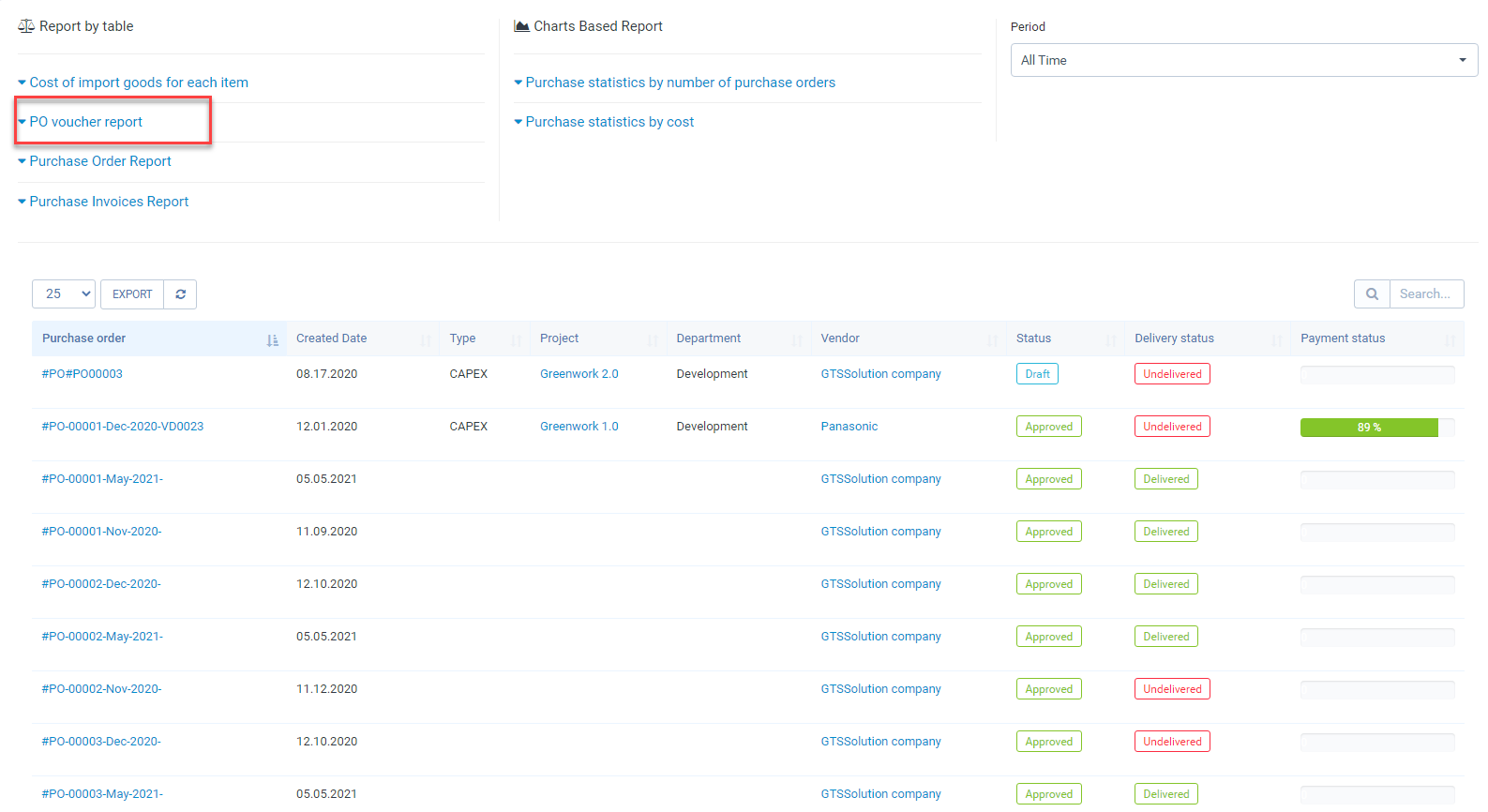
- PO voucher report
Show all POs by filter period (This month, Last month, This year, Last year, All time...).The report shows which vendor the PO belongs to, which department, which project, what is the PO status, the delivery status, and the payment status related to the PO.
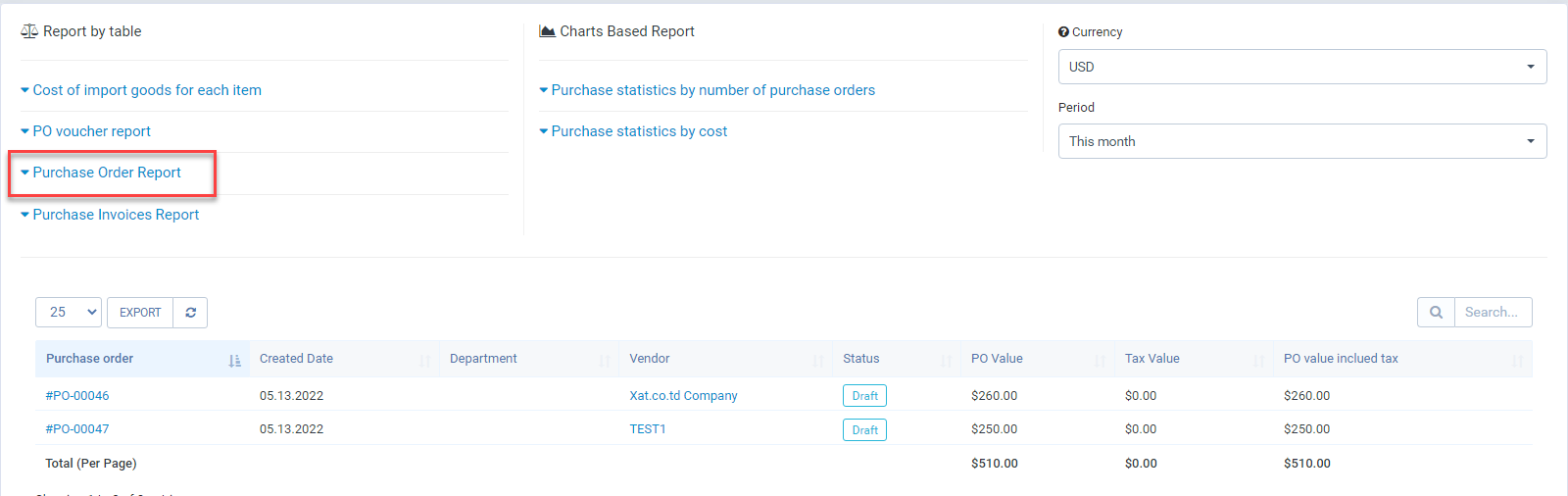
- შესყიდვები order Report
This report shows which vendor PO belongs to, which department, PO status, total PO value without tax, total tax for each PO, and total taxable PO value. Data is filtered by currency and time, filtering by which currency will show POs in that currency.
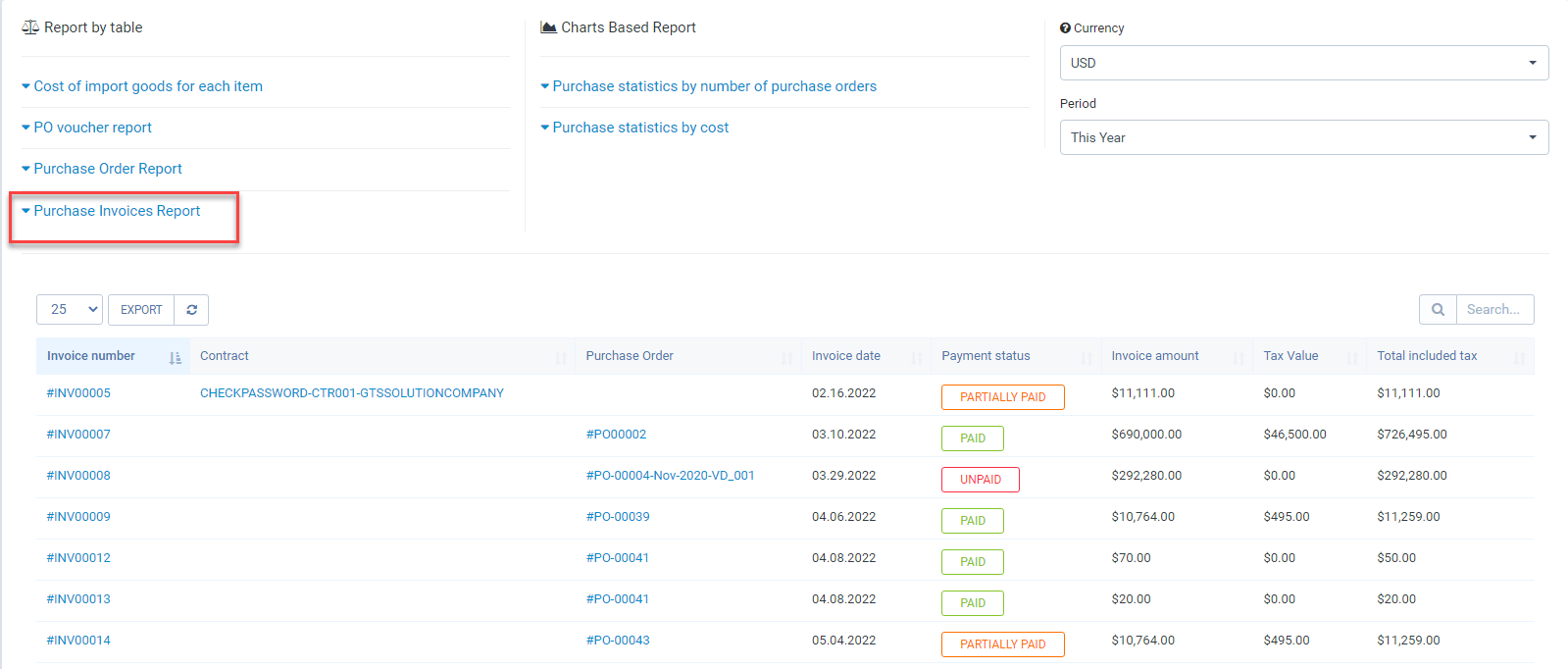
- შესყიდვები Invoices Report
Statistics of შესყიდვები Invoices created from შესყიდვები რიგითობა or კონტრაქტი by currency and filter time.
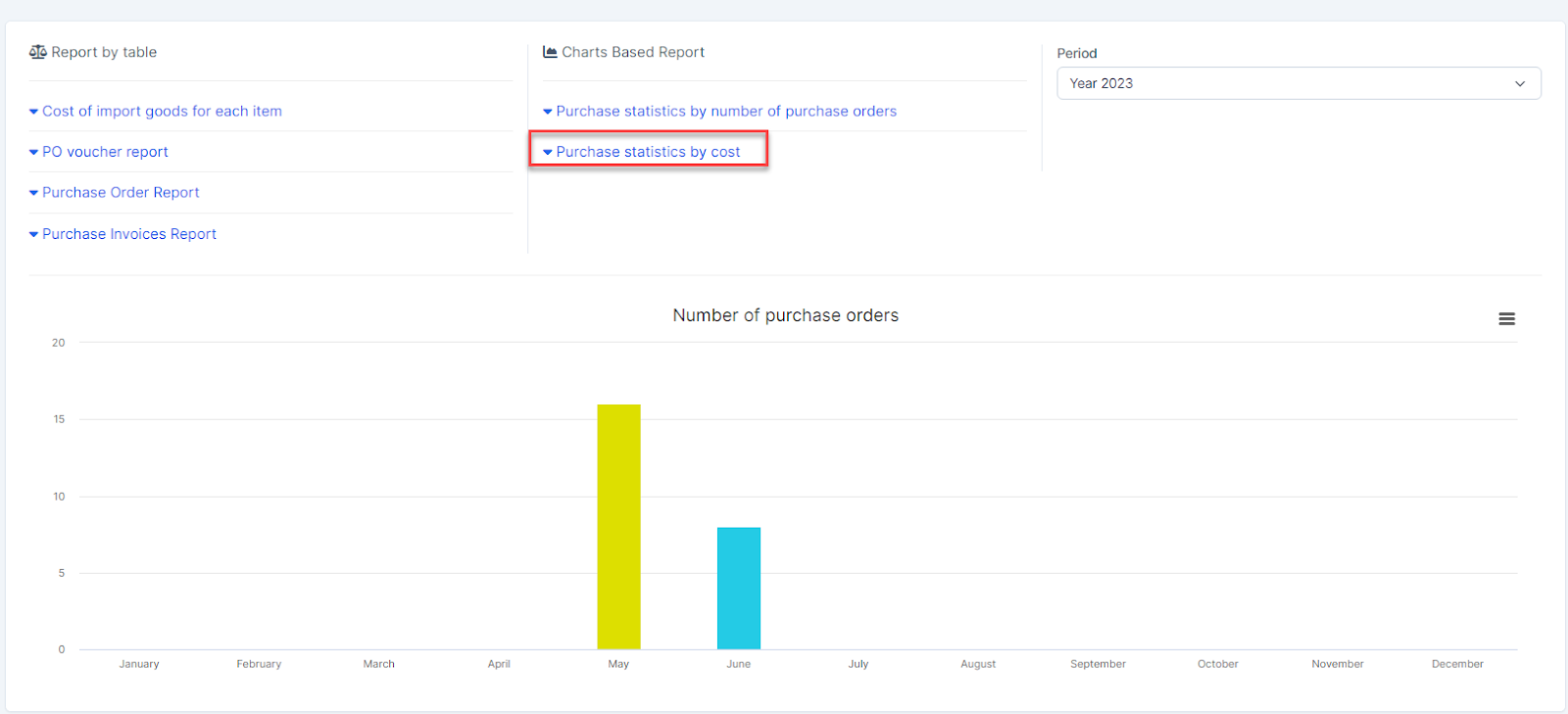
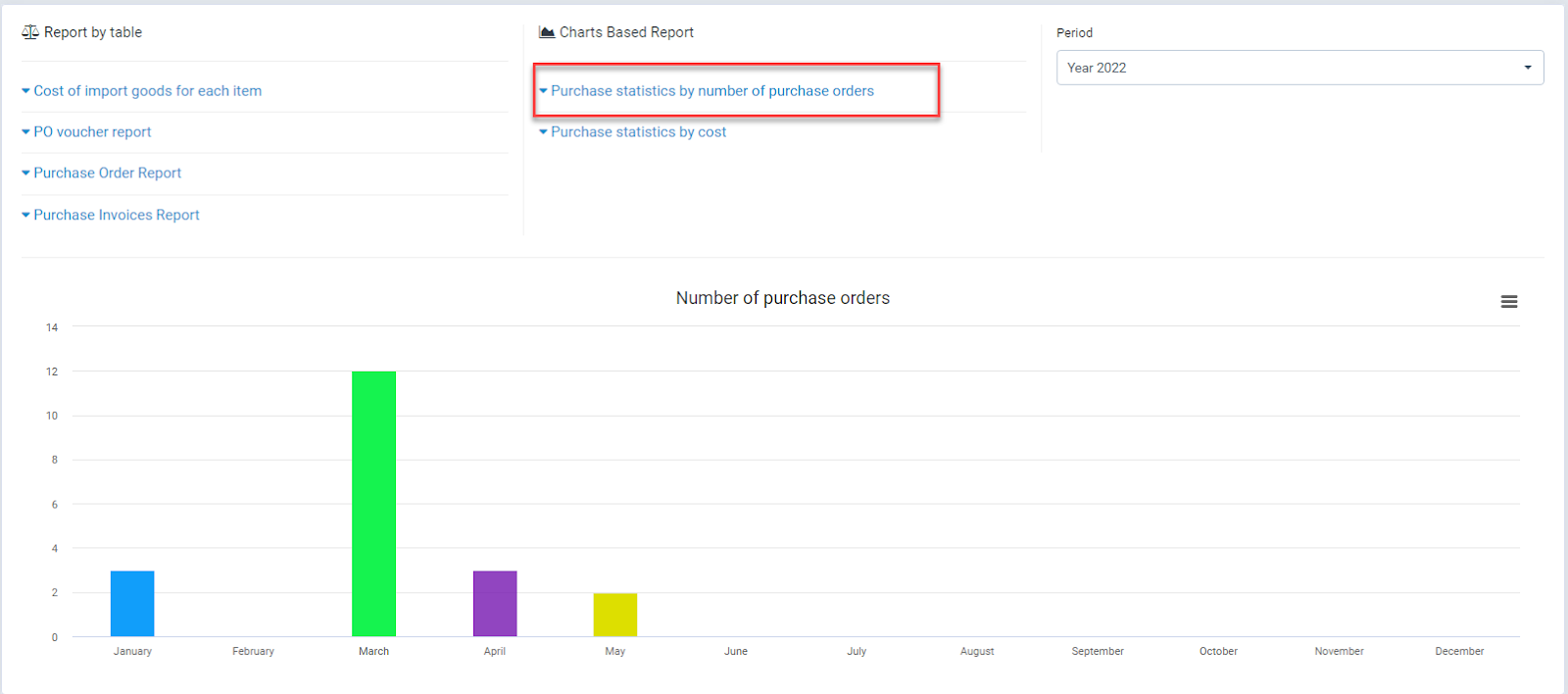
- შესყიდვები statistics by number of purchase orders
Statistics of the number of POs in all states by month of the year.
- შესყიდვები statistics by cost
Statistics of total PO value including tax by month