From version 1.7.9 onwards, you can receive SMS notifications for მომწოდებელი Registration and კონტრაქტი ხელმოწერაing.
How to Enable SMS Notifications
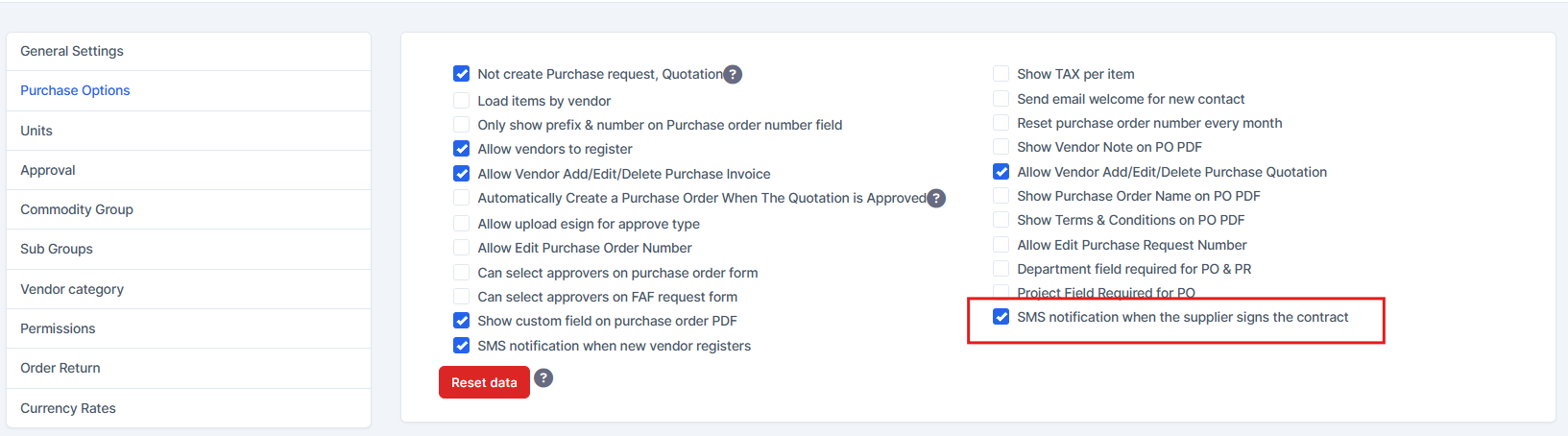
Go to შესყიდვები > პარამეტრები > შესყიდვები Options and enable the following options:
- SMS notification when new vendor registers
SMS notification when the supplier signs the contract
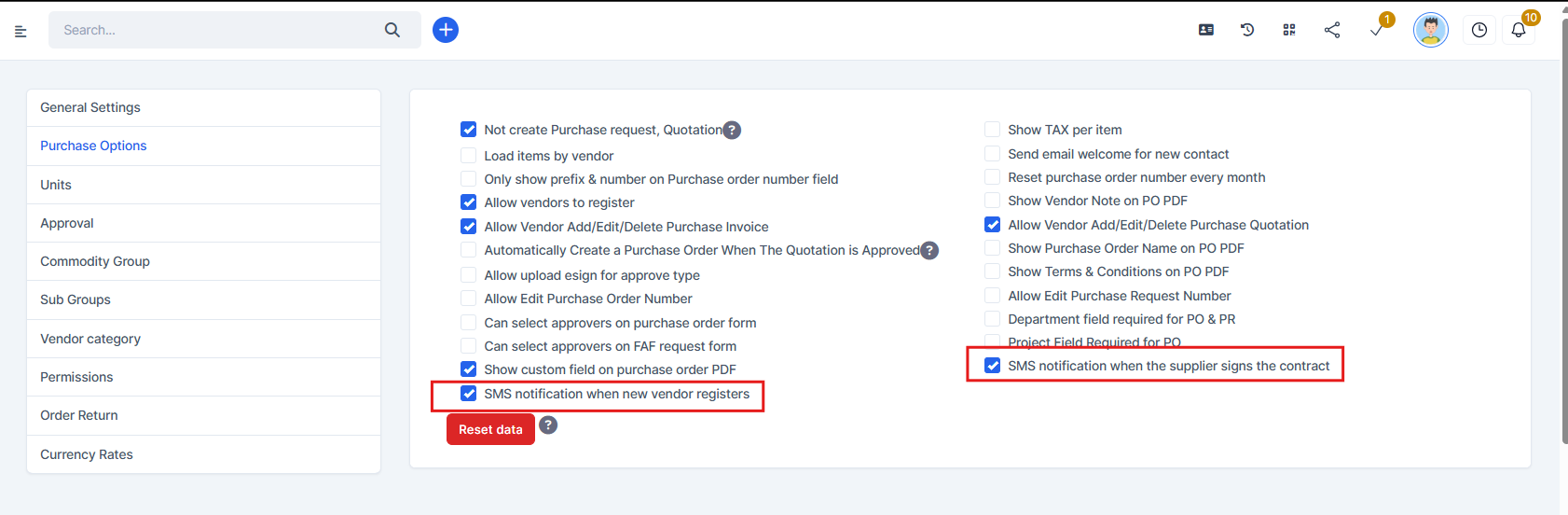
New მომწოდებელი Registration – SMS to თანამშრომლები
To send SMS notifications to staff when a new vendor registers:
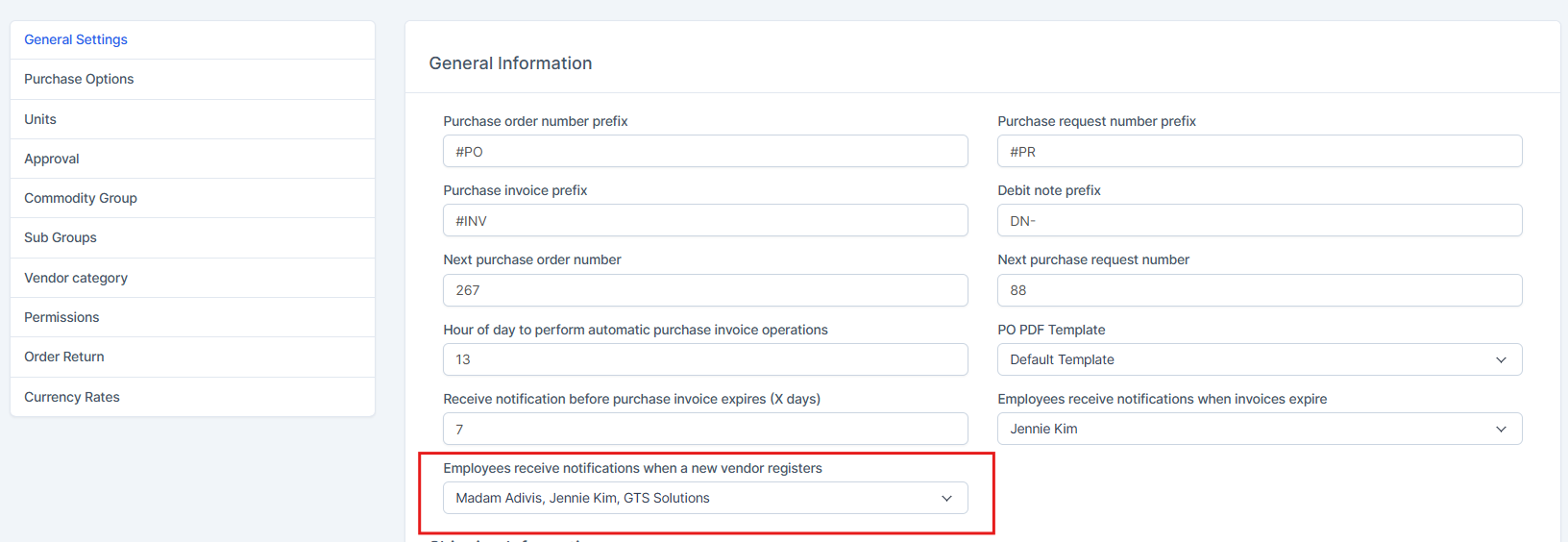
- Go to შესყიდვები > პარამეტრები > General პარამეტრები.
- Select the staff members under “Employees receive notifications when a new vendor registers.”
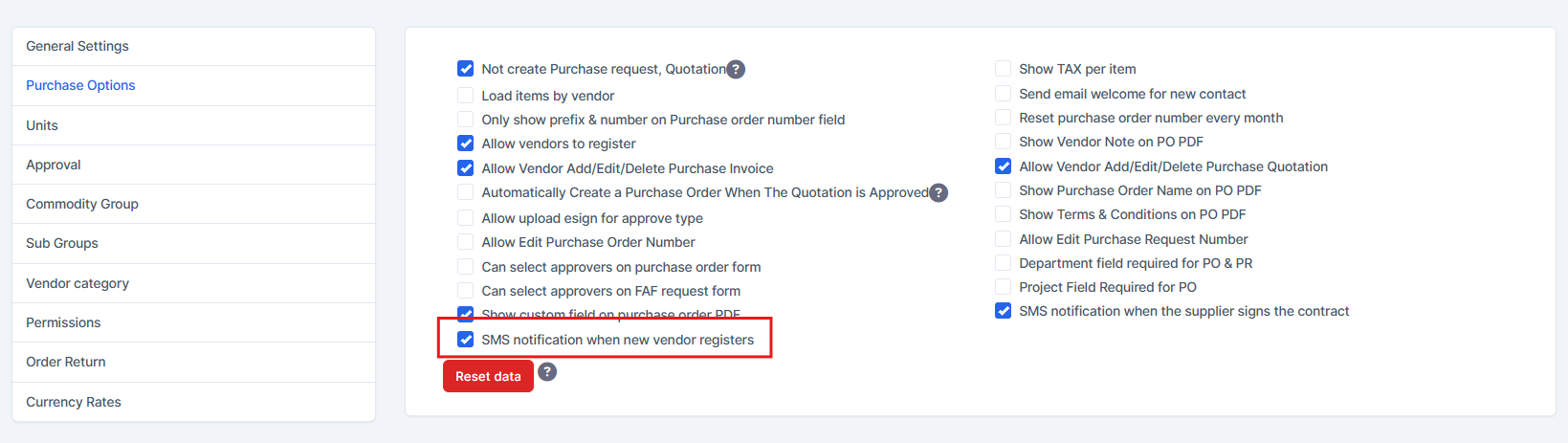
- Enable “SMS notification when new vendor registers.”
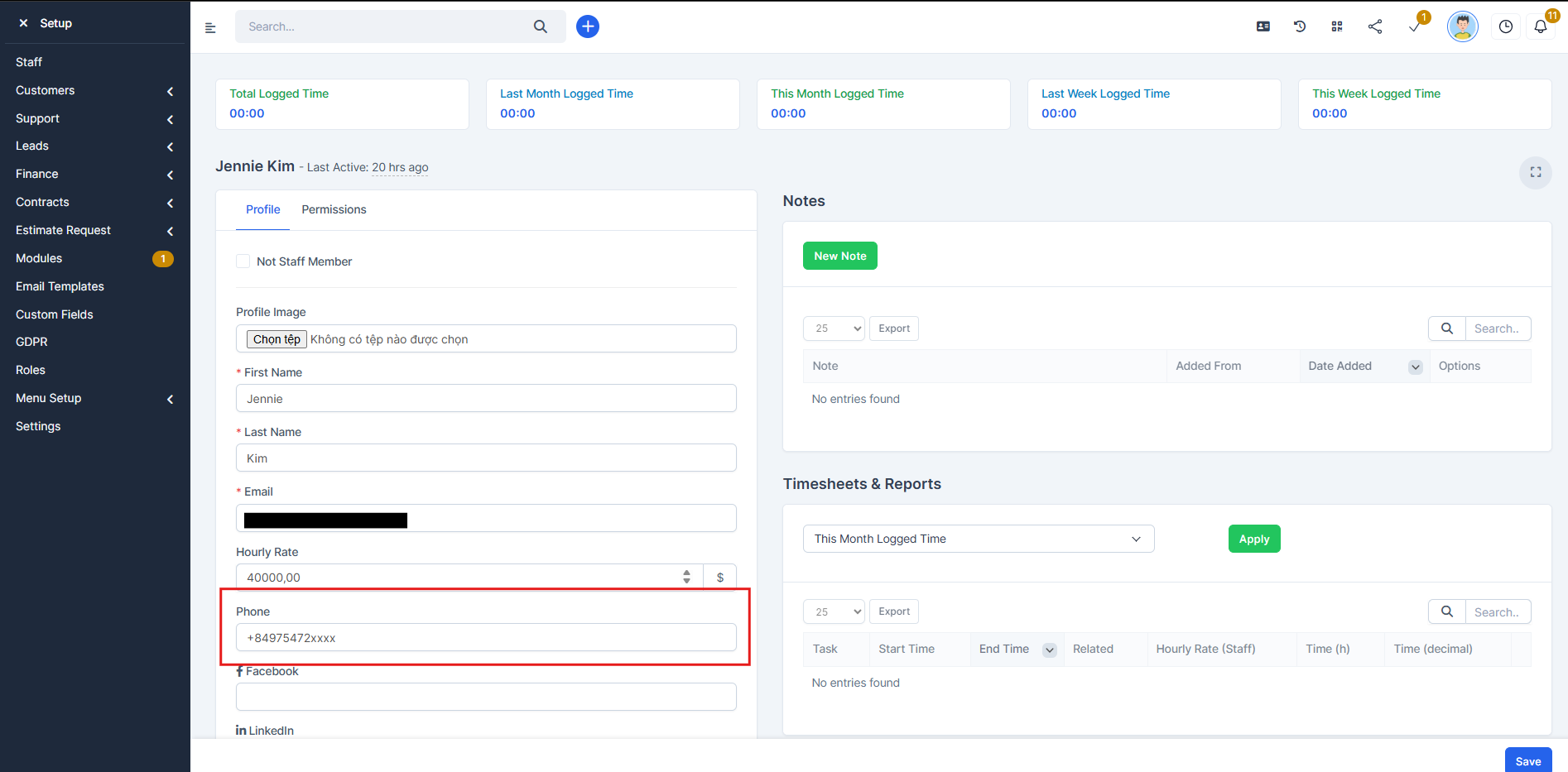
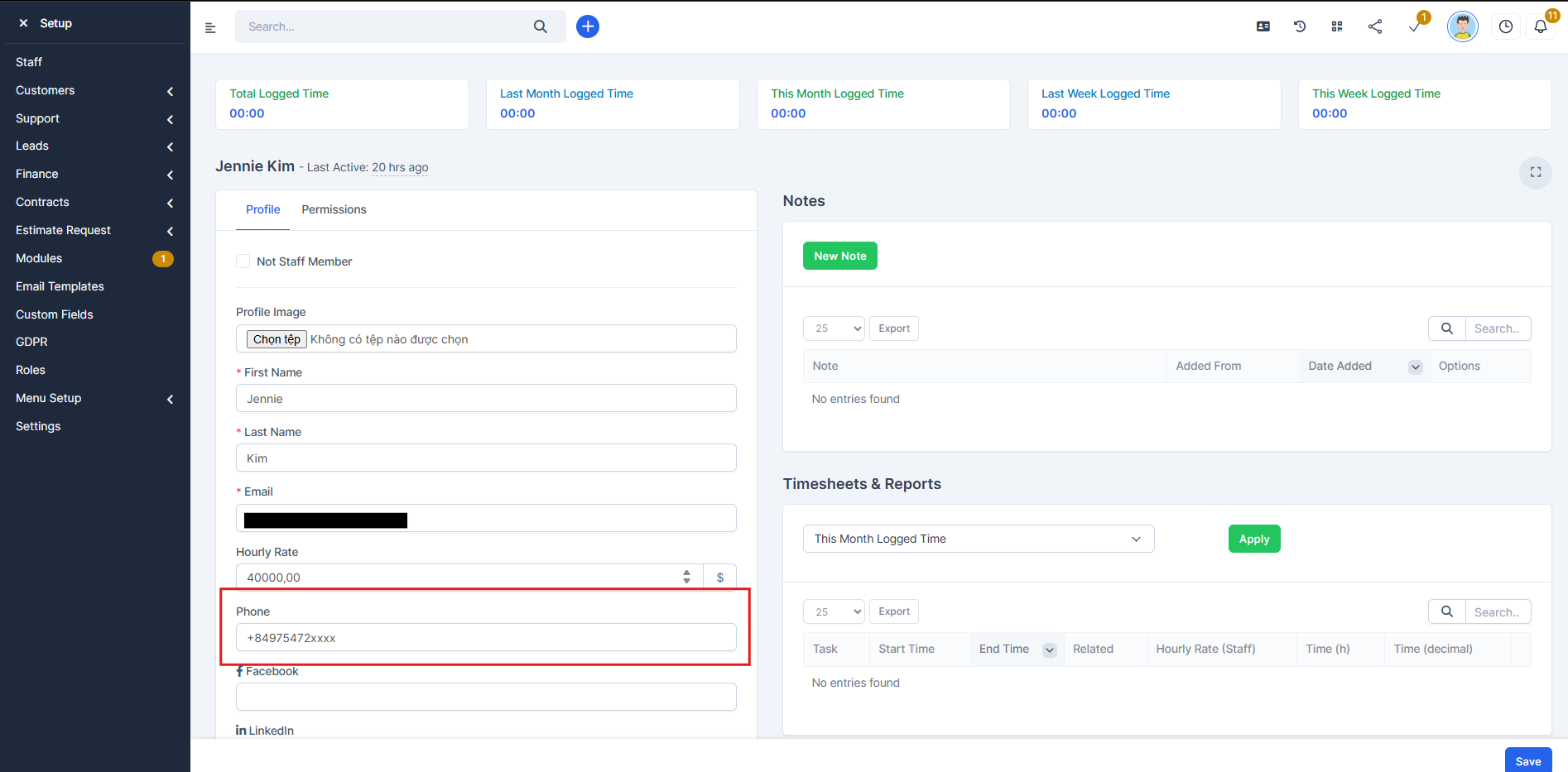
- Ensure each selected staff member has a phone number filled in the Phone field in their staff profile.
მომწოდებელი კონტრაქტი ხელმოწერაing – SMS to თანამშრომლები
To send SMS notifications when a vendor signs a contract:
- Enable “SMS notification when the supplier signs the contract.”
- Create a contract.
- Once the vendor signs the contract, an SMS will automatically be sent to the staff member who created the contract. Ensure that staff member has a phone number filled in the Phone field in staff profile.
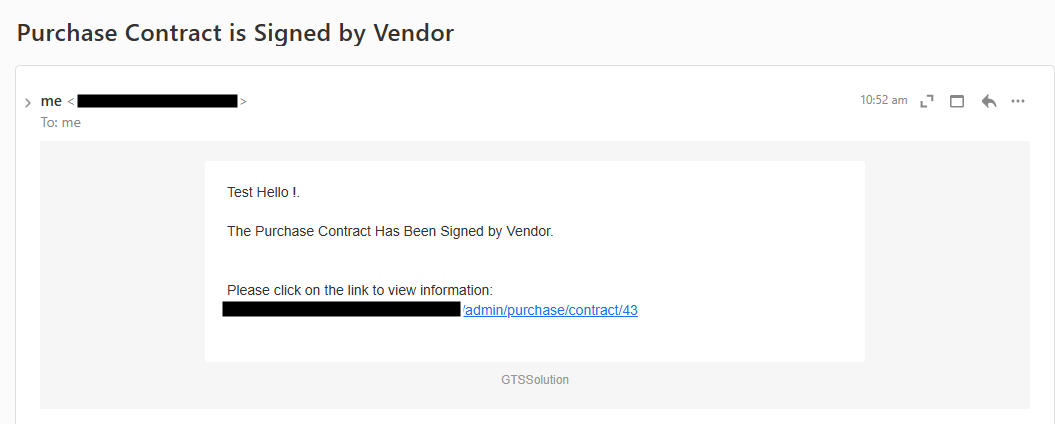
დამატებაitionally, the system will also send an email to the staff member who created the contract after it is signed by vendor.
შენიშვნაs:
- SMS will not be sent if:
- The staff Phone field is empty, or
- The relevant SMS option is disabled.
- Phone numbers must be entered in international format, for example: +84975472xxxx